
[October 2026] Blox Fruits: Latest Codes and How to Redeem Them

In the popular Roblox game Blox Fruits, entering codes shared by the developers gives you rewards such as EXP boosts and stat resets. In this article,2026年10月we list the codes that are currently active, and explain how to enter them and tips for using them.
What do you get from codes?
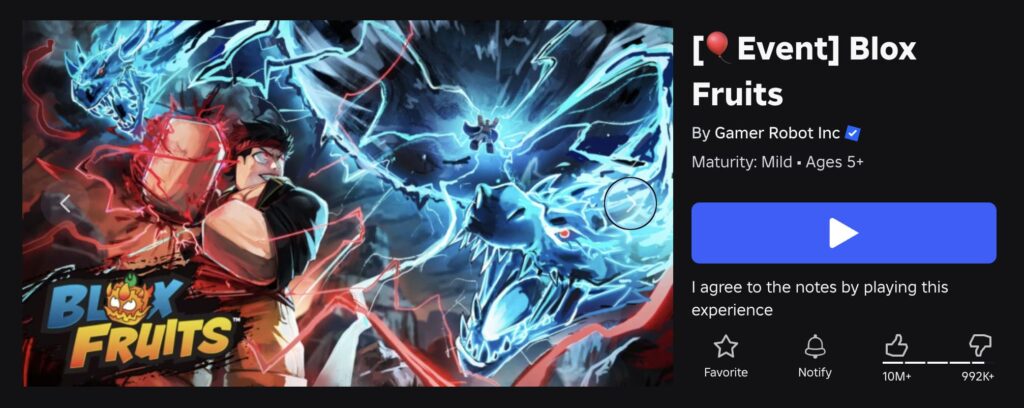
Source: “Roblox“
Blox Fruits codes provide four main types of rewards. You can claim them without spending money, so using them right after you start playing will make things much more efficient later on.
Types of rewards
- A boost that doubles earned EXP for a limited time
- A reset that clears your allocated stat points
- Small amounts of the in-game currency “Beli”
- Titles you can display on your profile
By far the most common rewards are 2x EXP boosts. Many of these codes use the names of Blox Fruits YouTubers and were released by the developers as promotions.
Blox Fruits Code List [Roblox]
 ⚔️ Blox Fruits Codes
Working 17
⚔️ Blox Fruits Codes
Working 17
Here are the currently active codes, organized by reward type. Some codes are case-sensitive, so be sure to enter them exactly as shown.
How to enter codes
For first-time users, here are the step-by-step instructions. The basic process is the same whether you play on PC or mobile.
Steps to enter codes
- Launch Blox Fruits and load into the game so you can control your character.
- Find the Twitter (X) icon among the menu icons on the left side of the screen.
- Tap or click the icon to open the input window.
- Paste or type the code into the text box.
- Press the “Try Code” button to confirm.
A notification appears on the screen when the code works. If nothing happens, the code has likely expired or includes extra spaces. When copying and pasting, make sure you haven’t selected a space at the end.
How to use boosts efficiently

Double XP codes start counting down the moment you enter them. Because of this, when you activate them makes a big difference in how much you gain.
Good times to activate boosts
- Enter the code after accepting a quest and arriving at the enemy spawn area
- Do your traveling and sailing before starting your boost, not during it
- Activate it in spots where you can complete multiple quests close together
- Code boosts are separate from in-game 2x XP items, so check beforehand if they can stack
A common mistake is entering every code right after logging in. You might spend 20 minutes traveling across the map or organizing gear, leaving only a few minutes to actually defeat enemies. Codes are limited, so waiting until you are standing right in front of the enemies will noticeably improve your progress.
Why early and mid-game benefit the most
In Blox Fruits, the XP needed per level increases sharply as you move from the First Sea to the Third Sea. Higher-level enemies grant more XP, so the pure numbers gained from a boost are larger at high levels. However, in the early game, defeating enemies is slow because you lack good gear and skills, making the time saved here just as valuable.
In short, if you still have most of your codes left, saving them for the slower leveling phase around the transition to the Second Sea is a well-balanced choice. Stat reset codes are best saved for when you switch to a fruit with a completely different fighting style.
Reasons why a code might not work

It is common for players to find that nothing happens when they enter a code. Checking the possible causes can save you the trouble of trying repeatedly.
Common reasons for codes failing
- The code has already been used on the same account
- The code expired after an update
- The code was entered using full-width characters
- An underscore (_) or hyphen was typed incorrectly
- The uppercase and lowercase letters do not match
Codes can usually be used only once per account, and they are deactivated by the developers once they expire. If a code does not work after multiple attempts, it is best to assume it has expired and move on.
Where to find new codes
Blox Fruits codes are often added alongside major updates and milestone events. If you want to keep up with the latest codes, checking official channels is the most reliable way.
Sources to check
- The official X (formerly Twitter) account of the development team “Gamer Robot”
- The announcements channel on the official Discord server
- The description and update log on the Roblox game page
- In-game notices and update logs
Please note that some unverified websites may advertise codes offering “unlimited Beli” or “guaranteed rare fruit,” but these do not actually exist.
Never visit external websites that ask for your account information.
To stay safe, simply remember to only enter codes through the in-game Twitter icon.
Frequently Asked Questions

Can I use codes more than once?
Codes can generally only be used once per account. You can use the same code again on a different account.
Do 2x EXP boosts stack?
Code boosts do not stack. Entering them back-to-back will overwrite your remaining time, so wait until the effect wears off before using the next code.
Can I use codes on mobile?
They work without any problems. Just tap the Twitter icon on the left side of the screen, and the code box will appear just like on the PC version.
Are there any side effects to a stat reset?
You won’t lose your level, fruits, or equipment. It simply resets your allocated points back to unassigned points, so you can safely use it whenever you want to try out different builds.
Summary: Get the Most Out of Blox Fruits with Codes! [Roblox]

Source: “Roblox“
2026年10月We covered the currently active Blox Fruits codes and the best times to use them. Using these 25 codes wisely can greatly cut down your leveling time. The 2x EXP codes in particular make a noticeable difference if you wait to activate them right in front of enemies, so be sure to give it a try.
Codes are added and expire without notice, so we recommend checking back whenever a new update releases.
>>> [Related Article]A Complete List of All Fruits in Blox Fruits!


