
ClickBeats Guide: How to get started in the studio
About
OverviewClickBeats is a Roblox game that combines a full music studio with a rhythm game — you can build original songs note by note, then share them for other players to play.
What is on this page
Contents
How to get started in the studio
Step
The studio gives you more than 50 instruments and effects to work with. You pick sounds — drums, bass, melody, and more — then place notes to build out your track. When you are done for the session, save the song so you can come back and edit it later.
- Place notes arrange them to the tempo you want for your rhythm.
- Layer sounds combine different instrument types to fill out the track.
- Add effects use them to polish the final sound.
- Save your work saved songs can be reopened and edited at any time.
MetaNew Player Survey
The next survey is being prepared.
Solo creation vs. live collaboration
Table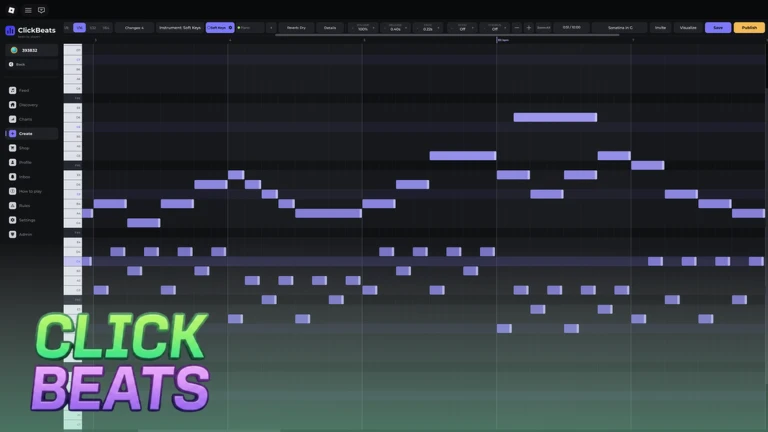
You always choose how you want to work before entering the studio.
| Solo | build the song entirely on your own, at whatever pace you like. |
| Live mode | up to three friends join the same studio session in real time. |
Playing community tracks for high scores
Tips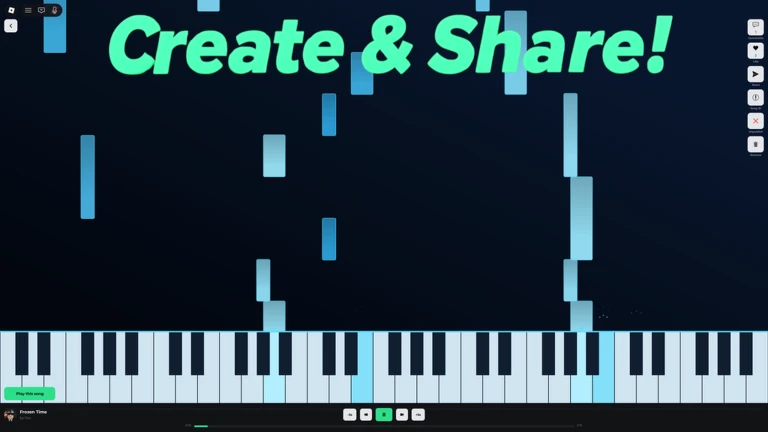
Every song published by the community is available to play in rhythm mode. Your job is to click in time with the music — the more accurate your timing, the higher your score.
- Browse the community library and pick any song that interests you.
- Replay the same track to beat your previous score.
Earning coins from your music
Tips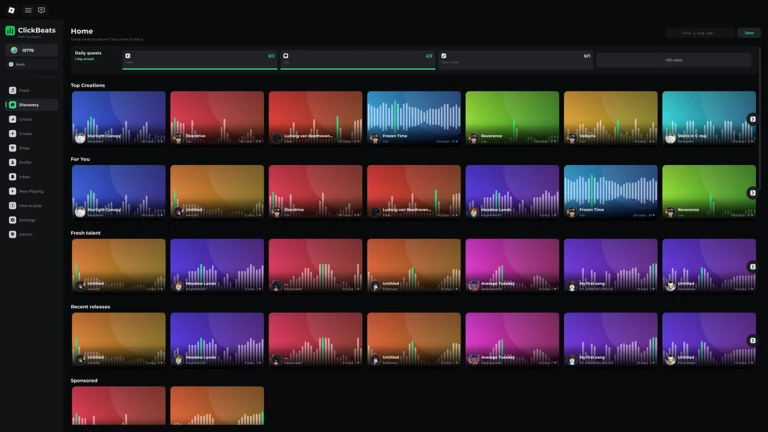
Once you publish a song, you earn coins each time another player listens to it. If a song performs well enough, it can reach the front page.
- Publish your song to make it available to the whole community.
- Get your song into playlists so listeners discover it alongside related tracks.
Playlists and albums
Step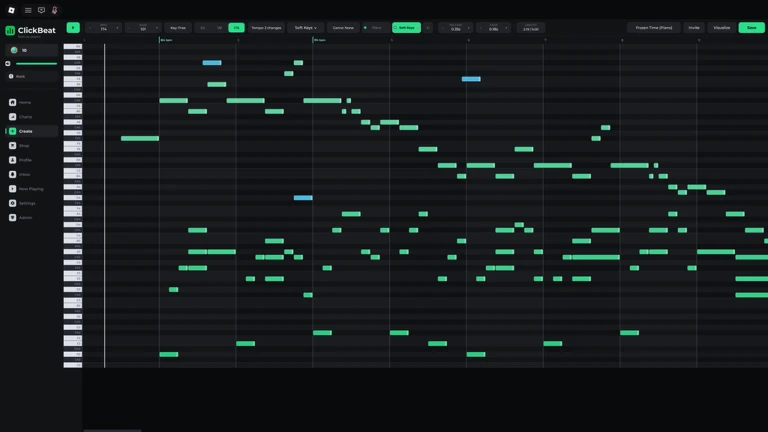
A playlist lets you collect songs around a shared theme or genre, so a listener can enjoy a run of related tracks without stopping to search. Bundle multiple playlists together and you can release the whole thing as an album.
- Pick a theme decide on a genre or mood that ties your songs together.
- Order your tracks arrange them so the playlist flows the way you want.
- Publish the album combine your playlists and release them as a single collection.
Community strategy ideas
CommunityThese ideas and tips come from people playing the game. Share your discoveries too!
No strategy ideas yet. Share a tip you discovered.
Share a strategy idea
[🎶] ClickBeats
Glossary
Glossary- Live mode
- A studio session where up to three players work on the same song together in real time.
- Rhythm mode
- The play mode where you click in time with a community track to rack up a high score.
- Effects
- Audio tools — such as reverb or delay — that you apply to a song to change how it sounds.
- Playlist
- A collection of songs grouped by theme or genre that listeners can play through in order.
Common questions
FAQCan I make music on my own, or do I need friends?
Solo mode lets you build a song entirely by yourself. Live mode is there when you want to work with up to three friends, but it is never required.
Does every song I make have to be shared publicly?
No — publishing is your choice. If you save a song without publishing it, it stays private.
How do I earn coins in ClickBeats?
Coins come in each time another player listens to one of your published songs.
How many players can be in the same room at once?
Up to 50 players can be in the same room. Within that, live studio sessions support up to 3 collaborators working on a song together.
Game updates can change what is on this page. If you spot something, get in touch and let us know.
