
Build with Voxels Guide: First steps in your building space
About
OverviewBuild with Voxels is a Roblox building game where you place hundreds of block types and over a hundred furniture items to create whatever you can imagine. Your work saves automatically, so you can pick up where you left off every session.
What is on this page
Contents
First steps in your building space
Step
When you join the game, you get your own flat building space. Pick any block and click the ground to place it. To remove a block, right-click it. Drag your mouse to rotate the camera so you can see what you are building from different angles. Because the game is free to play, there is no pressure to rush.
- Place a block choose any block from the menu, then click a spot on the ground.
- Remove a block right-click the block you want to delete.
- Rotate the camera click and drag your mouse to change your viewing angle.
MetaNew Player Survey
The next survey is being prepared.
Blocks and furniture worth knowing about
Table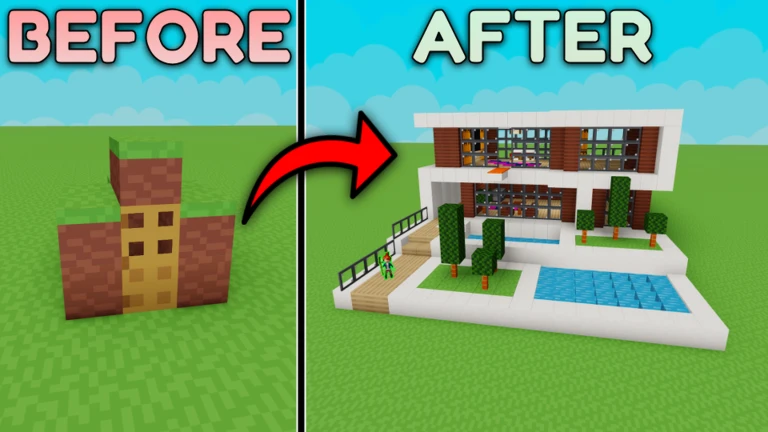
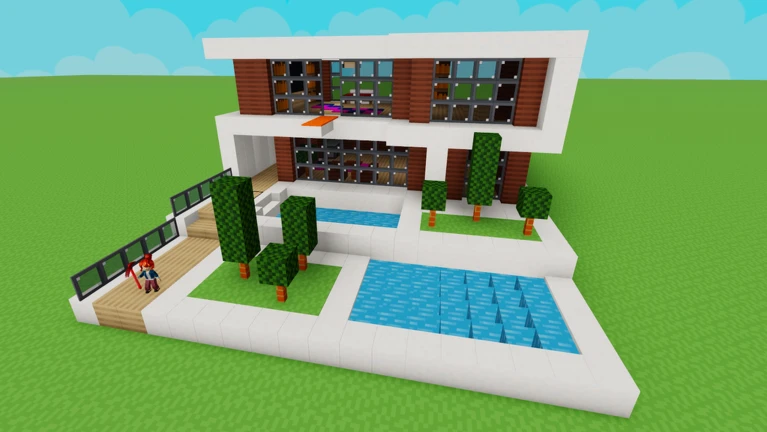
The game has hundreds of block varieties and more than a hundred furniture items. Basic colored cube blocks come in many colors and work for any wall, floor, or roof. Once your structure has a solid shape, furniture items like chairs, tables, beds, and doors add realism and personality. Decorative blocks — things like windows and stairs — have unique shapes that add detail that plain cubes cannot.
| Basic blocks | many colors available, good for every foundational surface. |
| Decorative blocks | unique shapes like windows and stairs that add character to a build. |
| Furniture items | chairs, tables, beds, and doors that make a space feel lived-in. |
How automatic saving works
Check
Build with Voxels saves your work automatically in your private server, so there is no save button to press.
- No action needed to save the game handles it automatically.
- Log back in the next day and confirm your world loads as you left it.
- Take a screenshot of finished work you care about.
Free-to-play scope
SummaryAll hundreds of block types and all hundred-plus furniture items are accessible at no cost. Saving is automatic and unlimited.
- Blocks every variety available for free.
- Furniture all items usable without payment.
- World saving automatic, no manual steps required.
Community strategy ideas
CommunityThese ideas and tips come from people playing the game. Share your discoveries too!
No strategy ideas yet. Share a tip you discovered.
Share a strategy idea
Build with Voxels 🔨
Glossary
Glossary- Block
- A cube-shaped building piece; the game offers hundreds of varieties in different colors and styles.
- Furniture item
- A decorative object — such as a chair, table, bed, or door — that you place inside or around a build to make it feel complete.
- Private server
- Your personal building space in the game, separate from other players, where your work is stored.
- Auto-save
- The game's built-in feature that saves your building progress automatically so you never need to press a save button.
- World
- The full personal space you build in, loaded each time you join the game.
Common questions
FAQDo I need to save my build manually?
No — the game saves your build automatically in your private server.
Are all the blocks and furniture really free?
Yes. Every block type and every furniture item in the game is available without paying anything. The full building experience is free to play.
Game updates can change what is on this page. If you spot something, get in touch and let us know.
