
Catalog Emotes Testing — Getting started in the lobby
About
OverviewCatalog Emotes Testing is a free sandbox where you can try out hundreds of dance emotes and avatar items without spending anything.
What is on this page
Contents
Getting started in the lobby
Step
When you join, you land straight in the sandbox lobby. There are hundreds of free emotes waiting.
- Open the emote catalog find it in the menu as soon as you load in
- Browse the free emotes hundreds are available from the start
- Equip an emote select it to add it to your character
- Trigger the emote press the matching button on your keyboard or gamepad to make your character perform it
- Try the avatar editor open it to change your look
Free content vs. paid packs
Table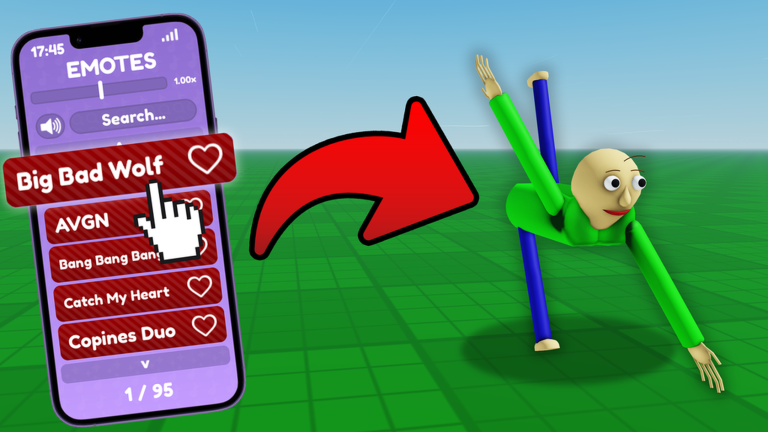
The vast majority of emotes in the catalog cost nothing at all. If you want more on top of that, Emote Packs let you unlock exclusive emotes, and you can also unlock individual ones separately. Avatar customization through morphs and colors is also free.
| Free emotes | hundreds available from the moment you join |
| Avatar morphs and colors | free to use in the built-in editor |
| Emote Packs | paid bundles that unlock exclusive emotes |
| Individual unlocks | single exclusive emotes you can unlock on their own |
Syncing emotes with other players
Tips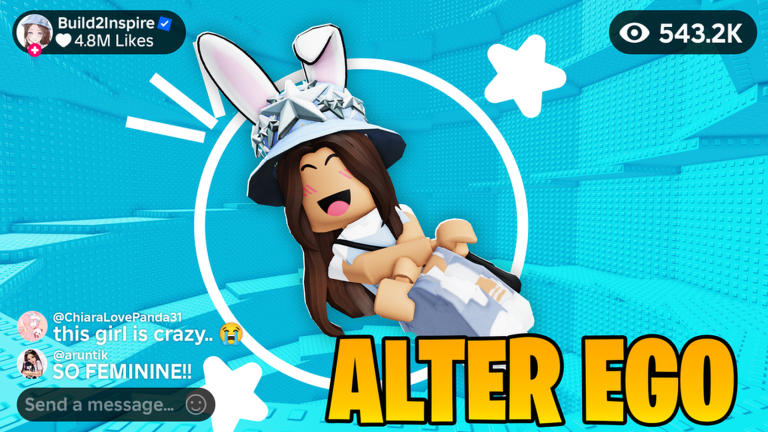
The lobby has other players in it, and the game lets you connect your dance directly to theirs. When you sync up, both of you can see each other's emotes playing at the same time. You can do this with more than one person at once.
- Tap any player in the lobby to start syncing emotes with them
- Once synced, your emote plays on their screen and theirs plays on yours in real time
- You can sync with multiple players at the same time, not just one
Things worth knowing before you play
Warn
Some emotes come with visual effects or music. The music you hear is pulled from publicly available Roblox audio, so Byteonix has no control over exactly what plays.
Glossary
Glossary- Emote
- A dance or gesture your avatar performs, triggered by a button on your keyboard or gamepad.
- Emote Pack
- A paid bundle that unlocks a set of exclusive emotes not available in the free catalog.
- Morph
- A preset that changes the shape or appearance of your avatar's body.
- Sync
- A feature that links your emote to another player's so both of you see each other dancing in real time.
- Sandbox
- An open, free-play space where you can test emotes and avatar looks.
Common questions
FAQDo I need to spend Robux to enjoy the game?
No. Hundreds of emotes are free from the start, and avatar customization with morphs and colors costs nothing either. Emote Packs are available if you want exclusive emotes, but they are entirely optional.
How do I dance with someone else?
Just tap on another player in the lobby. Your emotes will sync with theirs in real time, so you can both see each other dancing. You can do this with more than one person at the same time.
Can I play on my phone or console?
Yes, the game works on phones, tablets, and consoles.
Why does the music sound different from emote to emote?
Each emote can have its own music or effects, and the tracks come from publicly available Roblox audio. Because of that, the exact music is not something the Byteonix team controls directly.
Game updates can change what is on this page. If you spot something, get in touch and let us know.
