
BoneBox Engine Guide: Getting into the game
About
OverviewBoneBox Engine is a ragdoll physics sandbox where you can spawn over 100 weapons, vehicles, and tools, then use them to tear apart breakable maps however you like. Up to 16 players can share the same world at once.

What is on this page
Contents
Player notes and tips
Found a useful trick? Share it with everyone! Notes with screenshots are welcome!
Write a guide note
[🩸TWISTER ] BoneBox Engine
Getting into the game
Step
When you join, your character is placed in the world automatically. From there, two actions get you into the action fast: open the spawn menu and grab something to use.
- Move around
use WASD to walk and your mouse to look around.
- Open the spawn menu
press TAB to bring up the full item list.
- Pick an item
choose any weapon, vehicle, or tool from the menu to place it in the world.
- Switch slots
press the number keys 1 through 6 to swap between your six equipment slots.
- Drive a vehicle
once a tank, jeep, or helicopter is spawned and you walk up to it, press G to get in and drive with WASD.
MetaNew Player Survey

The next survey is being prepared.
The six equipment slots
Table
Press the matching number key to equip that slot. Each slot does something different.
| Key | Slot type | What it does |
|---|---|---|
| 1 | Grab | Pick up and move any object or prop with your mouse |
| 2 | Fists | Punch NPCs or smash objects in close range |
| 3 | Guns | Shoot at NPCs or the environment |
| 4 | Spawner | Place NPCs or additional items into the world |
| 5 | Melee | Attack directly with swords or other close-range weapons |
| 6 | Throwables | Throw grenades or similar explosive items |
Making the most of the sandbox tools
Tips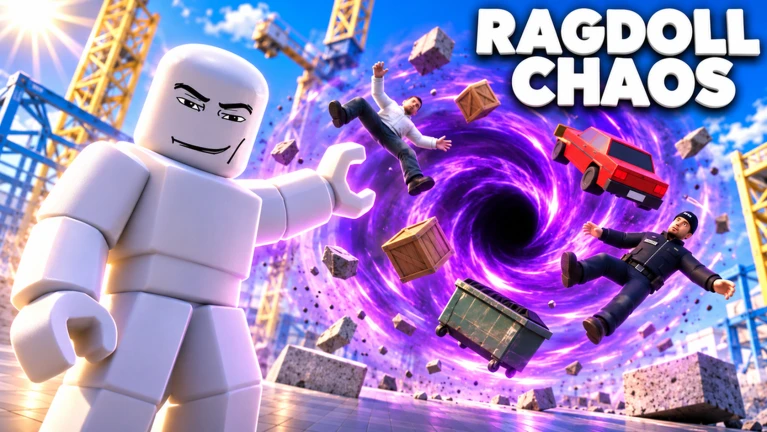
BoneBox gives every object, NPC, and building real physics. Special weapons change the environment itself, not just the NPCs in it.
- The Flamethrower and Laser Eyes can alter the environment.
- Balloons, rockets, ropes, and welds let you build contraptions or change how objects move.
- C4 can be placed and detonated.
- Grow and shrink tools change item size, which can produce unexpected physical results.
- Use the Grab slot (key 1) to reposition anything you have spawned.
Unlocking new items through kills
StepThe game ties its unlock system directly to your kill count. Every NPC you take down adds to that total, and hitting certain thresholds automatically unlocks new items.
- Watch for unlocks
when your kill count hits a threshold, new items are added to your spawn menu automatically.
- Climb the ranks
higher ranks open more powerful weapons and rarer tools.
- Redeem a code
enter a valid code in the FREE CODES area of the lobby by clicking the TAP HERE, TYPE A CODE field and then hitting REDEEM to receive 50 kills instantly.
 FREE1
50 Kills
FREE2
50 Kills
FREE3
50 Kills
FREE4
50 Kills
Glossary
Glossary- Ragdoll physics
- A simulation where characters move like a flexible doll, so explosions and impacts cause natural, floppy reactions rather than stiff animations.
- Sandbox
- A game mode with no fixed goal, where you are free to experiment with any tools.
- Spawn / Spawner
- The act of making a new character or item appear in the world; the Spawner slot (key 4) is the dedicated tool for placing NPCs and items.
- UI
- The buttons, menus, and other information displayed on screen; press P to hide it all for a cleaner view.
Common questions
FAQHow many players can join the same world?
Up to 16 players can be in one world at the same time.
How do I grab and move objects?
Press 1 to switch to the Grab slot, look at the object you want to move, and click it. Moving your mouse then carries the object wherever you point.
Where do I enter a redeem code?
Head to the FREE CODES area in the lobby, click the field labelled TAP HERE, TYPE A CODE, type your code, and press the REDEEM button. A successful redemption gives you 50 kills.
Does the map stay broken after a session of destruction?
Yes — damage persists until you either choose a different map or reset the server.
Game updates can change what is on this page. If you spot something, get in touch and let us know.
