
Barber Showdown Guide: Your first round
About
OverviewBarber Showdown is a tycoon game where you cut a customer's hair to match a spun theme, then let the whole server vote on your work for up to five stars. This guide walks you through joining a round, earning high ratings, running your Barber Street shop, and working with a partner in Duo Mode.
What is on this page
Contents
Player notes and tips
Found a useful trick? Share it with everyone! Notes with screenshots are welcome!
Write a guide note
[TYCOON] 💈 Barber Showdown 💈
Your first round
Step
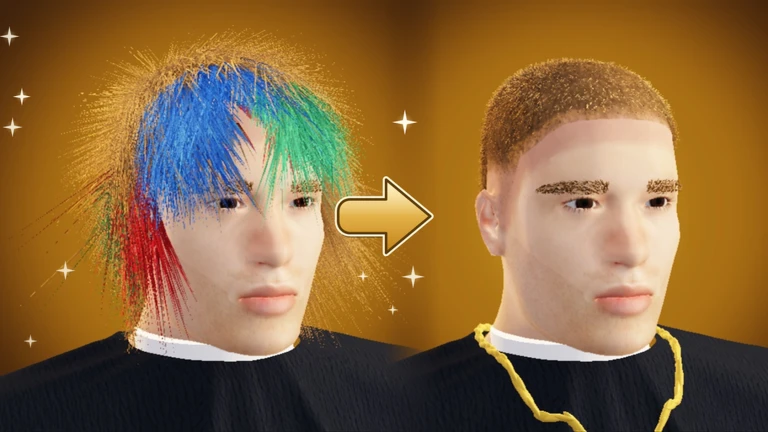
When you join the game, find a barber chair and sit down — that single action enters you into a round and unlocks the Welcome to the Shop badge. Once the round begins, a theme is spun and displayed on your screen, and you have five minutes to finish the cut.
- Sit in the chair
find an open barber chair and click or tap it to enter the round.
- Read the theme
check the screen for the spun theme, such as Low Fade, The Edgar, or Mullet Monday, before you start cutting.
- Use every tool
clippers, trimmer, razor, blend, dye, blow dryer, and texture powder are all available to shape the cut.
- Add finishing touches
tattoos and piercings count toward your overall presentation, so do not skip them.
- Send the cut down the runway
when time is up your work is shown to the server and rated from one to five stars.
MetaNew Player Survey

The next survey is being prepared.
Earning high ratings
TipsEvery finished cut walks the runway and the whole server votes on it. The player with the most stars takes home cash and XP.
- Stay true to the theme
the further your cut drifts from what was spun, the fewer votes you will collect.
- Never skip tattoos and piercings
they add polish that voters notice.
- Aim for 4.5 stars from at least three voters to unlock the Five-Star Fade badge.
- Winning a round with the crowd's votes earns the First Fresh Cut badge.
- The Cut of the Week badge is awarded to the player whose cut is the best of the week across every server.
Rank progression
SummaryEarning stars in rounds gives you XP, and enough XP pushes you up the rank ladder. There are four ranks to climb, and reaching each one unlocks a badge.
- Barber
first rank, unlocks the Barber badge
- Senior Barber
second rank, unlocks the Senior Barber badge
- Master Barber
third rank, unlocks the Master Barber badge
- Legend
top rank, unlocks the Legend badge
Running your Barber Street shop
StepBarber Street mode lets you own and develop your own barbershop. The shop earns money even while you are logged off, as long as you have hired barbers to staff it.
- Build upward
construct your shop floor by floor, up through three floors and a rooftop, to open more income sources.
- Hire barbers
placing staff in your shop keeps it earning cash while you are offline.
- Go for Rebirth
triggering a Rebirth resets your progress in exchange for a permanent 50% boost to all income going forward.
- Check the Shop Store
it holds one-tap options like Auto Build, Auto Collect, Big Register, and 2x Shop Cash that cut down on manual upkeep.
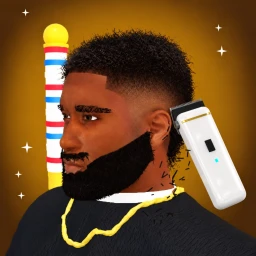 BARBERSTREET
$500 + $2,500 shop cash
Glossary
Glossary- Runway
- The presentation moment after a cut is finished, where the customer walks and the server rates the work from one to five stars.
- Rebirth
- A Barber Street reset that trades your current shop progress for a permanent 50% increase to all future income.
- Tag In
- The mid-round switch in Duo Mode where the second barber takes over the cut from the first.
- Shop Cash
- A currency used to purchase items in the Shop Store.
Common questions
FAQHow do I win the First Fresh Cut badge?
You need to win a round by collecting more votes from the server than any other player.
Can my shop earn money while I am offline?
Yes — in Barber Street mode, hiring barbers to staff your shop keeps it generating cash even after you log out.
What is the Cut of the Week badge and how hard is it to get?
It is awarded to the player whose cut is judged the best across every server for the entire week.
Do I need a friend to play Duo Mode?
Duo Mode is a separate round type where two barbers are paired to share one customer, with a tag-in at half time.
Game updates can change what is on this page. If you spot something, get in touch and let us know.
