
Car Crash Simulator V3 Guide: Getting started in the lobby
About
OverviewCar Crash Simulator V3 is a laid-back Roblox game where you drive cars, planes, and helicopters and crash them into whatever you like — no missions, no timer, just free-form destruction.
What is on this page
Contents
Getting started in the lobby
Step
When you load in, you land in the lobby, which is where all the vehicles are displayed and where you can access customization options. Standard Roblox driving controls apply, but each vehicle handles differently, so expect some adjustment as you switch between types.
- Pick a vehicle browse the lobby and choose any car, plane, or helicopter that catches your eye.
- Drive it around use WASD to move and your mouse to control the camera.
- Try a crash hit a wall, a building, or another vehicle to see how that specific vehicle behaves on impact.
- Switch it up head back to the lobby and try a different vehicle type to compare how each one feels.
MetaNew Player Survey
The next survey is being prepared.
Choosing the right vehicle
Table
The game offers several categories of vehicle, each with a different feel. Cars are the most plentiful, ranging from small everyday models to large trucks and modified builds. Aircraft add a vertical dimension that takes time to master. New vehicles are added through updates, so there is always something fresh to try.
| Regular cars | the most forgiving to drive and the best way to get a feel for crash physics. |
| Modified cars | flashier builds with customization appeal. |
| Pickup trucks | large and heavy, giving crashes a different sense of scale. |
| Planes | free movement through the sky but require more complex controls than cars. |
| Helicopters | the most involved to pilot, though hovering in place is something planes cannot do. |
Customizing your vehicle
Step
A customization feature lets you modify the vehicles you choose. Access it through the customization option in the lobby after selecting a vehicle. You can change colors, paintwork, and in some cases upgrade how the vehicle performs. You can redo any change as many times as you want.
- Select your vehicle choose the one you want to modify before opening the menu.
- Open the customization menu tap the customization option available in the lobby.
- Change the paint pick colors and designs to make the vehicle your own.
- Upgrade if available some vehicles support performance upgrades, which you can apply from the same menu.
- Experiment freely nothing is locked in, so try different combinations until you find what you like.
Ways to make crashes more interesting
Tips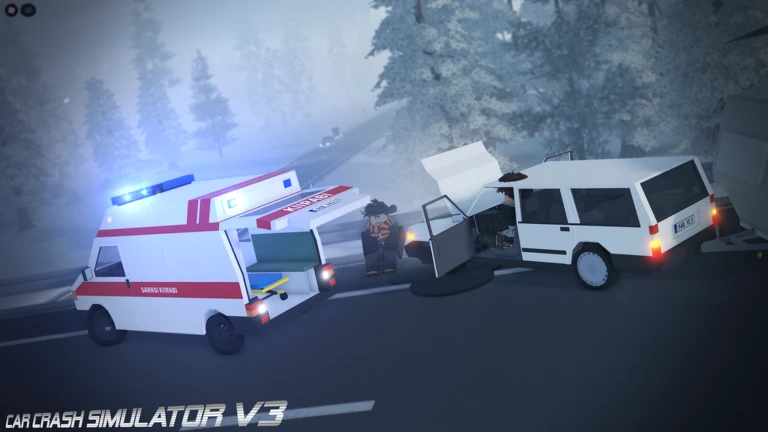
The game has no missions or objectives, so you are free to experiment however you want.
- Roll a vehicle down a slope so gravity adds speed before the impact.
- Take a plane high and let it fall to see how the crash differs from a ground-level collision.
- Pack several vehicles into a tight space and trigger a chain reaction.
- Compare how a lightweight car and a heavy truck behave when they hit the same obstacle.
- Play with friends on the same server so multiple vehicles can collide at once.
Troubleshooting common problems
CheckPlanes and helicopters are the most common source of frustration because their controls are much more involved than car controls. Vehicles that were in the game from earlier updates may have had their behavior adjusted, so what worked before might feel different now.
- Switch to a simple car first to confirm your basic controls are working correctly.
- Review the aircraft controls separately they differ significantly from ground vehicle controls.
- Reload the game if a menu is not appearing or a vehicle is acting strangely, since a reload clears most temporary bugs.
- If you run a private server, check that the admin settings are not restricting what you or other players can do.
- Check for recent updates, as vehicles are sometimes adjusted or improved between versions.
Redeem codes and rewards
Warn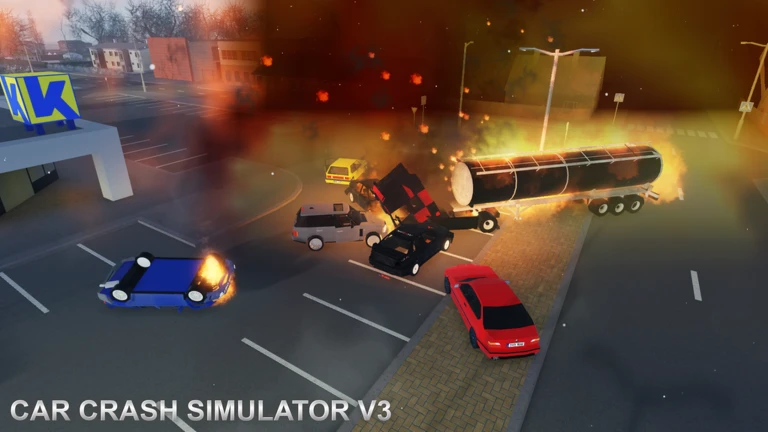
The developers distribute redeem codes from time to time through official announcements. Each code can only be redeemed once, and they do have expiry windows. Paste a code into the in-game code field to claim your reward. The rewards on offer change depending on when a code was released.
Glossary
Glossary- Lobby
- The starting area displayed when you load into the game, where you select and customize vehicles before heading out.
- Customization
- The in-game system that lets you change a vehicle's colors, paintwork, and in some cases its performance.
- Private server
- A paid dedicated server where the owner has admin privileges and can adjust game settings.
- Redeem code
- A short string of characters that the developer releases periodically; entering it in the game's code field gives you a reward.
Common questions
FAQAre there any missions or goals to complete?
There are no missions, objectives, or timers in Car Crash Simulator V3. The entire point is to crash vehicles and explore at your own pace.
Can I play with friends?
Yes — join the same server as your friends and you can crash vehicles together, show off your customizations, and set up multi-vehicle pile-ups. The game offers paid private servers where the owner has admin control.
Do I need to spend Robux to enjoy the game?
All vehicles are available to play without spending anything. The only paid option is a private server, which you only need if you want a dedicated space with admin settings for yourself and your friends.
Why is my plane or helicopter so hard to control?
Aircraft use a different control scheme from cars, and helicopters are the most complex of the three vehicle types. Start with a regular car until the basic controls feel natural, then move up to planes, and tackle helicopters last.
Game updates can change what is on this page. If you spot something, get in touch and let us know.
