
Find The Button Guide: How a level works
About
OverviewFind The Button! is a puzzle game where you search themed areas to locate a hidden button and tap it to clear the stage. With over 200 levels spread across three worlds, difficulty climbs steadily from easy introductory stages to tricky candy-land puzzles in World 3.
What is on this page
Contents
How a level works
Summary
Each stage places a single button somewhere in a themed area. Tap it and the level is cleared. There are no time limits, so rushing is never necessary. The themed scenery changes from level to level, which keeps things visually fresh even as the hiding spots get trickier.
- Goal find and tap the one hidden button to clear the stage
- Time pressure none, so explore at your own pace
- Button colour red, but shade varies to match the background
- Level count 200-plus levels across three worlds
- World 3 theme 50 candy-land levels with harder placement
Finding the button
Tips
Because there is no time limit, your best tool is a slow, deliberate look at the whole screen before jumping to conclusions. Buttons can be tucked into corners, buried behind objects, or made semi-transparent to blend in. Moving your cursor or finger gently across the scene can reveal a reaction where the button sits. As levels grow harder, lighting and shadow become clues just as useful as colour.
- Scan the full screen — start at one corner and work across before focusing on any detail
- Check the edges — the top and right edges of the screen are easy to skip over
- Look for colour differences — even a slight shade variation in the background can mark the button
- Watch for movement — buttons are sometimes placed on animated parts of the scene
- Check depth — objects in the foreground can hide a button sitting behind them
- Slow your cursor or finger — dragging it gently across the scene can reveal where the button reacts
When you are completely stuck
CheckEven experienced players hit levels that stump them. If none of them crack it, close the level and come back later with fresh eyes.
- Screen corners and edges, especially the top and right sides
- Very small buttons some are no larger than a fingernail
- Objects stacked on each other look between and behind them
- Gradient backgrounds check for a patch that is slightly darker or lighter than the rest
- Semi-transparent buttons the button can be nearly see-through against the background
- Areas packed with characters or decorations busy spots are deliberately used to hide buttons
World 3 and higher difficulty
Tips
World 3 brings 50 candy-land themed levels where buttons are hidden with more layers of deception. Colour camouflage, object depth, and animation are all used together rather than one at a time.
- Expect buttons to sit in positions that feel surprising or counterintuitive
- Lighting and shadow are especially important clues in the candy-land environments
- If a level has you beaten, move to a different one and return later with a clear head
Daily challenges and keeping a streak
Tips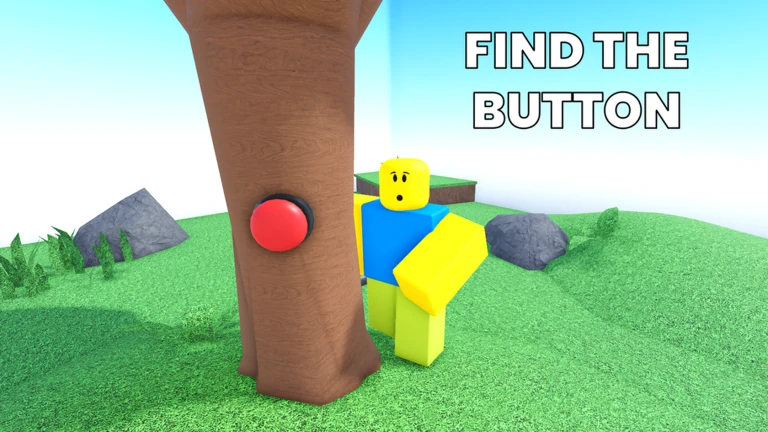
The game includes a daily challenge system with its own set of milestones. Playing the challenge once earns the first badge, and continuing without missing a day stacks streak rewards at seven days, fourteen days, and thirty days. Cumulative totals also have milestones at ten, twenty-five, and fifty completions.
- Play the daily challenge — complete it at least once to get started
- Hit seven days — the first streak badge arrives here
- Continue to fourteen and thirty days — a badge marks each milestone
- Track your total — separate badges reward ten, twenty-five, and fifty total completions regardless of streak
Progress milestones worth knowing
TableBadges in the game double as a progress map. Reaching 50 percent of World 1 is the first real checkpoint, and each world completion after that is a distinct milestone. There was also a limited Christmas Event in 2024 with its own badge for players who took part.
| World 1 half-complete | finish 50 percent of World 1 |
| World 1 badge | clear all of World 1 |
| World 2 badge | clear all of World 2 |
| World 3 badge | clear all of World 3 |
| Christmas 2024 badge | complete the 2024 Christmas Event |
Glossary
Glossary- Button
- The single red object hidden somewhere in each level — tapping it clears the stage.
- World
- A collection of themed levels grouped together; the game currently has three worlds.
- Daily challenge
- A special task that resets each day and counts toward streak and cumulative badges.
- Streak
- The number of consecutive days you have completed the daily challenge without missing one.
- Candy land
- The candy-themed setting of World 3, which features 50 levels.
Common questions
FAQWhat happens if I miss a day of the daily challenge?
Missing a day resets your streak, so the seven-, fourteen-, and thirty-day streak badges would require starting again from day one. Your total completion count is not affected, so badges tied to cumulative totals remain safe.
What should I do if a button is nowhere on the visible screen?
Check layered objects carefully — a button can sit behind foreground pieces that block your view. Also check for semi-transparent buttons and very small ones tucked into corners, since both are common in harder levels.
Game updates can change what is on this page. If you spot something, get in touch and let us know.
