
Run a Library | Shelf Life Guide: Your first day open

About
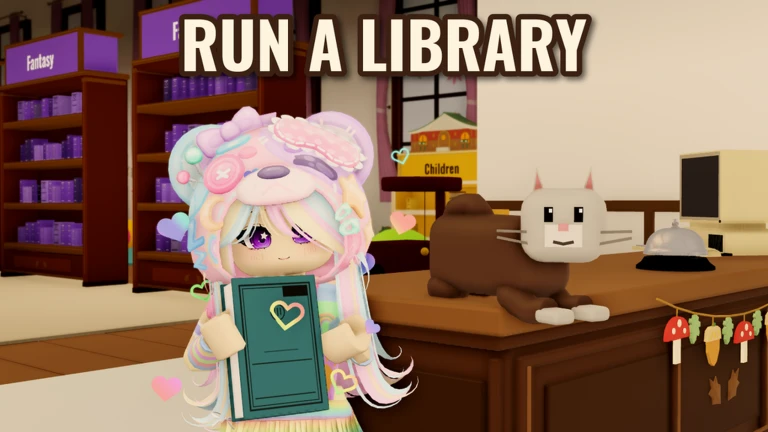
OverviewRun a Library: Shelf Life is a relaxed management game where you restore a derelict library at your own pace — no timers, no pressure. You sort returned books by genre and Dewey number, repair damaged shelves, help readers with their requests, and spend your earnings on upgrades like a reading lounge and hired staff. Up to eight players can work together, and there is also a Central Library where you can volunteer shifts alongside others.
What is on this page
Contents
Player notes and tips
Found a useful trick? Share it with everyone! Notes with screenshots are welcome!
Write a guide note
Run a Library 📚 | Shelf Life
Your first day open
Step
The very first thing you do in Shelf Life is flip the library sign to open — this lets readers in and earns you the Open for Business badge. From there, the main loop becomes clear: repair broken bookcases so you have somewhere to put books, then start shelving. Many of the bookcases you find at the start are damaged, so repairs and shelving go hand in hand from the beginning.
- Flip the sign to open the library for the first time.
- Repair damaged bookcases to unlock shelf space.
- Load the trolley to carry several books to the shelves in one trip.
- Shelve books by checking each book's genre and Dewey number, then placing it in the correct spot.
- When a reader arrives, respond to their request.
MetaNew Player Survey

The next survey is being prepared.
Shelving books correctly
Tips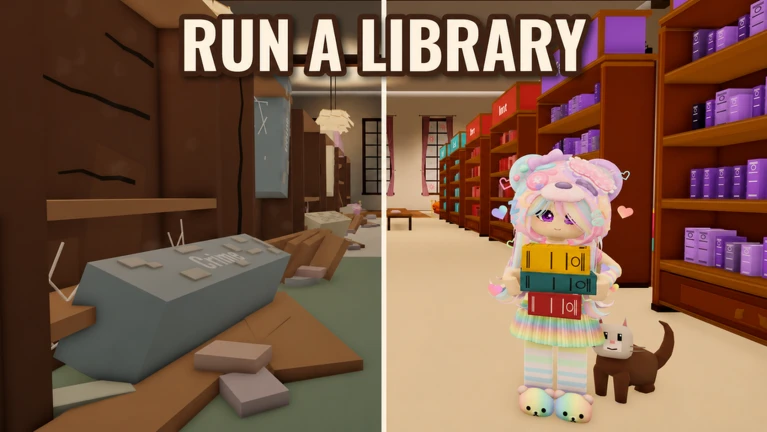
Books do not go just anywhere on the shelves. Each one is sorted first by genre and then by its Dewey number within that genre. Using the trolley to carry several books at once makes the work much faster than handling one at a time. Hitting 100 books shelved earns Shelf by Shelf, and growing your total collection to 1,000 books earns A Thousand Stories.
- Check the genre label on a book before you move it, so you head to the right section of the library.
- Use the Dewey number as a second check to place it in the precise slot within that genre.
- Load the trolley before walking across the library.
- Owning 250 different titles earns The Collector badge; reaching 500 different titles earns The Curator.
- Repairing every single bookcase in the building earns Every Shelf in the House.
Helping readers
CheckReaders visit the library and sometimes ask for specific books. Finding and handing over the right title earns progress toward the At Your Service badge, which unlocks after 50 successful requests. Some readers ask you to hold a book for them in advance; keeping that book safely set aside and handing it over when they return earns the Saved for You badge. Issuing a library card to a reader turns them from an anonymous visitor into a named member.
- When a reader makes a request, locate the specific book they need.
- Set aside hold requests carefully the book must still be there when the reader comes back.
- Issue library cards to regular visitors; your first five cards earns Familiar Faces, and twenty-five earns Everybody Knows Your Name.
- Track how many requests you have filled reaching 50 total unlocks At Your Service.
Repairing books and bookcases
Table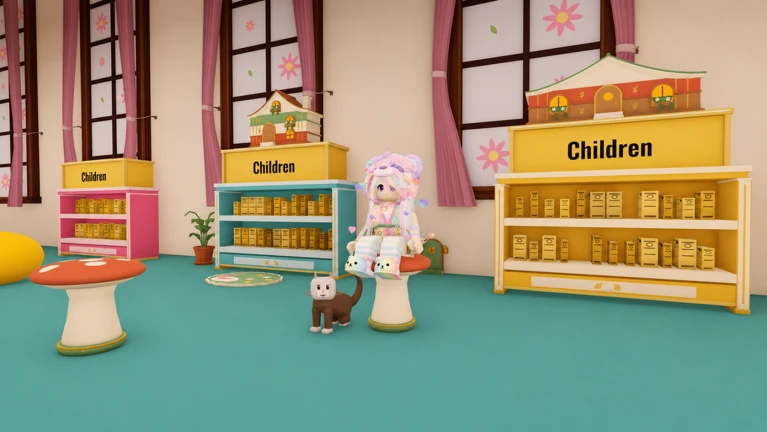
Two separate repair tracks run alongside each other throughout the game. One covers damaged books; the other covers damaged bookcases.
| Books repaired | 25 earns Good as New; 250 earns Master Mender. |
| Bookcases repaired | 10 earns Room to Grow; 25 earns Halfway Home; every last one earns Every Shelf in the House. |
Expanding the library
StepAs you serve readers and fill requests, you earn money that you can reinvest in the library. Opening the reading lounge earns Pull Up a Chair. Hiring your first staff member earns A Helping Hand. Once the lounge is running, a tip jar will start filling up — emptying it earns Coffee's On. Hosting a book club meeting earns Club Night.
- Open the reading lounge to unlock Pull Up a Chair.
- Empty the tip jar in the lounge to earn Coffee's On.
- Hire a staff member to earn A Helping Hand.
- Host a book club meeting to earn the Club Night badge.
Central Library and co-op play
Tips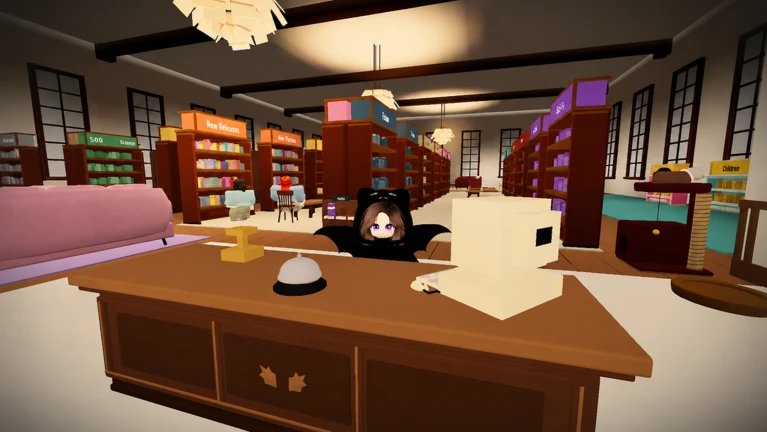
Separate from your own building, the Central Library lets players work together. You can volunteer for a shift there to earn Lending a Hand, or donate books from your collection to earn Good Neighbour after twenty-five donations. During Spooky Season, a bat named Betty appears somewhere in the Central Library — finding her and saying hello earns a special badge.
- Work a shift at the Central Library to earn the Lending a Hand badge.
- Donate 25 books to the Central Library to earn Good Neighbour.
- During Spooky Season, search the Central Library for Betty the bat and interact with her to get a seasonal badge.
Daily play and long-term milestones
SummarySome of the game's badges reward consistency over time rather than a single burst of play. The game has no timers.
- Days open 7 different days earns A Week of Stories; 30 earns A Month of Stories.
- Books lent reaching 1,000 total loans earns Well Thumbed.
- Collection size 1,000 books in the library earns A Thousand Stories.
- Titles owned 250 different titles earns The Collector; 500 earns The Curator.
Glossary
Glossary- Dewey number
- A numerical code on each book that tells you exactly where within a genre section it belongs on the shelf.
- Library card
- An item you issue to a reader that turns them from an unnamed visitor into a named member of your library.
- Central Library
- A shared library separate from your own where you can work shifts and donate books.
- Trolley
- A cart you load with multiple books so you can carry them to the shelves in one trip instead of one at a time.
- Reading lounge
- A space inside your library that you open by spending money, giving readers a comfortable area to sit.
- Tip jar
- A container in the reading lounge that can be emptied to earn a badge.
- Hold
- A request where a reader asks you to set a specific book aside for them to collect on a later visit.
Common questions
FAQDo I have to play for a long time in one sitting?
No. The game has no timers. You can close the library for the day and pick up where you left off the next time you play.
Can I play alone, or do I need friends?
You can build and run your library entirely on your own. The Central Library is where co-op play happens.
What is Cookie?
Cookie is the cat who lives in your library.
How do I know where a book goes on the shelves?
Check the book's genre first to find the right section, then use its Dewey number to place it in the correct slot within that section.
What is Spooky Season?
Spooky Season is a limited-time event period. During it, a bat named Betty appears in the Central Library, and finding her and saying hello earns a special badge.
Game updates can change what is on this page. If you spot something, get in touch and let us know.
