
Welcome to TechQuest by Computer History… Guide: Getting started in TechQuest

About
OverviewWelcome to TechQuest by Computer History Museum is a Roblox exploration and learning game where you travel through eight separate biomes — including a tropical rainforest, an ocean reef, and a savannah — to complete tasks and discover how technology connects to the natural world. This guide covers how to get started, how to earn all five badges, and what to watch out for along the way.

What is on this page
Contents
Player notes and tips
Found a useful trick? Share it with everyone! Notes with screenshots are welcome!
Write a guide note
Welcome to TechQuest by Computer History Museum
Getting started in TechQuest
Step
When you first join, collect your daily login reward straight away — doing this five days in a row unlocks the Museum Attendee badge, so the sooner you start the streak, the better. From there, pick up your tech toolbox, which you will use throughout every biome. The game holds up to six players per room, so you can explore with friends.
- Claim daily reward open the game and collect your login reward before doing anything else.
- Pick up the tech toolbox you need it to interact with tasks across all eight biomes.
- Return daily each new login counts toward the five-day streak for Museum Attendee.
MetaNew Player Survey

The next survey is being prepared.
All five badges and how to earn them
Check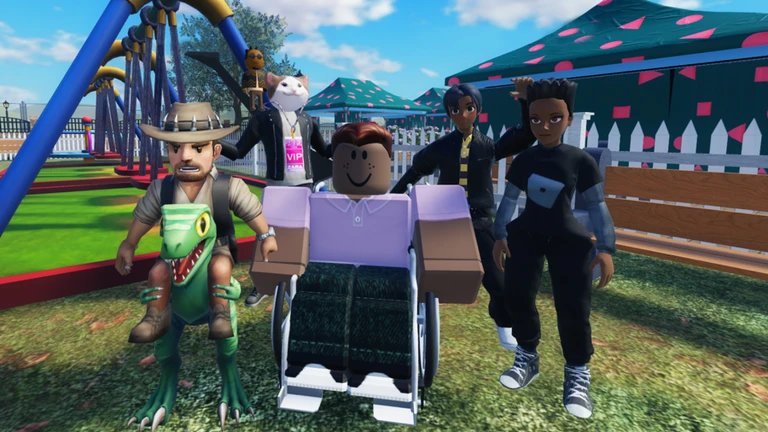
There are five official badges in TechQuest. Four of them are tied to specific actions in specific places, so knowing exactly what each one requires saves a lot of backtracking.
- Museum Attendee collect the daily login reward on five separate days.
- Pet Collector buy a robot pet from Vending Machine 2 (not any other vending machine).
- Environmentalist complete every Conservation World task while your robot pet is with you.
- Ocean Explorer swim all the way across the Ocean Region from one side to the other.
- Virtual Student finish every task linked to the AR/VR Goggles.
Things to double-check when you are stuck
WarnIf a badge is not unlocking after you think you have done everything, run through this list before giving up.
What each biome asks you to do
Tips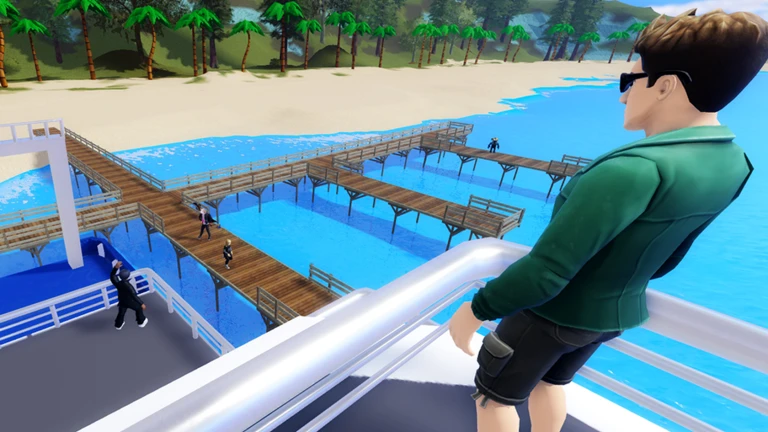
TechQuest sends you through eight separate worlds, each built around a different environment and a different use of technology.
- In the tropical rainforest, you search for pink dolphins using a drone.
- In the ocean, you use sensors to study an underwater reef ecosystem.
- In the savannah, you identify predators and prey with Big Data tools.
- The community and school world tasks focus on finding ways technology can improve everyday life.
- The museum exhibit world lets you interact with an early robot and other historical artifacts.
- The Conservation World is where the Environmentalist badge lives — bring your robot pet before you start.
Pets and unlockables
SummaryTechQuest lets you unlock twelve pets in total, and the game also offers free virtual merchandise. The robot pet is the only one with a direct badge requirement.
- Total pets available twelve
- Pet that unlocks a badge robot pet from Vending Machine 2
- Second badge the robot pet enables Environmentalist, when used during Conservation World tasks
- Free rewards virtual merchandise available in addition to pets
Glossary
Glossary- Biome
- One of the eight separate worlds in TechQuest, each themed around a different environment such as a rainforest, ocean, or savannah.
- Tech Toolbox
- The core set of in-game tools you pick up at the start and use to interact with tasks across every biome.
- Vending Machine 2
- The specific vending machine in the game where you buy a robot pet; it is the only one that triggers the Pet Collector badge.
- Daily Login Reward
- A reward you collect each day you open the game; claiming it five times earns the Museum Attendee badge.
- AR/VR Goggles
- An in-game item with its own set of tasks; completing all of them earns the Virtual Student badge.
- Conservation World
- The biome where you complete environmental tasks; your robot pet must be with you to earn the Environmentalist badge here.
Common questions
FAQHow do I get a robot pet?
Head to Vending Machine 2 and purchase a robot pet there. Buying it automatically unlocks the Pet Collector badge. The game has twelve pets to unlock in total, but the robot pet is the one you need for badge progress.
Why is my Environmentalist badge not unlocking?
You need to have your robot pet with you during every Conservation World task — completing the tasks without it does not count. Buy the robot pet from Vending Machine 2 first, then head straight to the Conservation World.
How many biomes are there and what are they like?
There are eight biomes in total. They include a tropical rainforest where you hunt for pink dolphins by drone, an ocean reef you explore with sensors, a savannah where Big Data helps you identify animals, and several others focused on community, school, museum exhibits, and conservation.
Game updates can change what is on this page. If you spot something, get in touch and let us know.
