
Game guide
Lift a Cube — Reading the screen before anything else
Is this game fun?1 votes
Fun 0%0Average 100%1Not fun 0%0
About
OverviewLift a Cube is a Roblox growth simulator where you do push-ups to build strength, then lift increasingly heavy cubes to earn cash. That cash goes toward better arms and arm materials, which let you push further into the map toward the heaviest cubes. This guide walks you through every part of that loop — from your first push-up to breaking through when progress stalls.
What is on this page
Contents
01
Reading the screen before anything else
Check
02
Your first fifteen minutes
Step
03
Live and upcoming events
Events
04
How push-ups and multiplier bubbles work
Tips
05
Filling the lift gauge
Step
06
Spending cash: the right order
Table
07
Arms vs arm materials
Table
08
When progress stalls
Check
09
Glossary
Words
10
Common questions
FAQ
01
Reading the screen before anything else
Check
In short
Knowing what each number means saves you from chasing the wrong thing first.
Before you run toward a cube, spend a few seconds on the numbers already in front of you. The arm icon at the top shows your current strength, and the cash icon shows how much money you have to spend. Every cube displays two numbers nearby: Weight and Recommended. Recommended is the strength you need to lift that cube comfortably. A third number, Cubes Refresh, counts down to the next time cube values update.
- Arm icon your current strength total
- Cash icon money available for upgrades and chest rolls
- Weight how heavy that specific cube is
- Recommended the strength target you need to meet before attempting a lift
- Cubes Refresh time remaining until cube weights and recommended values reset
02
Your first fifteen minutes
StepIn short
Getting through one full loop — train, lift, spend, confirm — in your first session sets you up for everything that follows.
Stay near the starting area for your first session. Sprinting deep into the map before you have any upgrades just wastes time. The goal for these first minutes is to complete one full loop so you understand how each piece connects to the next.
- Step onto a training pad on PC press the 1 key, on mobile tap the Train button to start push-ups
- Wait without mashing push-ups run automatically once started, so you don't need to keep pressing anything
- Read the Recommended number on a nearby cube make sure your strength matches or exceeds it
- Select LIFT when you're close enough to a cube and the prompt appears tap or click to fill the gauge
- Repeat lifts on the same cube a few times you need the cash before you can buy your first arm upgrade
- Buy the arm upgrade, then return to the training pad check that push-ups feel noticeably faster afterward
03 Live and upcoming events
Events
いま開催中・開催予定のイベントです。期間が決まっているので先に確認しておきましょう。
04
How push-ups and multiplier bubbles work
TipsIn short
Push-ups run on their own, so your job is to stay nearby and grab any bubble that drifts close.
Once you start training, your character keeps doing push-ups without any extra input from you. Early on each push-up adds a small amount of strength, which is why buying arm upgrades matters so much — they shorten the time between push-ups, which adds up fast over a long session. Multiplier bubbles appear near your character during training and give one push-up's worth of bonus strength. They're worth picking up when they're close, but not worth crossing the map for.
Tips worth knowing
- Let the automation run — once training starts, continuous mashing doesn't help
- Return to lifting regularly — cash only comes from successful lifts, not from training alone
- Grab multiplier bubbles that drift nearby — skip any that would pull you far from the training pad
- Buy arm upgrades to shrink the gap between push-ups rather than waiting for bubbles to do the work
05
Filling the lift gauge
Step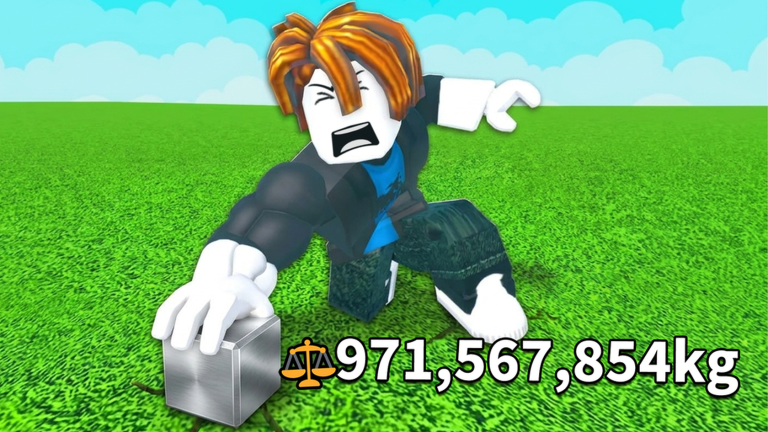
In short
Getting a lift right comes down to rapid inputs — if the gauge barely moves, your strength is the problem, not your timing.
Walk up to any cube until the LIFT prompt appears on screen, then select it. A horizontal gauge appears, and you need to push it all the way to the right end by clicking repeatedly on PC or tapping rapidly on mobile. This is not a hold — quick separate inputs move it. When the gauge reaches the end, your character raises the cube overhead and cash appears. If the gauge barely budges no matter how fast you tap, that cube's Recommended strength is higher than yours.
- Move to the cube stop when the LIFT prompt appears
- Select LIFT the gauge starts immediately
- Rapid-click on PC or rapid-tap on mobile hold does nothing; separate quick inputs fill it
- Reach the right end cash appears and the lift counts as a success
- If the gauge stalls check the cube's Recommended number against your strength before trying again
06
Spending cash: the right order
TableIn short
Arm upgrades give a guaranteed return every session, so buy those before rolling the chest.
Every time you accumulate cash, the question is where it does the most good. Arm upgrades cut the time between push-ups and that benefit applies to every training session you ever do afterward. Arm material chests can deliver huge strength multipliers, but the result is random. Speed upgrades become worth prioritising once the walk between areas starts eating into your time noticeably.
| Arm upgrades | guaranteed speed boost on every future push-up; buy these first |
| Arm material chests | high upside but random; roll one after confirmed upgrades are done |
| Speed upgrades | lower priority until back-and-forth travel feels slow |
07
Arms vs arm materials
Table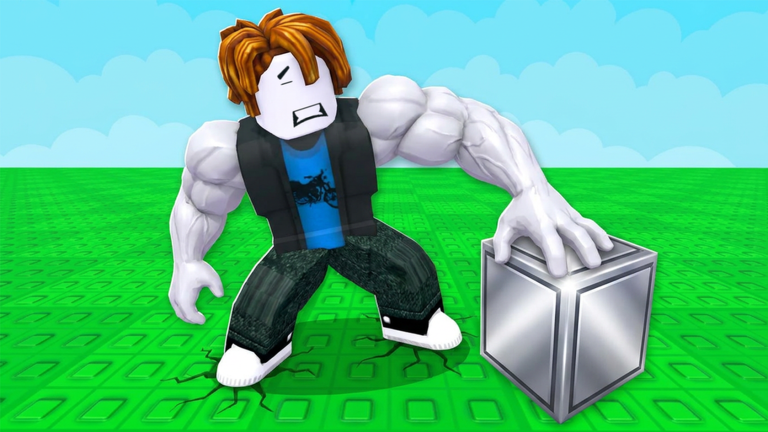
In short
Arms make push-ups faster; arm materials make each push-up stronger — you need both growing together.
These two upgrade types do completely different things. Buying an arm shortens the interval between push-ups, so you accumulate strength faster over time. Equipping an arm material multiplies the strength you gain from each individual push-up. After buying an arm, check the time display on the training pad to confirm it dropped. After equipping a material, watch the per-push-up strength number near your character to confirm the multiplier went up.
| Arms | reduce time between push-ups; effect is permanent and guaranteed |
| Arm materials | multiply strength gained per push-up; obtained randomly from chests |
| What to check after an arm purchase | the push-up interval on the training pad |
| What to check after equipping a material | the per-push-up strength number near your character |
| When to swap a material | only if its displayed multiplier is higher than what you currently have equipped |
08
When progress stalls
CheckIn short
Isolating the one thing that's holding you back is faster than changing everything at once.
If you feel stuck, change one thing and see whether it helps before touching anything else. Most blocks come down to four causes: not enough strength, not enough cash, push-ups that are too slow, or a multiplier that's fallen behind. If you've wandered far from the start and need to get back quickly, the SPAWN button on screen returns you to the starting area immediately.
- Can't meet a cube's Recommended number go back to a training pad and keep pushing until strength climbs
- Can't afford an upgrade find an easier cube and repeat lifts until cash reaches the target
- Push-ups feel slow buy arm upgrades or push-up speed reductions before anything else
- Strength gaining too little per push-up equip an arm material with a higher multiplier than your current one
- Travel taking too long buy a speed upgrade or hit SPAWN to return to the start
- Cube numbers look different than before a Cubes Refresh happened; re-read the current Weight and Recommended before picking your next target
Glossary
Glossary- Strength
- The stat that grows through push-ups and determines which cubes you can lift.
- Recommended
- The strength value shown near each cube indicating the target you should meet before attempting a lift.
- Cash
- The in-game currency you earn from successful lifts, used to buy arm upgrades, speed, and chest rolls.
- Arm upgrade
- A purchase that shortens the time between push-ups, applying to every training session afterward.
- Arm material
- An equippable item obtained from chests that multiplies the strength you gain from each push-up.
- Multiplier bubble
- A small bonus that appears near your character during training and adds extra strength to one push-up.
- Lift gauge
- The horizontal bar that appears when you start a lift, filled by rapid clicks or taps until it reaches the right end.
- Cubes Refresh
- A timed reset that updates cube weights and recommended values; the countdown shows near each cube.
- SPAWN
- An on-screen button that instantly returns you to the starting area.
Common questions
FAQShould I buy arms or roll arm material chests first?
Buy every arm upgrade you can afford before rolling a chest. Arm upgrades give a guaranteed improvement to every push-up you ever do, while chest rolls are random. Once your confirmed upgrades are done, roll a chest with what's left over.
Does mashing the Train button make push-ups faster?
No — push-ups continue automatically once you start training, so extra button presses don't do anything. The way to speed them up is to buy arm upgrades with the cash you earn from lifting.
A chest gave me a rare arm material, but should I equip it?
Check the displayed multiplier on the new material against the one you currently have equipped. If the new multiplier is higher, swap it in. Rarity alone doesn't matter — the actual multiplier number is what changes your strength gain.
How many players can share one room?
Up to ten players can be in the same room at once.
Cube numbers changed since the last time I checked — is something broken?
Cubes Refresh periodically updates the Weight and Recommended values across the map. Always read the numbers currently shown in the game rather than relying on what you saw earlier in the session.
I wandered far from the start and can't find an easy cube — what do I do?
Tap the SPAWN button on screen to return to the starting area instantly. Before you hit it, check whether there are any upgrade pads or chests nearby worth using first.
Updated Sep 15, 2026
Game updates can change what is on this page. If you spot something, get in touch and let us know.
Game updates can change what is on this page. If you spot something, get in touch and let us know.
