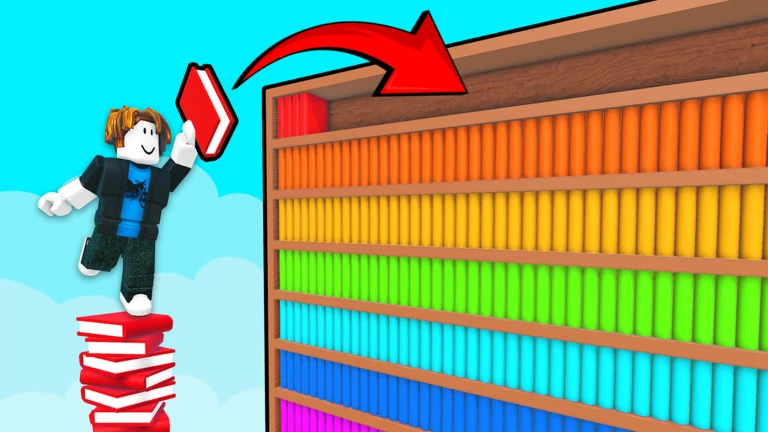
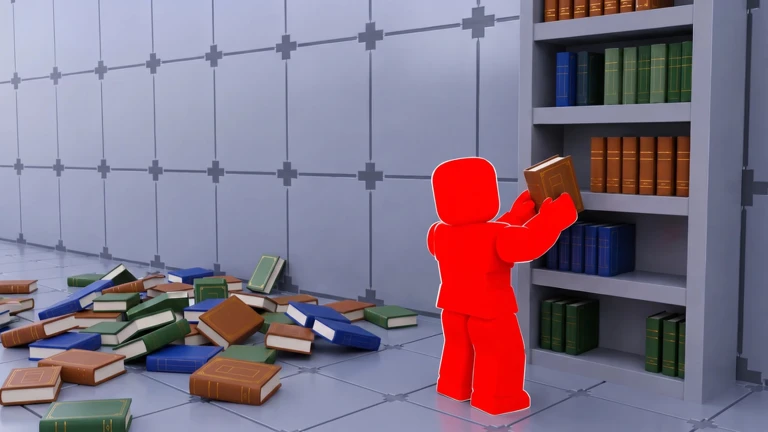
Clean The Library is a co-op puzzle game where thousands of books have been scattered across an upside-down library and your job is to sort every one back onto the right shelf. You can tackle it alone or with up to twelve friends, and the game rewards you with magic abilities the more shelves you complete. This guide walks you through your first run, the magic upgrade system, the maps, and the time-attack badges.
In shortCollecting all four keys before you touch a single book is the single biggest time-saver in the game.
When you first load in, resist the urge to start shelving immediately. Four keys are hidden around the library, and each one unlocks a meaningful upgrade to how you move or how many books you can carry at once. Explore the whole library first and grab every key you find.
Find the Crimson Octagongives you a higher jump so you can reach books on tall shelves
Find the Golden Diamondincreases the number of books you can carry in one trip
Find the Azure Starpushes your carry limit even higher for truly massive hauls
Find the Emerald Clubunlocks sprinting so you cross the library much faster
In shortEvery book has a shelf code on its label, and placing it on the matching shelf is the entire core loop.
Each book carries a label with a shelf code like 1A or 2B. Floor one holds shelves 1A through 1J, which cover Roblox-related themes. Floor two holds shelves 2A through 2F, covering a broader range of subjects. Right-clicking zooms in so you can read a label clearly before you walk all the way across the library. Finishing a shelf earns you Stat Points, which you spend on magic abilities, so placing books correctly and completely is what drives your progression.
Pick up a bookpress E or click when you are close to it
Read the labelright-click to zoom in and confirm the shelf code
Carry multiple booksuse Scroll to flip between the books in your hands
Place on the right shelfpress E near the matching shelf to set the book down
Complete multi-volume series before moving onshelves with three-volume or five-volume sets only register as finished once every volume is in place
Collect two Stat Points per completed shelfspend them on magic as soon as you have enough
03Live and upcoming eventsEvents
Events running now or coming soon. They have fixed dates, so check them first.
Upcoming –
Build Update
Build your own libraries!
Invite your friends!
Check out other libraries!
Earn rewards for people playing your creation…
In shortUnlocking Auto-Shelving first cuts your workload faster than any other single upgrade.
Stat Points accumulate as you finish shelves, and you spend them to unlock and strengthen five magic abilities. You do not need to buy any game pass to reach them; consistent shelving gets you there. If you want all abilities unlocked immediately, the Unlimited Magic game pass does that, but it is not required to finish the game.
Auto-Shelving
automates completed rows so you spend less time on manual placement
Assemble
pulls scattered books toward you so you can grab a pile in seconds
Shelf Guide
navigates you directly to the right shelf for whatever book you are holding; great while you are still learning codes
Insight
displays information about books and shelves so you never have to guess where something belongs
Sort
helps you organize a large mixed stack of books
05
Shelving faster with a full group
Tips
In shortDividing the library into clear zones before you start is what separates a smooth group run from a chaotic one.
Up to twelve players can join the same server. Agree on floor and shelf-code zones before anyone picks up a book. For multi-volume series, assign one person per set to collect and place all volumes.
Tips worth knowing
Agree on floor assignments before anyone picks up a book — one group on floor one, another on floor two
Claim specific shelf codes within your floor so nobody doubles up on the same section
Designate one person per multi-volume series to collect all volumes before placing any of them
Race for the fastest times on the leaderboard
06
Maps, modes, and the Ascend system
Summary
In shortAfter finishing the base library you unlock harder maps and a fresh-start mode that reuses everything you have learned.
Clean The Library has more than one map. Alongside the original library there is the Grand Library and the Forest Library, each with its own completion badge. Finishing the original library also gives you the option to Ascend, which restarts the game at higher difficulty. Every map has a Pro Mode that strips away all magic abilities.
Original Library the starting map; aim to finish it fully before exploring other modes
Grand Library a separate, larger map with its own badge set including a Pro Mode badge
Forest Library a third distinct map with its own completion and Pro Mode badges
Ascend available after clearing the original library; lets you replay with your shelf knowledge intact
Pro Mode available on every map; no magic abilities allowed at any point
Event modes 8 Player Madness, Chained, and Chaos are limited-time variants each carrying their own badge
07
Time-attack badges and how to approach them
Check
In shortWork down from three hours to two hours to one hour rather than chasing the fastest time on your first attempt.
The game awards separate badges for finishing the library within three hours, within two hours, and within one hour.
All four hidden keys collected before shelving begins
Auto-Shelving unlocked as early in the run as possible
Shelf codes memorized well enough that you rarely need to zoom in
Group roles and floor assignments agreed on before the run starts
Multi-volume series handled by a single designated player per series
Three-hour badge secured before attempting the two-hour or one-hour badge
08
When a shelf refuses to complete
Warn
In shortA shelf that will not tick off as finished almost always means a missing volume or a misread shelf code.
It is easy to put in a lot of work and then find a shelf sitting just short of complete with no obvious reason why. Running through this list in order will find the problem faster than searching at random.
Worth watching out for
Zoom in and recheck the labela 1 and a 2 look similar at a glance, and one wrong digit sends a book to the wrong floor entirely
Count the volumesthree-volume and five-volume series only complete when every volume is present, not just most of them
Look for books that were placed in the wrong shelf earlier and need to be taken out and moved
09
Redeeming codes
Step
In shortCodes go in the Codes screen from the in-game menu, and they are case-sensitive so copy them carefully.
The game has announced that promotional codes will be released when the like count hits certain targets.
Open the menupress Escape during a session to bring up the main menu
Select Codeslook for the Codes button within that menu to open the entry screen
Enter the code exactlycapitalization matters, so paste or type it with care
Press Redeemthe game confirms success and adds the reward to your account immediately
Glossary
Glossary
Shelf code
The label on each book, such as 1A or 2B, that tells you exactly which shelf the book belongs on.
Stat Points
The reward you earn each time you finish a shelf — two per shelf — spent on unlocking and upgrading magic abilities.
Auto-Shelving
A magic ability that automatically places completed rows onto shelves so you spend less time on manual work.
Assemble
A magic ability that pulls nearby scattered books toward you so you can collect a large pile quickly.
Shelf Guide
A magic ability that leads you directly to the correct shelf for whichever book you are currently holding.
Insight
A magic ability that displays information about books and shelves to help you place things correctly without guessing.
Ascend
An option that unlocks after clearing the original library, letting you replay at higher difficulty with your knowledge of shelf codes already intact.
Pro Mode
A version of each map that bans all magic abilities, making it the hardest way to play.
Carry capacity
The maximum number of books you can hold at once, increased by picking up the Golden Diamond and Azure Star keys.
Multi-volume series
A set of books that comes in three or five volumes; the shelf only counts as finished when every volume in the set is placed.
Common questions
FAQ
Can I finish the game without spending Robux?
Yes. Collecting all four hidden keys and completing shelves steadily earns you enough Stat Points to unlock every magic ability for free. The Unlimited Magic game pass unlocks everything at once, but it is not necessary to clear any map or earn any badge.
What happens to a book if I drop it on the floor?
Dropped books stay where they land and can be picked back up at any time. Nothing disappears, so there is no need to panic if you fumble a stack — just walk back and collect them.
I cannot read the shelf code on a book. What should I do?
Right-clicking while holding the book zooms in on the label and makes the code readable. If you are still unsure which shelf it belongs to, the Shelf Guide ability walks you straight to the correct location, and the Insight ability displays shelf information directly on screen.
What is the best way to split the work in a large group?
Agree on floor and shelf-code zones before anyone picks up a book so two people are never covering the same section. For multi-volume series, assign one person per set to collect and place all volumes, since split responsibility almost always leaves a series unfinished.
Updated Sep 15, 2026
Game updates can change what is on this page. If you spot something, get in touch and let us know.

 Upcoming
–
Upcoming
–