
Voxel Playground Guide: Basic building controls
About
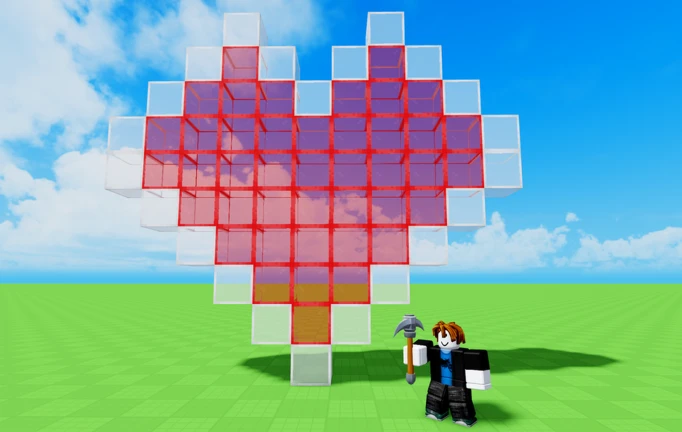
OverviewVoxel Playground is a sandbox building game where you place blocks freely and shape whatever comes to mind. There are no rules and no objectives — just an open space to build, experiment, and blow things up if you feel like it.
What is on this page
Contents
Basic building controls
Step
When you first load in, you can place blocks, delete ones you don't want, and try different types to see how they feel.
- Place a block point at the spot you want and place it with your mouse or controller.
- Switch block types cycle through the available kinds to change colour or material.
- Delete a block select the block you want gone and remove it.
- Jump and move through your build to check the whole thing.
MetaNew Player Survey

The next survey is being prepared.
How your builds are saved
SummaryYou never need to hit a save button. The game stores your build on a private server that belongs to you, and it stays there while you're offline. Log back in any day and your construction will be exactly as you left it.
- Private server a space dedicated to your build, separate from other players.
- Automatic saving the game saves without you needing to stop and save manually.
- Persistent builds structures you made before are still standing when you return.
TNT and destruction
Tips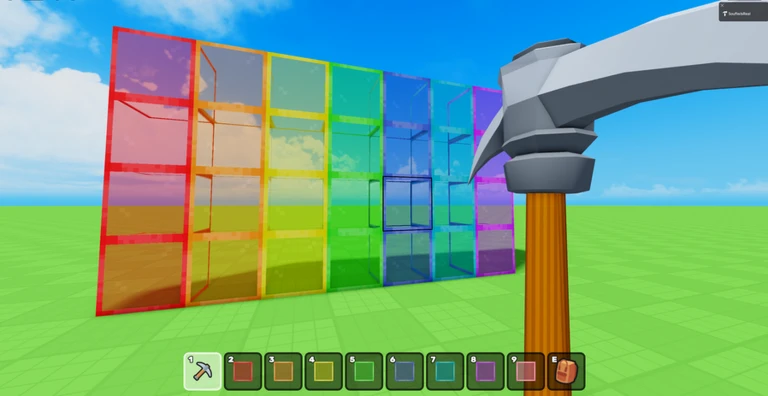
Building and destroying can both be entertaining, and the game leans into that. After you buy TNT, place it wherever you want the blast to go.
- TNT is bought through the in-game purchase system — it is not available for free.
- Setting one off destroys the blocks within its blast radius.
- Chaining multiple explosions together creates much larger demolition effects.
- A cleared area after an explosion gives you a blank slate to build something new.
What costs money and what doesn't
CheckYou can spend a full session building without spending a penny. The only thing locked behind a purchase is TNT, and skipping it has no effect on what you can construct.
- Placing blocks is free.
- Deleting blocks is free.
- Choosing different block types and materials is free.
- TNT requires an in-game purchase.
- Everything you can build is available whether or not you buy TNT.
Community strategy ideas
CommunityThese ideas and tips come from people playing the game. Share your discoveries too!
No strategy ideas yet. Share a tip you discovered.
Share a strategy idea
🔨Voxel Playground
Glossary
Glossary- Private server
- A dedicated space that stores your build so other players cannot alter it and it persists between sessions.
- Block
- The basic cubic unit of construction in Voxel Playground, available in various types, colours, and materials.
- TNT
- A purchasable explosive you place and trigger to destroy the blocks around it.
Common questions
FAQWhere are my previous builds stored?
They are saved automatically to your private server. The next time you log in, everything you built before will still be there.
Is there a goal or a way to win?
No. The game has no rules or objectives attached to it. You can build, demolish, jump around, or do all three — whatever you feel like.
Do I need TNT to enjoy the game?
Not at all. Placing and removing blocks on their own is the whole game. TNT just adds an explosive option if you want it.
Game updates can change what is on this page. If you spot something, get in touch and let us know.
