
Subway Surfing — Picking your character and getting started
About
OverviewSubway Surfing is a Roblox obby based on the mobile game Subway Surfers, where you pick one of three characters and race to escape a pursuing inspector and his dog. This guide covers how to get started, how to move through the course, and what to do when you keep getting stuck.
What is on this page
Contents
Picking your character and getting started
Step
When you open the game, a character select screen appears before anything else. You have three options: Jake, Tricky, and Fresh. Once you confirm your pick, the stage begins immediately.
- Choose a character select Jake, Tricky, or Fresh from the opening screen.
- Start running the stage kicks off right away, so be ready to move.
- Switch characters exit the game and reopen it to pick someone different.
Moving and dodging obstacles
Tips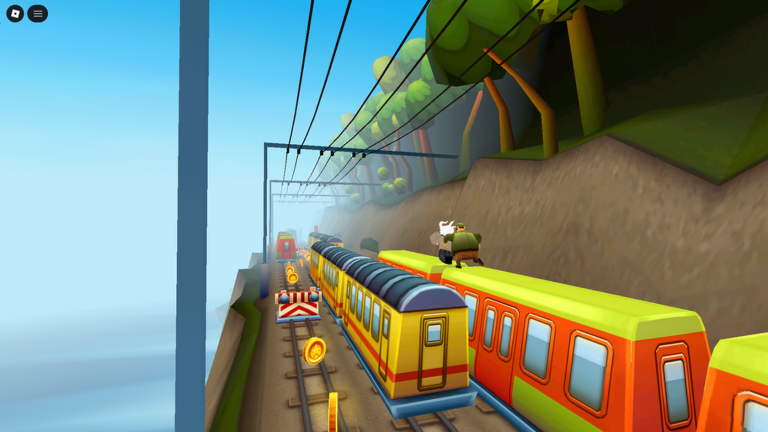
Your character moves forward automatically, so your only job is steering left and right. Trains, fences, and other obstacles fill the course, and hitting one or falling off the edge ends your run. The controls respond slightly after you input them, so it pays to act before an obstacle is right on top of you. Watch the vertical layout of the course too — drops and raised sections can catch you off guard.
- Move left or right with taps or keyboard inputs to steer around obstacles.
- Act slightly early — the character takes a moment to respond after you input a move.
- Watch the height of the course, not just what's ahead at eye level.
- Falling off the course ends your run the same as hitting an obstacle.
What to check when you keep failing the same spot
Check
- Obstacle positions watch a couple of runs to learn where each hazard sits on the course.
- Movement timing check whether you're steering too early or too late for each gap.
- Input delay make sure you've accounted for the short lag between pressing a key and the character moving.
Playing without spending anything
Summary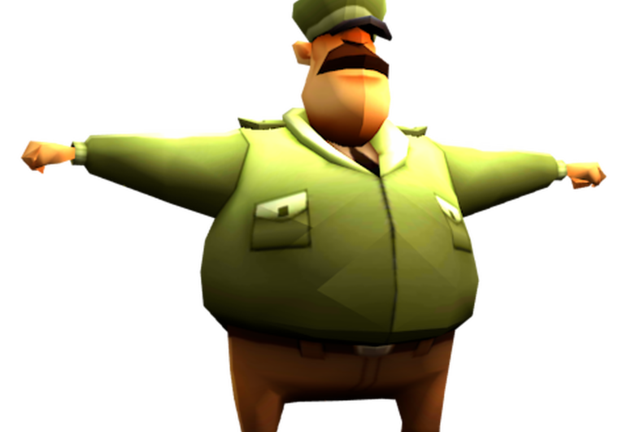
All three characters are available to choose at no cost, and clearing stages requires no purchases. If you fail, you can retry the stage immediately and as many times as you need.
- Character access all three characters are free to play from the opening screen.
- Stage access every stage is open without any purchase.
- Retries unlimited; failing sends you back to the start of the stage instantly.
Glossary
Glossary- Obby
- A Roblox game type built around an obstacle course where you navigate from a start point to a finish while avoiding hazards.
- Inspector
- The pursuer in Subway Surfing — a grumpy inspector accompanied by his dog who chases your character through the stage.
- Stage
- The full course you run through, from the starting point to the end of the route.
Common questions
FAQCan I change my character after I've already started?
Your character is set for the run you're on. To play as someone else, exit the game and reopen it, then pick a different character from the selection screen.
What happens when I get caught or hit an obstacle?
Your run ends and you restart from the beginning of the stage. You can retry as many times as you like.
Game updates can change what is on this page. If you spot something, get in touch and let us know.
