
Smarty's Cooking — Getting started in Campaign Mode

About
OverviewSmarty's Cooking puts you in the role of the food itself — you get cooked through each recipe step, then eaten at the end to unlock the next one. This guide covers how to progress through Campaign Mode, spend your coins wisely, and get the most out of Roleplay Mode.
What is on this page
Contents
Getting started in Campaign Mode
Step
When you launch the game, Campaign Mode opens by default. You follow a recipe step by step, and the game guides you through each action. Harder recipes reward more coins.
- Follow the in-game guide it walks you through every cooking step in order.
- Press the Eat button at the end this is what actually completes the recipe and unlocks the next one.
- Check your coin total every completed recipe adds to your balance for future shop purchases.
Earning and spending coins
Tips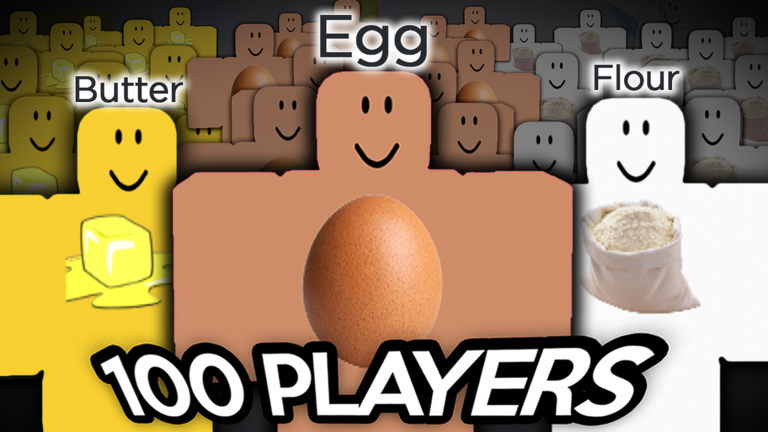
Coins are the only currency you need to worry about for most of the game. Gears and effects are both purchasable with coins alone — no real money required. Replaying recipes you have already cleared still earns coins each time.
- Harder recipes pay out more coins per run.
- Replaying a recipe you already know still earns coins.
- Gears change how your character looks; effects add visuals like light and smoke around them.
- The only thing that costs real Robux is a private server — everything else is free-to-earn.
What the Summer Event adds
CheckThe Summer Event arrived with the version 2.4.1 update on July 18th. It introduced new recipes, plus three new gears. Country flags also appear at the end of certain recipes now.
- Try the new Taco recipe added in this update.
- Look out for the three Summer Event-exclusive gears in the shop.
- Check in-game announcements to know when the event ends limited gears leave when it does.
- Watch for your country's flag appearing at the end of compatible recipes.
Roleplay Mode for video recording
Summary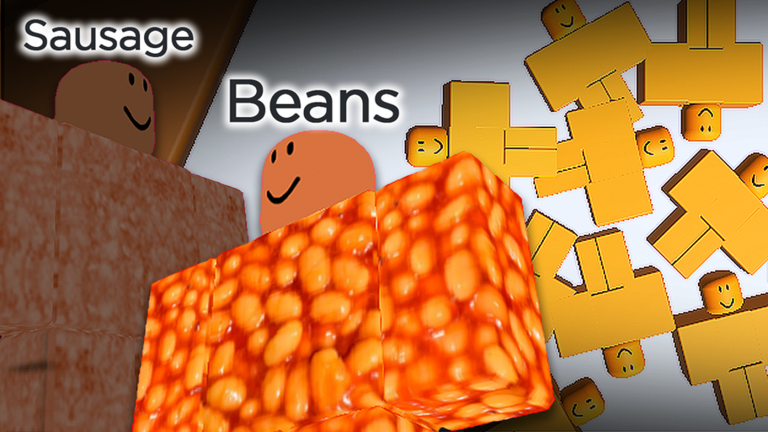
Roleplay Mode is separate from Campaign Mode. Inside it you can transform into any food character, equip whatever gears and effects you have bought, and film with other players. A private server takes this further by giving you admin commands and full control over the session.
What to do when you get stuck
Warn
If a recipe does not complete, the cause is almost always a skipped cooking step or the Eat button being ignored. Read each on-screen prompt carefully before moving on.
Glossary
Glossary- Campaign Mode
- The main game mode where you follow set recipes in order, earning coins and unlocking new recipes as you go.
- Recipe
- A step-by-step cooking sequence you play through; pressing Eat at the end marks it complete and unlocks the next one.
- Eat button
- The button that appears at the end of a recipe — pressing it is what counts as finishing and triggers any unlocks.
- Coins
- In-game currency earned by completing recipes, used to buy gears and effects from the shop.
- Gear
- A shop item purchased with coins that changes how your character looks when equipped.
- Effect
- A shop item purchased with coins that adds a visual effect such as light or smoke around your character.
- Roleplay Mode
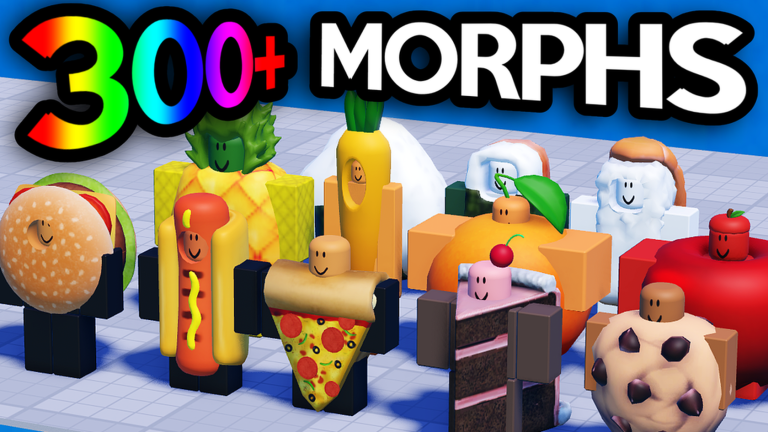
- A free-play mode that gives access to all food morphs and lets you use your gears and effects for recording videos with friends.
- Morph
- A food-character form you take on in Roleplay Mode, turning your avatar into a specific type of food.
- Private Server
- A paid server option that gives you admin commands and full control over the session, useful for more involved video recordings.
Common questions
FAQDo gears and effects cost real money?
No — gears and effects are both bought with coins you earn in-game. The only item that requires real Robux is a private server, so you can get fully equipped without spending anything.
Why didn't a new recipe unlock after I finished one?
You need to press the Eat button at the very end of the recipe — that is the step that marks it complete and triggers the unlock. If you skipped it or the button was not yet active, go back and make sure every cooking step is finished first.
Can I play Roleplay Mode with friends?
Yes, Roleplay Mode supports multiple players at the same time. You and your friends can each pick a food morph, equip your gears and effects, and record together in the same session.
What happens to Summer Event gears after the event ends?
Event-exclusive gears are only available while the event is running. Once it ends they leave the shop, so pick them up before the in-game announcements say time is up.
Is a private server worth buying?
A private server gives you admin commands and lets you control the session however you like, which is most useful if you are making video recordings.
Game updates can change what is on this page. If you spot something, get in touch and let us know.
