
Scroll a Brainrot Guide: First steps when you load in
About
OverviewScroll a Brainrot is a Roblox idle simulator where you place Brainrots, scroll your phone, and watch the money roll in. This guide walks you through starting out, earning faster, and making the most of Rebirth and the Addition system.
What is on this page
Contents
Player notes and tips
Found a useful trick? Share it with everyone! Notes with screenshots are welcome!
Write a guide note
[UPDATE📱] Scroll a Brainrot
First steps when you load in
Step
Before you do anything else, find the code entry field and redeem any available codes for free spins and other bonuses. Each code can only be used once, so get them in early. Once that's done, start placing Brainrots — the more you place, the faster your money climbs.
-
Find the code box and entering a code rewards you with spins or other bonuses.
- Place Brainrots
every one you place adds to your money generation.
- Upgrade your phone
once you have some cash built up, put it into phone and stat upgrades.
MetaNew Player Survey

The next survey is being prepared.
Earning money faster
Tips
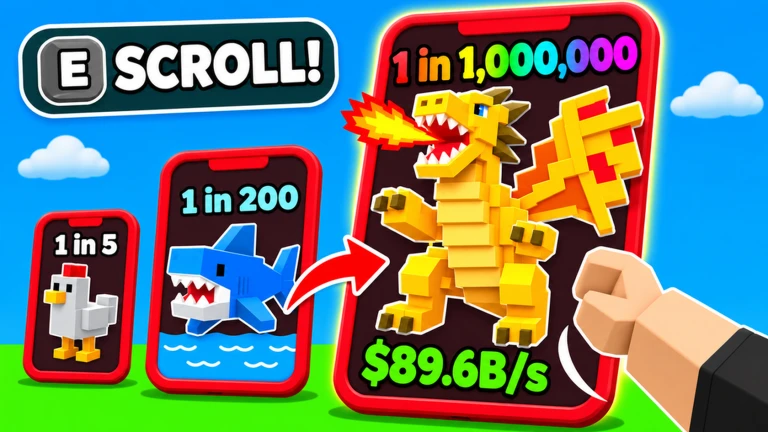
Your Brainrots are your primary income source. The game also includes two automation features that cut down on how much you need to tap.
- Place Brainrots to drive how fast money comes in.
- Spend surplus money on upgrades.
- Turn on Auto Scroll so the game scrolls for you without any input.
- Turn on Auto Take so rewards are collected automatically.
- Earn money offline even with the game closed.
The Rebirth system
SummaryRebirth becomes available after you've made meaningful progress into the game. It wipes out your Brainrots and upgrades, but the bonuses and perks you receive in return mean your next run moves quicker than your first.
- What you lose
your placed Brainrots and purchased upgrades are reset.
- What you gain
bonuses and perks that speed up your recovery.
Codes and how to use them
Check
The game distributes codes that give you spins and other rewards. Each code is single-use, so don't put it off.
- Enter each code once the same code won't work a second time.
- Different codes give different rewards, so redeem everything available.
Playing on different devices
TipsThe game is playable across multiple platforms.
- Mobile and tablet
playable on the go.
- Desktop
larger screen.
- Console
playable on console.
- Earn money offline while the game is closed.
Glossary
Glossary- Brainrot
- A character or item you place in the game that generates money.
- Rebirth
- A system that resets your Brainrots and upgrades in exchange for bonuses.
- Addition
- A feature that lets you combine multiple Brainrots to discover new ones.
- Auto Scroll
- An automation feature that scrolls the screen for you so you don't have to do it manually.
- Auto Take
- An automation feature that collects rewards for you without any manual input.
- Offline mode
- A passive earning feature that keeps generating money even while the game is closed.
- Upgrade
- Improvements to your phone or stats that increase how fast you earn money.
Common questions
FAQWhat should I do first when I start the game?
Redeem any available codes to grab free spins and bonuses. Then start placing Brainrots, since more Brainrots means more money coming in.
Does the game earn money while it's closed?
Yes — the offline mode feature keeps generating money even when you're not playing.
When should I Rebirth?
When you Rebirth, your Brainrots and upgrades reset, but you receive bonuses.
Can I play on my phone?
Yes, the game supports mobile, tablet, desktop, and console.
Game updates can change what is on this page. If you spot something, get in touch and let us know.
