
Zoo Tycoon — Getting started with the tutorials
About
OverviewZoo Tycoon is a relaxing idle zoo-builder on Roblox where you collect over 120 animals, design habitats, and earn coins from visitors — even while you're offline. This guide walks you through the tutorials, early-game decisions, and the habits that keep your zoo growing.
What is on this page
Contents
Getting started with the tutorials
Step
The game opens with a set of tutorials that walk you through every core system. The second tutorial covers building exhibits, adopting animals, hiring staff, and catering for guests' needs with buildings and items.
- Build the exhibit fence use iron bar fencing to enclose a space for the Bengal Tiger.
- Adopt the animal place a Bengal Tiger inside the finished exhibit.
- Hire a zookeeper staff keep your animals looked after once the zoo grows.
- Lay concrete paths place eight pieces to connect areas of your zoo.
- Add food and rest stops buy a Burger Stand, a Drink Stand, four Picnic Tables, a Family Restroom, and three Trash Cans to meet guest needs.
Exhibit suitability and animal happiness
Check
The Small Zoo scenario — the first one you reach after the tutorials — teaches this directly. You are given three exhibits and three animals, and you need to figure out which animal belongs in which exhibit. The exhibit's name is your clue. Once all three are placed correctly, six more species unlock. The scenario asks you to hit a suitability rating of at least 60 for six exhibits and an average animal happiness of 80.
- Read each exhibit's name before placing an animal the name signals the habitat type.
- Watch the green happy and red angry faces that appear when you add an object to an exhibit.
- Check that all six exhibits reach a suitability rating of at least 60.
- Confirm that average animal happiness across the zoo sits at 80 or above before the timer runs out.
Building income early on
Tips
The zoo keeps growing even when you are logged out, so you do not need to play for hours at a stretch.
- Claim your daily reward every time you log in — it hands out free coins and items.
- Log out and let offline progress run; visitors keep arriving while you are away.
The Immortality GamePass
Summary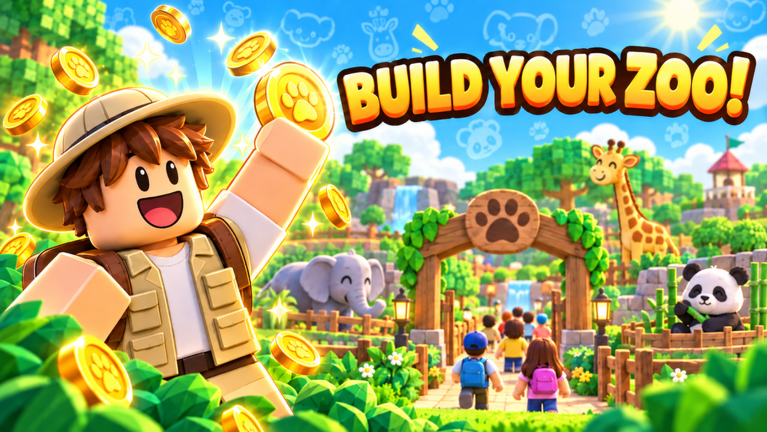
Zoo Tycoon can be completed without buying anything. All 120-plus animals are collectable and large zoos are buildable entirely through free play. The Immortality GamePass exists as an optional purchase that stops animals from dying of illness — useful if you want to keep the same zoo running for a long time without losing animals.
- Free play full access to all animals and habitats, offline progress included.
- Immortality GamePass animals cannot die from illness, making long-term zoo preservation easier.
Glossary
Glossary- Exhibit
- A fenced habitat where you place animals.
- Suitability rating
- A score that measures how well an exhibit's contents match what the animal inside actually wants.
- Offline progress
- The game's system that keeps visitors arriving and coins accumulating even while you are logged out.
- Daily reward
- A free bundle of coins and items you collect simply by logging in each day.
- Immortality GamePass
- An optional purchase that prevents your animals from dying of illness.
Common questions
FAQCan animals die?
Yes — animals can get sick and die. The Immortality GamePass removes that risk entirely.
Do I have to log in every day?
No. The zoo grows and visitors accumulate while you are offline, so missing a day does not set you back. Logging in daily lets you claim the free daily reward.
How do I unlock more animals in the Small Zoo scenario?
Place the Giraffe, Dromedary Camel, and Moose in their correct exhibits — match each animal to the exhibit whose name fits its habitat. Once all three are settled in suitably, six additional species become available to adopt.
Game updates can change what is on this page. If you spot something, get in touch and let us know.
