
Anime Zero — First steps after loading in
About
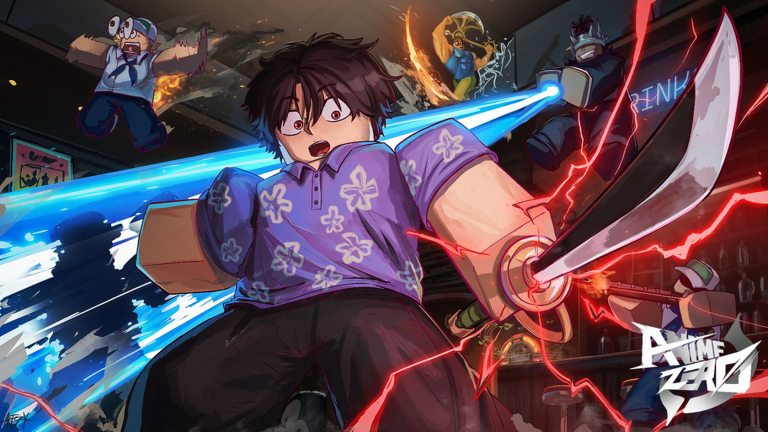
OverviewAnime Zero is an anime-style dungeon crawler RPG where the weapons you equip completely change how you fight and which abilities you can use. The game offers Story, Defend, and Infinite modes, and is actively being developed.
What is on this page
Contents
First steps after loading in
Step
When you first join, you earn the Welcome to Anime Zero badge automatically. Before you touch a dungeon, you need a weapon from the Arsenal and you need that weapon sitting in an equipment slot.
- Visit the Arsenal head there from the lobby and spend spins to get your first weapon.
- Open your equipment screen confirm the weapon is actually placed in a slot, not just sitting in your inventory.
- Check the second slot if it is locked, read the on-screen unlock conditions and the coin cost before spending anything.
- Head to Story on Easy once your slot is filled, Easy difficulty is where you learn how your weapon moves and what its skills do.
- Return to the lobby after each run collect any quest rewards, achievement rewards, or level-up rewards before queuing again.
How Story mode works
TipsStory mode sends you through dungeon sections where groups of enemies appear. Clear every group, reach the final boss, and defeat it to complete a full run. Stopping partway through does not count as a clear.
- On your first run, focus on learning where enemies spawn and how far your skills reach rather than trying to speed through.
- If you cannot advance to the next section, check the edges of the map for enemies that wandered off or spawned separately.
- When the same section keeps defeating you, drop back to a difficulty you can finish and farm experience and materials there.
- Only move up to a harder difficulty after you can beat the final boss of the current one consistently.
Skill tree and weapon upgrades
CheckEach weapon has its own skill tree, and you upgrade it by spending tokens. Check regularly for unspent tokens — they do nothing sitting idle.
- Unspent tokens are waiting put them into the skill tree of the weapon you use most.
- Enemies taking too long to kill prioritize attack nodes first.
- Dying quickly shift your next tokens toward defense nodes.
- Power trait is available it boosts attack; try it in a dungeon right after unlocking it.
- Ultimate move is still locked check that weapon's evolution conditions and required materials before spending upgrade resources elsewhere.
Fighting groups and bosses
TipsThe way you position yourself changes completely depending on whether you are clearing a group of regular enemies or fighting a boss.
- Nudge scattered enemies closer together before using a wide-hitting skill so it connects with several at once.
- Always keep a clear path behind you before grouping enemies — getting surrounded removes your escape route.
- During a boss fight, move away whenever your skills are on cooldown rather than standing next to the boss waiting.
- Watch what the boss does while you wait — its attack patterns become readable once you stop focusing entirely on your own timing.
- When your current weapon's skills are mostly on cooldown, switch to your second weapon and check what it has available.
- On PC, press T to swap weapons; on mobile and tablet, follow the on-screen controls.
Accessories and weapon evolution
StepAccessories are built from materials you collect while playing. Weapon evolution unlocks ultimate moves. Both use materials, so planning ahead stops you from draining resources you needed elsewhere.
- Pick one accessory to target check its required materials and effects in the crafting screen before farming anything.
- Match the accessory to your need attack-boosting accessories if enemies take too long to kill, health-boosting ones if you are dying too fast.
- Check weapon evolution conditions see what your main weapon needs to evolve and set those materials aside.
- Farm the missing pieces once you know what you need, focus on the sources that drop those specific materials.
Defend and Infinite modes
TableOnce you are comfortable with how your weapon handles in Story mode, the other two modes open up different kinds of challenges.
| Story | clear dungeon sections and defeat the final boss; the starting point for all players. |
| Defend | protect a target from incoming enemies; watch the target's position, not just the enemies near you. |
| Infinite | fight continuous waves to see how long you can last. |
Lobby rewards and redeem codes
CheckSeparate from dungeon drops, the lobby holds quest rewards, achievement rewards, and level-up rewards that only become yours once you manually collect them. Redeem codes are entered through the in-game code screen and each code can only be used once, with an expiry date attached.
- Quests collect rewards for anything you completed and pick up the next available quest.
- Achievements check whether defeating enemies or clearing dungeons has ticked off any achievement entries.
- Level-up rewards after gaining a level, see whether new rewards are ready to collect.
- Titles read the description of any title you unlock; some affect attack power or reward amounts, not just appearance.
- Redeem codes enter any codes you have found in the in-game input screen as soon as possible, since they expire.
 ARISE67
222 trait rerolls, 200k coins, and 400 lucky spins (level 50+) (new!)
UPDATETWO
150 trait rerolls, 100k coins, and 150 lucky spins (level 50+) (new!)
SORRYFORZEDELAY
333 trait rerolls, 222,222 coins, and 333 lucky spins (new!)
50KCCU
500 lucky spins, 350 trait rerolls, 250k coins, and 5k gems (new!)
ARISE67
222 trait rerolls, 200k coins, and 400 lucky spins (level 50+) (new!)
UPDATETWO
150 trait rerolls, 100k coins, and 150 lucky spins (level 50+) (new!)
SORRYFORZEDELAY
333 trait rerolls, 222,222 coins, and 333 lucky spins (new!)
50KCCU
500 lucky spins, 350 trait rerolls, 250k coins, and 5k gems (new!)
Active development and what to expect
WarnThe game is in active development, which means updates arrive regularly but so do bugs and unfinished features.
Glossary
Glossary- Arsenal
- The lobby location where you spend spins to receive weapons.
- Spin
- A single use of the weapon lottery at the Arsenal, available in standard and special varieties.
- Skill tree
- The upgrade screen for a weapon where you spend tokens to improve attack, defense, and other stats.
- Token
- The currency spent inside a weapon's skill tree to unlock or improve nodes.
- Cooldown
- The wait time after using a skill before you can use it again.
- Trait (Power)
- A bonus effect attached to a weapon that boosts a stat such as attack power.
- Evolution
- A weapon upgrade that requires specific materials and unlocks the weapon's ultimate move.
- Dungeon crawler
- A game style where you move through dungeon sections, defeating enemies to progress toward a boss.
Common questions
FAQI got a weapon from the Arsenal but I cannot use it — what is wrong?
Receiving a weapon and equipping it are two separate steps. Open the equipment screen and make sure the weapon is placed into a slot. If your second slot is locked, check the on-screen conditions and coin cost to unlock it.
Why is my ultimate move locked?
Ultimate moves become available only after you evolve the weapon. Open the weapon's details in-game to see exactly what materials and conditions the evolution requires.
What does the AFK room do?
Staying in the AFK room while you are away from the keyboard earns you periodic rewards. It is a side feature separate from dungeon runs.
Where do redeem codes come from and how do I use them?
Check the game's official channels regularly. Enter any code you find through the in-game code input screen as soon as possible — each code works only once and expires after a set period.
Game updates can change what is on this page. If you spot something, get in touch and let us know.
