
El Gato Tower — Controls to check before you start climbing
About
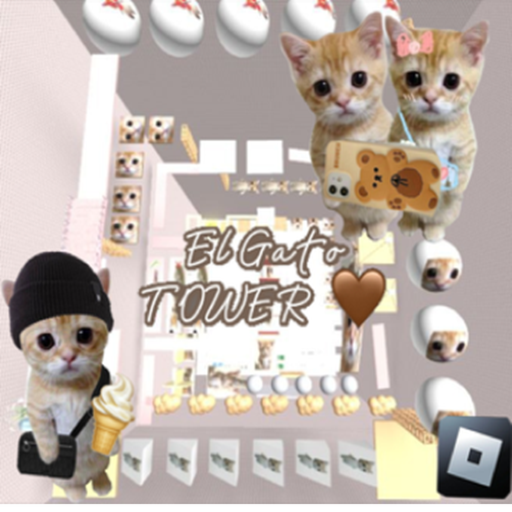
OverviewEl Gato Tower is a cat-themed parkour obby where you climb a tower from bottom to top with no checkpoints anywhere on the way. This guide covers controls setup, climbing technique, how to get the free items at spawn, and tips for pushing further when you keep falling.
What is on this page
Contents
Controls to check before you start climbing
Check
Because there are no checkpoints, any mistake sends you back to the very beginning, so a bad control setup costs you the whole run. Mobile players in particular should turn Shift Lock on — it locks the camera behind your character and makes jumps far more accurate.
- Shift Lock (mobile) turn it on so the camera stays fixed behind you
- Mouse sensitivity set it so the camera moves at a speed you can control precisely
- Key bindings make sure the run and jump keys feel natural before you start
- Connection quality check that your game isn't lagging, since delay can turn a good jump into a miss
Early-game muscle memory
StepThe lower stages of the tower are easier, and that makes them the right place to drill your fundamentals. Focus on the flow of running into a jump and picking your landing spot before you leave the ground. Keep the camera at a natural angle — pointing it too far down cuts off your view of what is ahead.
- Run into the jump feel the momentum that a running start gives you before you commit to a leap
- Spot the landing pick where you want to land while you are still on the ground, not while you are in the air
- Camera angle hold it level enough to see the next few platforms at once
- Chained jumps practice hitting several platforms in quick succession to build rhythm
Free coil and free clothing at spawn
Tips
The game hands out a free coil and a free clothing item, and both are accessible around the spawn area at the start. The game is balanced so that free players can enjoy the full climbing experience without spending anything.
- Explore the spawn area at the start of each session to collect the free coil
- Equip the free clothing item before you begin your climb
- No purchase is required to enjoy the complete game
Trickier sections higher up the tower
TipsAs you rise, gaps get wider and platforms get smaller. A longer run-up gives your jump more distance, so give yourself room to build speed before each difficult leap. Point the camera at your target landing spot just before you jump, not after you are already airborne. When you keep failing the same spot, step away from the game for a few minutes — returning fresh makes a real difference.
- Take a longer run-up before big gaps so your jump carries the distance
- Lock the camera onto the landing spot a moment before you jump
- Keep your pace steady rather than rushing through difficult sections
- Walk away and rest when the same platform keeps beating you
Mindset for a no-checkpoint climb
Warn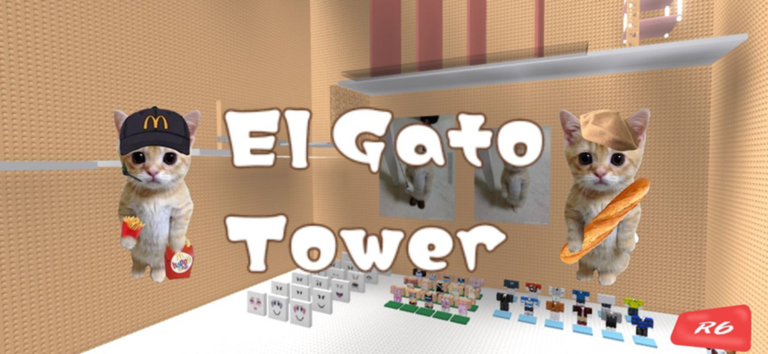
Every run starts from scratch, so a lapse in concentration near the top is just as costly as one at the bottom. Playing while tired leads to slower reactions and worse decisions. Long non-stop sessions also build up small errors that add up into a fall.
Speedrunning and route optimisation
TipsOnce you can reach the top consistently, you can start trimming time by finding shorter paths through each section. A stable internet connection matters for record attempts, because even small lag spikes break the precision the game demands at this level.
- Try several different routes through each section to find the quickest path
- Fine-tune your jump timing until each leap lands as close to the edge of the platform as possible
- Memorise the camera angles that work best for the sections you find hardest
- Play on a stable connection when attempting a serious time
- Study faster players' runs to spot jumps and shortcuts you have not tried
Diagnosing a section you cannot get past
CheckWhen you fail the same spot over and over, it helps to split the problem in two: is the mistake in your input, or is something in the game environment causing it? Poor network conditions and frame rate drops can cause a jump that feels right to land wrong.
- Key input confirm your run and jump keys are both registering at the same time
- Camera position check you are actually looking at the landing spot and not slightly past it
- Network verify your connection is stable and not dropping packets mid-jump
- Frame rate check the game is running smoothly and not stuttering
- Player state honestly assess whether tiredness or frustration is affecting your focus
Glossary
Glossary- Checkpoint
- A mid-run save point that lets you restart from that spot after a fall — El Gato Tower has none, so every fall sends you back to the ground.
- Shift Lock
- A Roblox setting, especially useful on mobile, that keeps the camera fixed directly behind your character so your movement and jumps stay predictable.
- Obby
- Short for obstacle course — a Roblox game genre built around jumping, running, and landing on platforms without falling.
- Coil
- An in-game currency item in El Gato Tower that is available free near the spawn area.
- Run-up
- The stretch of running you do before a jump to build the speed that carries you further through the air.
Common questions
FAQDo I really have to reach the top without any saves?
Yes — there are no checkpoints at all, so a single fall means starting from the ground.
Can mobile players compete with PC players?
Mobile is fully supported. Turning on Shift Lock is the single most important setting change for mobile players, because it stabilises the camera and makes every jump more accurate.
How do I get the free items?
Both the free coil and the free clothing are available near the spawn point at the start of the game. Check that area as soon as you load in so you do not miss them.
I keep falling at the same spot — what should I try?
First rule out environmental causes: check your connection, your frame rate, and whether your jump key is registering cleanly alongside the run key. If the environment looks fine, focus on pointing the camera at the exact landing spot before you leave the ground, and make sure you have a long enough run-up.
Game updates can change what is on this page. If you spot something, get in touch and let us know.
