
RP by FEDE VIGEVANI Guide: Getting set up before you start

About
OverviewCompleted Backrooms is a roleplay game set inside the strange, layered world of the Backrooms, where you pick a character and explore its many areas with friends. This guide covers how to get set up, how to move through the game comfortably, and how to get the most out of the roleplay.

What is on this page
Contents
Getting set up before you start
Check
Console players must connect a keyboard and mouse before launching — the game requires it. Because the Backrooms has a horror atmosphere with sudden sounds, it is worth adjusting your volume before you load in rather than mid-session.
- Console players connect a keyboard and mouse before opening the game
- Turn your volume down to a comfortable level before loading in
- If anything goes wrong mid-session, closing and relaunching the game can help
MetaNew Player Survey

The next survey is being prepared.
Picking your character and learning the controls
Step
When you first enter, you choose from several costumes based on Fede Vigevani and Mystery Club characters. Once you have picked one, you land in the lobby area, which is the right place to get comfortable with moving, chatting, and using emotes before heading deeper into the Backrooms.
- Choose a costume browse the Fede Vigevani and Mystery Club outfits and pick the one you want to roleplay as
- Try the controls walk and look around until movement feels natural
- Open chat confirm you can send messages, since chat is central to roleplay here
- Try an emote see how your character can express themselves without words
- Head out once the basics feel solid, leave the lobby and start exploring
Exploring the Backrooms
Tips
The Backrooms is divided into multiple distinct areas. Rushing through them means missing hidden rooms and side paths.
- Clear one area fully before moving to the next — hidden rooms and passages are easy to walk past
- When playing with friends, stay in contact through chat so nobody gets separated
- If you find something unusual, share the location with your group before moving on
- All areas are free to visit — there is nothing locked behind a paywall, so explore at your own pace
Making the most of roleplay
Tips
Roleplay is the heart of this game. The Backrooms setting gives you a ready-made atmosphere to build stories around. Chat and emotes are your main tools for bringing a character to life.
- Decide on a personality for your character before you start talking — it keeps your roleplay consistent
- Use emotes to react to situations when words feel like too much
- Let the area you are in shape the story — different parts of the Backrooms suit different moods
- Collaborate with friends to build scenes together
Reporting bugs
Warn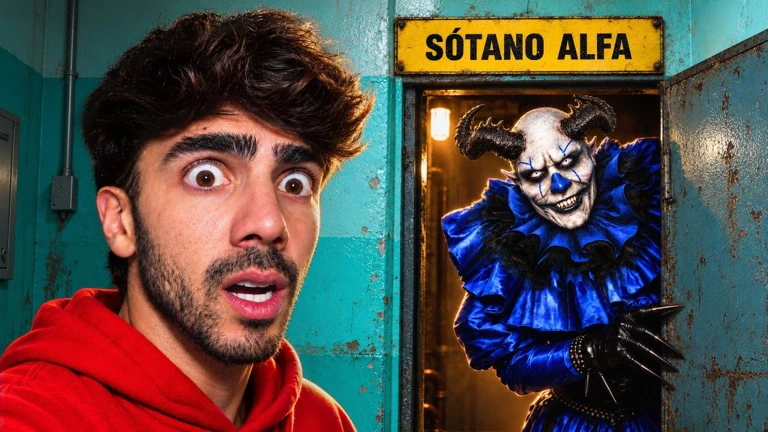
If you spot something broken, report it to the official group with as much detail as you can. The developers use those reports to push fixes.
Cost and accessibility at a glance
TableNo part of the core experience sits behind a purchase. Every area and every character costume is available from the moment you join.
| Areas | all free to explore |
| Character costumes | all free to use |
| Roleplay features (chat, emotes) | all free |
| Console | supported with keyboard and mouse connected |
Community strategy ideas
CommunityThese ideas and tips come from people playing the game. Share your discoveries too!
No strategy ideas yet. Share a tip you discovered.
Share a strategy idea
[Completed Backrooms] 🏠RP by FEDE VIGEVANI 🏠
Glossary
Glossary- Backrooms
- The setting of the game — a strange world divided into multiple areas, each with its own look and atmosphere.
- Roleplay (RP)
- Playing as a character and using chat and emotes to act out a story with other players.
- Emote
- An in-game action that makes your character perform a pose or movement to express something without typing.
- Mystery Club
- One of the character sets available at the costume selection screen, alongside the Fede Vigevani outfits.
- Official group
- The Roblox group attached to this game, used for bug reports from the developer.
Common questions
FAQHow scary is this game?
The Backrooms has a horror atmosphere with dim lighting and sudden sounds. Turning your volume down before loading in can help.
What should I do if I find a bug?
Head to the official group and describe what went wrong in as much detail as you can, including where in the Backrooms it happened. If the bug is blocking you entirely, try leaving and rejoining the game first.
Game updates can change what is on this page. If you spot something, get in touch and let us know.
