
Karinderya Guide: The five-step loop every session runs on
About
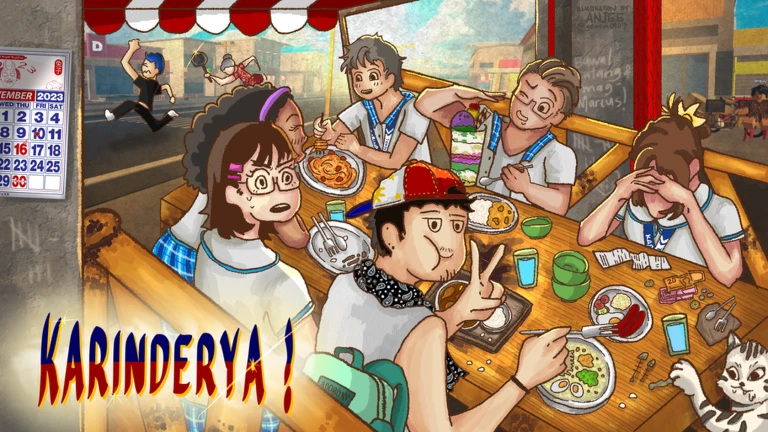
OverviewKarinderya! puts you in charge of a small Filipino eatery where you seat customers, cook their orders, and deliver the food — all at the same time. This guide walks you through the basics, how to spend your money wisely, and what to do when your restaurant grinds to a halt. Up to six players can run the place together, but everything here applies whether you are solo or with friends.
What is on this page
Contents
The five-step loop every session runs on
Step
The tutorial walks you through this loop without letting you skip ahead, and that is intentional. Resist the urge to buy extra furniture during it — your only job is to feel how the loop works.
- Place tables and chairs set them in the marked spots to create open seats before any customers arrive.
- Seat a waiting customer walk up to someone waiting outside and trigger the seating prompt to bring them in.
- Assign them to a table use the Assign Customer to Table action to send them to an open seat.
- Cook the order check what the customer ordered, then start the dish on a free stove.
- Deliver and collect pick up the finished dish, carry it to the right customer, and collect payment before checking for the next open seat.
Where to spend your money early on
CheckThe grocery store outside the restaurant is where you buy ingredients, and keeping it stocked is more important than anything else in the early game. Furniture sells back for only about 20 percent of what you paid, so buying something you do not need yet is nearly an irreversible mistake.
- Ingredients are fully stocked and you have enough left over for the next restock.
- Stoves are upgraded or added if customers are piling up waiting for food.
- Extra tables and chairs are added only when the restaurant is full and there is a queue outside.
- Higher-tier tables and chairs are considered once the basics are covered, since they can reduce customers leaving without paying.
- Paint and decorations are left alone until the restaurant runs smoothly on its own.
Diagnosing a stuck restaurant
TableWhen the restaurant feels like it has stopped making progress, there is almost always one specific cause. Buying more of everything at once burns cash and rarely helps. Check what you actually see on screen, match it to one of the causes below, and fix only that one thing before checking again.
| Queue outside and dining room full | not enough tables or chairs |
| Seated customers waiting a long time and every stove busy | not enough cooking capacity |
| Finished dishes sitting uncollected | delivery pathing or order matching needs attention |
| Stoves free but nothing cooking | ingredients have run out, restock immediately |
| Game freezes or stops responding | wait briefly or rejoin rather than clicking purchase buttons repeatedly |
Unlocking new menu groups
Tips
Menu groups unlock in order as your total customers served goes up. Lugaw, the rice porridge dishes, is what you start with. Silog dishes come next, followed by home-style cooking and then pasta. The exact customer count for each unlock can change with game updates, so always check the number shown in your in-game menu screen rather than relying on a fixed figure. Ingredients can sell out at the grocery store, but a restock countdown is displayed in the restaurant so you can plan your next purchase around it.
- Keep Lugaw dishes available at all times — every customer served on the starting menu brings the next unlock closer.
- Check the in-game menu screen for the current unlock target rather than using any number from outside the game.
- Buy only the ingredients for dishes you have already unlocked.
- When an ingredient sells out, read the restock timer before deciding whether to wait or switch to a different dish.
Workers and the Chiller — what to know before you buy
WarnA Worker can appear outside the grocery store for a limited time and will help seat customers automatically. The catch is that hiring one disables your own manual seat-assignment controls for as long as the Worker is active. If you have not already learned to seat customers yourself, hiring a Worker means you never get that practice. The Chiller, found near the stairs inside the restaurant, requires a large repair fee.
Playing with friends
TipsUp to six players can run the restaurant at the same time. The game works fine solo, but things get hectic because seating, cooking, delivering, and restocking all need attention at once. With even one other player, splitting those tasks makes an immediate difference.
- Two players work well with one person on the stoves and one handling seating and delivery.
- Three or more players can split seating, cooking, delivery, and grocery runs so no single task is ever left unattended.
- Avoid having everyone do the same job at the same time — if every player rushes to the stove, the front door goes unmanaged.
Redeem codes
StepThe code entry box is inside the game's menu screen. Each code can only be redeemed once per account, and some codes have expiry dates. This page tracks working codes and displays them automatically — the current valid codes are listed in the codes section on this page.
- Open the menu find the dedicated code input field inside the game's menu screen.
- Do not enter the same code twice a second attempt will not grant a second reward.
 Buhay
70k cash
TRIDENT
30k cash, two ultra luck potions, and two cash potions
75MVISITS
70k cash and two cash potions
HALLOWEEN
1k Halloween candy
Buhay
70k cash
TRIDENT
30k cash, two ultra luck potions, and two cash potions
75MVISITS
70k cash and two cash potions
HALLOWEEN
1k Halloween candy
Keeping your account safe
WarnEvery core feature — buying ingredients, unlocking menu groups, upgrading equipment — is available without spending Robux. If a website, video, or player claims to offer free Robux, automated scripts, or account boosts, the real outcome is almost always a stolen or banned account. Stick to rewards that come through the game itself.
Glossary
Glossary- Karinderya
- A small, informal Filipino eatery that sells home-style cooked meals — the setting this game is built around.
- Assign
- The in-game action that directs a waiting customer to a specific empty table.
- Lugaw
- A Filipino rice porridge dish and the starting menu group available from the very beginning of the game.
- Silog
- A family of Filipino dishes combining garlic rice and egg, unlocked after serving enough customers.
- Lutong Bahay
- Filipino for home-cooked food, and a menu group that unlocks once you have served a set number of customers.
- Worker
- A temporary hire who automates customer seating but disables your own manual seat-assignment controls while active.
- Chiller
- A cooling unit inside the restaurant near the stairs that requires a large fee to repair.
- Walk-out
- When a customer leaves without paying — higher-tier furniture can reduce how often this happens.
- Bottleneck
- The single point slowing down your whole restaurant, most often a shortage of seats, stoves, or ingredients.
Common questions
FAQCan I play this solo, or do I need friends?
Solo play is fully supported and you can access every feature on your own. It gets hectic because seating, cooking, delivering, and restocking all demand attention at once. Bringing even one friend and dividing the jobs makes the restaurant much easier to run.
Do I have to spend Robux to make progress?
No — buying ingredients, unlocking new menus, and upgrading equipment are all available without spending Robux. Options to spend may appear on screen, but you can ignore them and still reach the five-star goal. If you are a younger player and do want to spend, ask a parent or guardian first.
I cooked the dish but the customer will not accept it — what is wrong?
Either the dish is still on the stove and has not been picked up yet, or you are bringing it to a customer who ordered something different. Check the order shown above each customer's head and compare it to what you are carrying before you deliver.
Where do I enter a code?
Open the menu screen inside the game and look for the dedicated code input field. Each code works only once per account, and some expire after a limited time, so use any new code as soon as you find it.
I hired a Worker and now I cannot seat customers myself — is that a bug?
That is intended behaviour. Hiring a Worker hands over the seating task automatically and disables your manual seat-assignment controls for the duration. While the Worker is active, focus on cooking and delivery instead.
Game updates can change what is on this page. If you spot something, get in touch and let us know.
