
Kick The Baby — Getting into a game
About
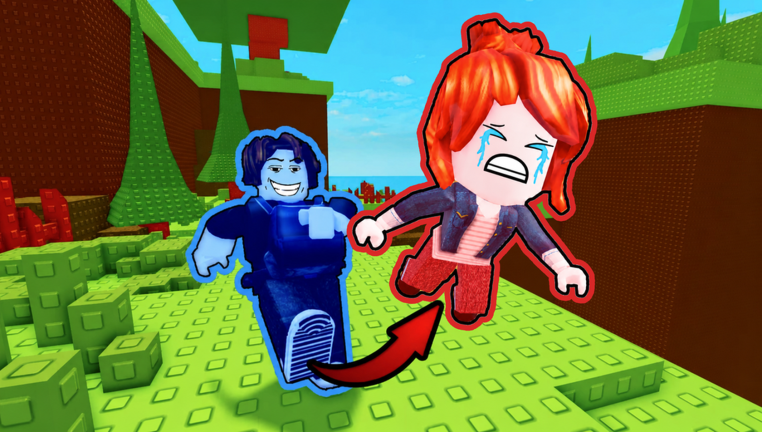
OverviewKick The Baby is a two-player cooperative obby where one person kicks their partner across each stage while the other presses buttons to open the path forward. This guide covers how to get started, how each role works, and how to push through whenever you get stuck.
What is on this page
Contents
Getting into a game
Step
This game requires exactly two players at all times. Once you have a partner, find the pairing pod and both walk into it. The game then assigns one player as the Kicker and the other as the Flyer automatically, and the stage begins.
- Find a partner invite a friend or pair up with another player waiting in the lobby.
- Enter the pairing pod both of you must step inside at the same time.
- Check your role the screen tells you whether you are the Kicker or the Flyer before the stage starts.
- Start the stage once roles are assigned, the obby begins immediately.
The Kicker's job
TipsThe Kicker's task is to launch the Flyer across the course. Each kick needs to account for obstacles and where the Flyer needs to land, because the Flyer can only press buttons from wherever they touch down. Your own movement matters just as much as the kick itself.
- Adjust your angle when something goes wrong — if the same kick keeps missing, try a different position before you retry.
- Call out where you are sending the Flyer so they know what to expect on landing.
The Flyer's job
StepAfter the Kicker launches you, you land somewhere in the stage and look for buttons to press. Lights and arrows show which button needs pressing and when. A successful press opens the route forward or creates a way for the Kicker to reach you.
- Land and look around check immediately for a button near your landing spot.
- Follow the visual cues lights and arrows tell you exactly which button to press.
- Listen to the Kicker press when they call it out, since they can see the bigger picture from their side.
- Stay calm after a rough landing panicking leads to missed inputs, so take a breath and find the button.
When the stage stops moving
CheckBecause everything depends on both players doing their part, one mistake stops the whole team. Run through these checks in order before you restart.
- Check where the Flyer landed they need to be close enough to a button to reach it.
- Match the timing the Kicker calls the moment, and the Flyer presses on that same moment, not before or after.
- Change the kick angle if the Flyer keeps landing in the wrong spot, the Kicker tries a different position.
- Wait a moment and retry connection lag on Roblox can delay inputs, so a short pause before the next attempt sometimes fixes it.
Maps and progression
SummaryProgress is tracked through badges that unlock as you reach new areas. Two named maps are confirmed: the Grasslands and the Desert. Reaching the end of a run earns a completion badge on top of the map-specific ones.
- You Played awarded just for joining a session.
- Grasslands Played awarded when you unlock the Grasslands map.
- Desert Played awarded when you unlock the Desert map.
- You Reached the End awarded for completing a full run.
Glossary
Glossary- Pairing Pod
- The marked starting point both players step into together, which triggers role assignment and launches the stage.
- Kicker
- The player whose job is to kick their partner across the course toward buttons and obstacles.
- Flyer
- The player who gets kicked, lands near buttons, and presses them to open the path for the Kicker.
- Gimmick
- A stage mechanic, such as a door or platform, that activates when the Flyer hits the right button.
- Carrier
- A free in-game reward available by liking the game, joining the group, and playing for five minutes.
- Obby
- Short for obstacle course — a Roblox game genre where players move through a series of challenges to reach the end.
Common questions
FAQCan I play this alone?
No — the game requires two players. You need to either invite a friend or find another player in the lobby to pair with before anything starts.
Do I need to spend Robux to reach the end?
No. The full game is free and no paid items are required to progress. The optional carrier reward is also free, tied only to liking, group-joining, and five minutes of playtime.
What happens if the Flyer just sits still and does nothing?
The Kicker cannot make progress on their own, and the stage will not advance. Both players have to carry out their role for the obby to move forward.
Game updates can change what is on this page. If you spot something, get in touch and let us know.
