
Create a Cart Ride Guide: Controls to learn before you build or ride
About
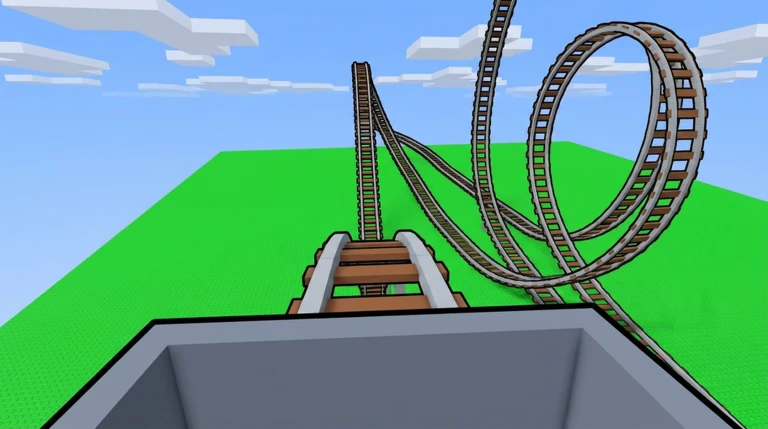
OverviewCreate a Cart Ride! is a Roblox sandbox game where you build your own cart ride from scratch, lay out track, and share the finished ride with other players. This guide covers the editor, key controls, and what to expect when playing existing cart rides like Canyon Cart Ride.
What is on this page
Contents
Player notes and tips
Found a useful trick? Share it with everyone! Notes with screenshots are welcome!
Write a guide note
Create a Cart Ride!
Controls to learn before you build or ride
CheckEvery major function you need day-to-day is mapped to a keyboard shortcut. Freecam is restricted to the creator of a ride and only works on PC.
- F switches to first-person view while riding
- Ctrl+R resets your cart ride back to its starting state
- Shift+P opens freecam (creators only, PC only)
- V unsticks or respawns your cart when it stops responding
MetaNew Player Survey

The next survey is being prepared.
Opening the editor and what you start with
Step
You reach the editor through the editor tab in the lobby menu. If you are the creator or a co-creator of a ride, the editor tab also appears inside that ride's menu. When you start a new cart ride, several things are placed for you automatically so you are not starting from a blank slate.
- Check the three signs the first lists hotkeys, the second explains how to add track, and the third reminds you not to use copyrighted material
- Read the cart ride name it appears at the top of the editor menu and you can change it at any time
- Set a thumbnail the thumbnail sits on the right side of the editor menu and can be swapped out whenever you like
- Add co-creators the Team Create button in the editor menu lets other players build alongside you
- Check your stats the bottom-left corner of the editor menu shows current track length, file size, and the cart ride ID
- Use the Revert Version button in the editor menu to go back to previous versions of your cart ride
Qualifying for the Free Carts program
Table
Free Carts are added in almost every update and are chosen from rides that meet specific criteria. One kilometre of track equals roughly 1,390 studs. You can improve your chances of being selected by joining the official Discord server and suggesting your ride to a tester.
| Minimum track length | 5 km (roughly 6,950 studs) |
| Minimum level count | 2 levels |
Playing Canyon Cart Ride — level by level
StepCanyon Cart Ride is a western-themed ride not recommended for newer players. Levels 8, 9, 10, 12, 13, and 14 contain a large number of unanchored objects that can cause significant frame drops, so a stronger device helps in those sections. The notes below cover the levels detailed in the community wiki.
- Level 1 Canyon Depths (Easy): no hazards, just ride forward
- Level 2 Abandoned Mines (Easy): no hazards, just ride forward
- Level 3 Sand Dunes (Medium): sand covers much of the track, so ride a little slower to avoid derailing
- Level 4 Gold Mines (Hard): a bomb cart chases you at 110 m/s into a gold mine; stay fast on straight sections, slow down for sharp turns, then hit roughly 170 m/s to clear the jump at the end
- Level 5 Canyon Ravine (Medium): boulders and cannonballs fall onto the track, which is also covered in sand; dodge the falling objects or you will derail
- Level 6 Grand Canyon (Easy): no hazards; the track runs above Levels 2 through 5
- Level 7 Canyon Ridge (Hard): broken track forces three jumps; target roughly 90 m/s for the first, then roughly 120 m/s for the second and third, then roughly 100 m/s for the last
- Level 8 Canyon Cavern (Hard): a bomb cart chases you at 115 m/s; ignore the fake jump warning signs near the end and ride into the conveyor belt that drops you into Level 9
- Level 9 Secret Cavern (Medium): walk across the level on foot to reach the checkpoint; orange track marks flamethrowers, so wait for each one to stop before moving through
 1MVISIT
DogeCart
Doge Cart
ZotoronLikesEggs
Egg-Mobile Cart
dHtmgEr
Discord Cart
Glossary
Glossary- FPV mode
- First-person view while riding; press F to toggle it.
- Freecam
- A creator-only, PC-only camera mode that lets you fly around your build freely; activated with Shift+P.
- Unstuck / Respawn (V key)
- Resets your cart's state when it stops moving or behaves oddly.
- Free Cart
- A cart ride selected by the game's team and made available to players; rides must be at least 5 km long with at least 2 levels to qualify.
- Team Create
- An editor feature that lets you add other players as co-creators so they can build with you.
- Revert Version
- An editor option that lets you roll back your cart ride to an earlier saved state.
- Bomb cart
- A hazard cart that chases the player at high speed, forcing them to maintain a minimum pace.
- Stud
- Roblox's standard unit of distance; roughly 1,390 studs make up one kilometre of track in this game.
Common questions
FAQWhere do I start if I have never built anything?
Open the editor from the lobby menu and let the starter pieces load in — you already have a baseplate, a spawner, and some track.
Can I build with a friend?
Yes. In the editor menu, use the Team Create button to add other players as co-creators. Co-creators can access the editor for that ride and build alongside you.
Is Freecam available on mobile?
No. Shift+P Freecam is a PC-only feature.
Game updates can change what is on this page. If you spot something, get in touch and let us know.
