
Robots VS Humans — How a round works
About
OverviewRobots VS Humans is a Roblox team action game where one side builds a base and holds out until the timer ends, and the other side plays as robots trying to tear it all down. You can carry up to four weapons as a human, and all your progress saves permanently so nothing is lost between sessions. This guide covers how to start out, how to build, which weapons and robots to know, and how to push further with codes and prestige.
What is on this page
Contents
How a round works
Step
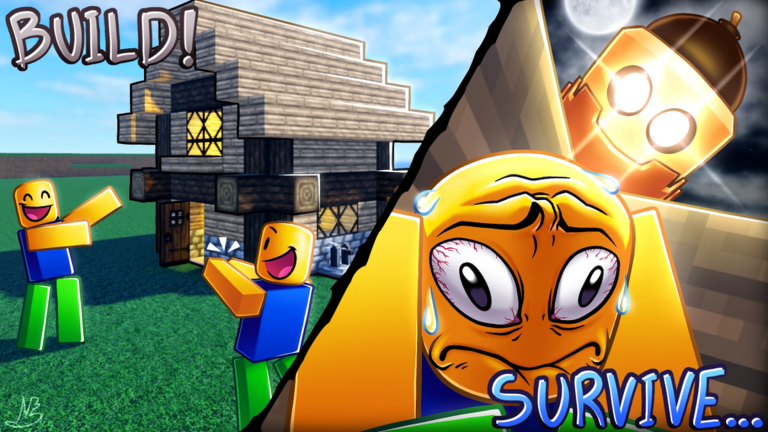
At the start of every round you join either the human team or the robot team. Humans build a base from blocks, load up to four weapons, and survive until the timer runs out. Robots try to demolish the base and kill every human before time is up. Progress you earn — levels, weapons, armors, robots — carries over permanently between rounds.
- Pick a team decide before building starts whether you want to defend or attack this round.
- Load your weapons humans can slot up to four weapons at once, so fill every slot before things get busy.
- Watch the timer humans win if anyone survives when it hits zero, so robots need to move with urgency.
Base-building styles for humans
TipsThere are three well-known base layouts in this game, each with a different strength and a different vulnerability.
- Sky base — stack pillars to the height limit, then expand the platform at the top. It is the most popular layout.
- Sky bases are weak to Floater robots attacking from above and Climber robots that scale anchored blocks.
- Mass pillar — connect several thick pillars together so that explosion damage spreads across more blocks instead of concentrating on one point.
- Spinner — attach blocks sideways to a hinge so that robots bouncing into it take reflected damage across a wide area.
Weapons to know and when to use them
TableEach weapon fills a different role. The categories below are defined in the game itself as Frontline, Backline, and Support.
| Sword | melee, unlocked as a secret weapon on the Ravines map after three minutes when every human is at least level 20. Use it as a last-resort knockback tool, not a primary. |
| Mace | melee with very high knockback and damage but a slow attack speed. |
| Bow | ranged, available at level 6 with 32 arrows and a 5% chance to deal 800% damage on a critical hit. Save arrows rather than spamming. |
| Rocket Launcher | unlocked at level 50 for 25,000 in-game money. Use Damager mode to kill robots, Default mode to escape horizontally, and Jumper mode to climb tall structures vertically. |
| Healing Book | support weapon that heals you or nearby teammates. |
| Freeze Book | stuns robots. |
Rocket Launcher modes in detail
TableThe Rocket Launcher carries three separate modes switched with E or Q. Rockets do not pass through teammates, so fire into open space.
| Default mode | 20 rockets, heavy damage and knockback to robots, also launches you horizontally when aimed at your feet. Best for escaping robots or knocking Climbers off your base. |
| Jumper mode | 30 rockets, lower damage but strong upward self-knockback. Use it only to reach the top of a tall sky base. |
| Damager mode | 100 rockets, heavy damage with no knockback. Aim directly at the robot rather than relying on splash for maximum effect. |
| Armor pairing | the Rocket Launcher works best with high-health armors like Evil Armor or Rust Armor. Avoid pairing it with Obsidian Armor because that armor prevents knockback, stripping away half the weapon's value. |
Robot choices and what they do differently
Tips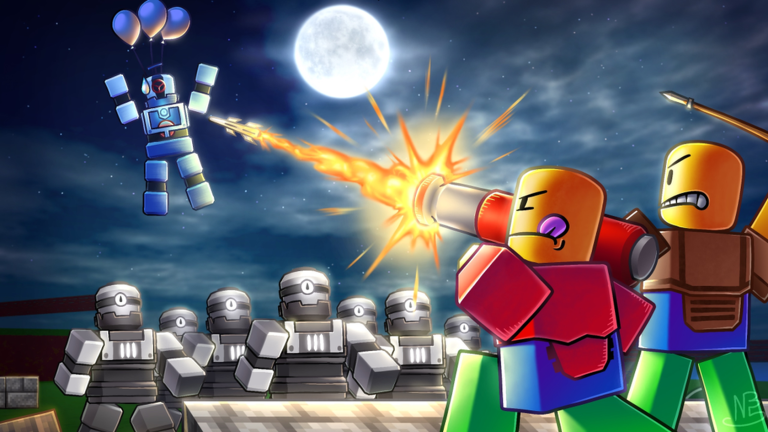
Each robot has a fixed role. The Normal robot is free and well-rounded, making it the safest starting point. Specialty robots cost money or prestige tokens but offer unique abilities.
- Tank — massive health and damage but very slow. Wait for the game's over-time speed buffs to stack before committing to Tank; use a faster robot like Destroyer early in the round. Below 35% health it automatically ignites.
- Tank tip — your wide blast radius means you do not need to stand directly next to a human; exploding nearby still deals serious damage.
- Tank tip — on the Precipice map you cannot cross the cave side without the robot speed boost, so do not try.
- Blizzard — costs 35 prestige tokens from the prestige shop and is only available during annual events. Its freeze ability is powerful but nearly useless if you go alone, since someone else needs to follow up with damage.
- Breaker — no longer obtainable. If you already owned it before it was archived you can still use it, but new players cannot get it.
Armors and what they trade away
TipsArmors are not just a health number — each one changes how you move or interact with explosions, knockback, and stuns.
- Iron Armor — at full health you take only 45% of explosion damage.
- Diamond Armor — at full health you are immune to knockback and stuns.
- Rust Armor — 500 health but you lose speed as your health drops. Once you fall below 200 health the armor breaks, returning your movement speed. Also has 50% knockback resistance.
- Jetpack Armor — igniting costs 15% fuel and each second of flight costs 4% more. Keep weapons put away to restore fuel faster: 1.5% per second while standing still, 1% while moving, and only 0.2% per second while a weapon is equipped.
- King Armor (gamepass, 399 Robux) — 400 health, gives an extra 75 in-game dollars and 50% bonus experience per kill.
Leveling up and the prestige system
SummaryYour level unlocks weapons, armors, and access to harder servers. Once you hit level 20 the game moves you out of beginner servers. Prestige is an optional reset that players can do up to at least six times, with each stage representing a deeper commitment to grinding.
- Level 20 the first major gate, after which you play on non-beginner servers where opponents are more experienced.
- Prestige I your first reset, aimed at free-to-play players pushing for long-term progression.
- Prestige tokens a separate currency used in the prestige shop; the Blizzard robot costs 35 of them.
- Prestige VI the highest prestige the badge system currently acknowledges.
- Sword unlock condition requires every human on your team to be at least level 20, which is a good benchmark for when your lobby has moved past the beginner stage.
Redeeming codes for free rewards
StepCodes are case-sensitive and most can only be used once per account. Active codes are shared in the game's Discord server in the free-stuff channel. Expired codes will not work, so use them as soon as you see them.
- Open the Shop tap the Shop icon in the bottom-left corner of the screen.
- Find the codes button it is inside the Shop menu.
- Type the code enter it exactly as shown, including capital letters.
- Hit Redeem your reward lands in your account immediately if the code is still active.
- Check Discord the developer posts new codes in the Discord server's free-stuff channel.
Glossary
Glossary- Sky base
- A base built by stacking pillars to the height limit and expanding a platform at the top to stay out of reach of ground-level robots.
- Mass pillar
- A structure made of several thick connected pillars that spreads explosion damage across multiple blocks instead of destroying one column at a time.
- Spinner
- A defensive structure built by attaching blocks sideways to a hinge so that robots that hit it bounce back and take reflected damage.
- Prestige
- A voluntary reset of your progress in exchange for prestige tokens and long-term progression rewards, available up to at least six times.
- Prestige tokens
- A currency spent in the prestige shop on special items like the Blizzard robot.
- Default mode (Rocket Launcher)
- One of three Rocket Launcher firing modes, balancing heavy damage and knockback against robots with the ability to launch yourself horizontally.
- Floater
- A robot that attacks from above, making it one of the main threats to a sky base.
- Climber
- A robot that scales anchored blocks, allowing it to reach the top of a sky base from the side.
- Griefer
- A player who sabotages their own team, such as a human building a bridge to help robots reach a floating base, which can result in a kick or ban.
Common questions
FAQDoes my progress reset when I close the game?
No. All progress saves permanently and carries over every time you return. You will not lose levels, weapons, armors, or robots by leaving mid-session.
When should I switch to the Tank robot?
Tank is nearly useless at the very start of a round because it moves extremely slowly before the over-time speed buffs accumulate. Use a faster robot like Destroyer early on, then switch to Tank once those buffs have stacked up.
How do I unlock the Sword?
The Sword is a secret weapon on the Ravines map. At least three minutes must have passed, you must be on the human team, and every player on your human team must be at least level 20. Then walk to the left robot spawn, drop down, and walk into the large cliff face to find it on a pedestal.
What happens if I run out of Rocket Launcher ammo?
Each mode has its own ammo pool: 20 Default rockets, 30 Jumper rockets, and 100 Damager rockets. Once a pool is empty you cannot use that mode anymore that round.
Game updates can change what is on this page. If you spot something, get in touch and let us know.
