
Clip It Guide: Making your first clip
About
OverviewClip It is a Roblox game where you create and share short video clips using over 170 scenes, more than 400 emotes, and outfits from the full Roblox catalog.
What is on this page
Contents
Making your first clip
Step
The whole creation process follows a short chain: set up your avatar, pick a scene, layer on some emotes, then publish. Starting with a single scene and one or two emotes keeps things simple while you find your footing.
- Set up your avatar open the Roblox catalog and choose the outfit and accessories you want; this look carries into every scene you use.
- Choose a scene browse the library of over 170 locations and pick one that matches the mood you are going for.
- Add emotes select dances, poses, or actions from the more than 400 available and apply them to your avatar.
- Upload and share once you are happy with it, publish the clip to the community feed.
MetaNew Player Survey

The next survey is being prepared.
Matching scenes and emotes
Tips
Scenes span a wide range of styles — indoor spaces, outdoor locations, fantasy settings, sports venues, and more. Stringing several emotes together inside one scene is how you build a sense of story rather than just a single moment.
- Match the energy of your emote to the scene — a lively dance fits a party backdrop; a calm pose suits something quieter.
- Chain multiple emotes in sequence to give your clip a sense of story.
- Run the same scene several times with different emote combinations until one clicks.
- Watch popular clips in the community feed to spot which scene-and-emote pairings are getting attention.
- Swap your outfit to fit the scene's theme.
Outfits and the Roblox catalog
Table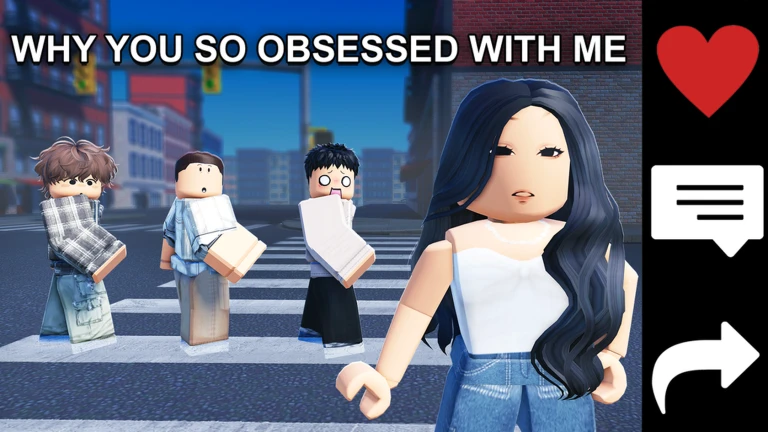
Every item you buy through the Roblox catalog goes into your Roblox inventory and works in Clip It and every other experience. Free catalog items alone give you enough variety to make high-quality clips without spending anything. If you do want to expand your options, paid items are available, but nothing about the core game requires them.
| Free catalog items | enough variety to cover most scene themes and produce polished clips |
| Paid catalog items | wider selection for creators who want a specific look or niche style |
Meme and comedy clips
Tips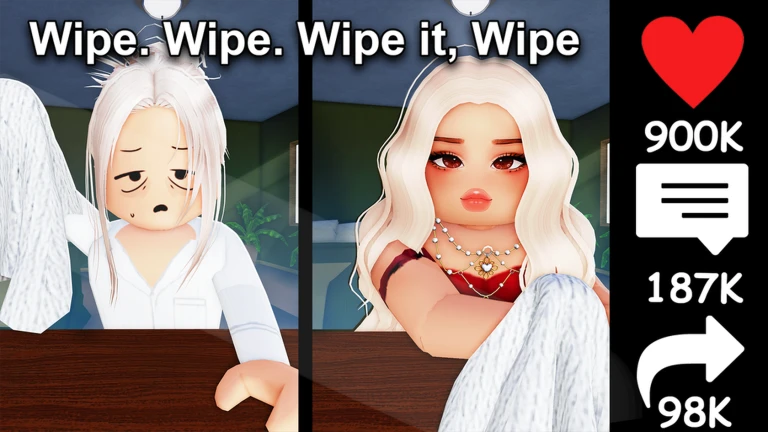
Roblox's public image and sound library is available to pull from, so you can drop in familiar audio or visuals. Unexpected emote combinations can also be used for comedic effect.
- Pull trending sounds from Roblox's public library to give your clip a recognizable hook.
- Use unusual or unexpected emote combinations.
- Browse the community feed regularly so you know which formats and sounds are circulating right now.
Uploading safely and staying within the rules
WarnThe game's moderation is built around Roblox Community Standards, and other players can flag anything that looks wrong using the in-game report button. Stick to Roblox's public images and sounds to avoid copyright issues.
Fixing common playback and performance problems
CheckIf the game feels sluggish or an emote is not showing up the way it should, work through the basics before assuming something is seriously wrong. A surprising number of problems clear up with nothing more than a restart.
- Internet connection is stable switch to Wi-Fi if things are loading slowly.
- Game has been restarted closing and reopening Clip It clears cached data that can cause glitches.
- Roblox app is up to date older versions sometimes carry bugs that a newer release already fixed.
- Device storage has free space running low on space slows down apps across the board.
- Device has been restarted a full reboot can solve system-level issues that app restarts cannot.
Community strategy ideas
CommunityThese ideas and tips come from people playing the game. Share your discoveries too!
No strategy ideas yet. Share a tip you discovered.
Share a strategy idea
Clip It 😂🎬👗
Glossary
Glossary- Scene
- One of over 170 selectable backgrounds where your clip is recorded, ranging from indoor rooms to outdoor and fantasy locations.
- Emote
- An animation — such as a dance, pose, or action — applied to your avatar inside a scene; you can chain several together to build a sequence.
- Clip
- The finished short video you create by combining a scene, emotes, and an outfit, which can then be shared on the community feed.
- Public image and sound library
- A collection of images and audio that Roblox makes available to all users, which you can drop into clips for memes or comedic effect.
- Roblox catalog
- Roblox's full store of clothing and accessories, accessible inside Clip It, where anything you buy is saved to your inventory and usable across all experiences.
- Roblox Community Standards
- The platform-wide rules that apply to all content in every Roblox game, banning things like violence, discrimination, and inappropriate material.
Common questions
FAQCan I watch other players' clips inside the game?
Yes — the community feed lets you browse what other players have made.
Do I need to spend Robux to make good clips?
No. Every scene and all 400-plus emotes are available without paying anything. The Roblox catalog also carries free clothing items, and players have made popular clips using only those free options.
What should I do if someone is using my clip without permission or copying it without credit?
Use the in-game report button to flag the clip. Content that violates Roblox Community Standards is reviewed after reports come in, and action is taken on anything that breaks the rules.
How do I make a clip that feels like it tells a story?
Chain multiple emotes one after another inside a single scene instead of using just one.
Game updates can change what is on this page. If you spot something, get in touch and let us know.
