
Reactor Test Game Guide: Basic Control Room operations
About
OverviewReactor Test Game (RTG) is a facility simulator where you and other players manage a nuclear reactor called the Core, balancing its temperature and coolant systems from the Control Room. Get it wrong — or do it on purpose — and the whole place explodes. This guide walks you through starting the reactor, handling every disaster, escaping alive, and earning badges along the way.
What is on this page
Contents
Basic Control Room operations
Step
The Core sits inside the Core Chamber and responds to whatever you do at the Control Room consoles. Your main jobs are starting it up, watching the temperature, managing coolant, and shutting it down when things go wrong.
- Start the reactor Use the startup controls on the Control Room console to bring the Core online. There is a small natural chance of a Startup Failure every time you do this; it is built into the game and not caused by anything you pressed wrong.
- Watch the temperature Keep your eyes on the Control Room readouts at all times. A rising temperature that hits the yellow zone is a warning; letting it climb into the red means trouble is coming fast.
- Run the coolant The coolant pumps regulate how much heat the Core sheds. Too little cooling and the temperature climbs toward meltdown; too much and you risk dropping it into a freezedown.
- Execute a shutdown When a meltdown is active and the temperature is below 2650°C, you can attempt a controlled shutdown from the console to stop the reactor safely.
- Pick your team Join the Reactor Testing group on Roblox to unlock the Reactor Operations and Maintenance employee teams. Every other team is available to anyone through the team select menu at the bottom right of the screen.
MetaNew Player Survey
The next survey is being prepared.
Disaster events and what triggers them
Table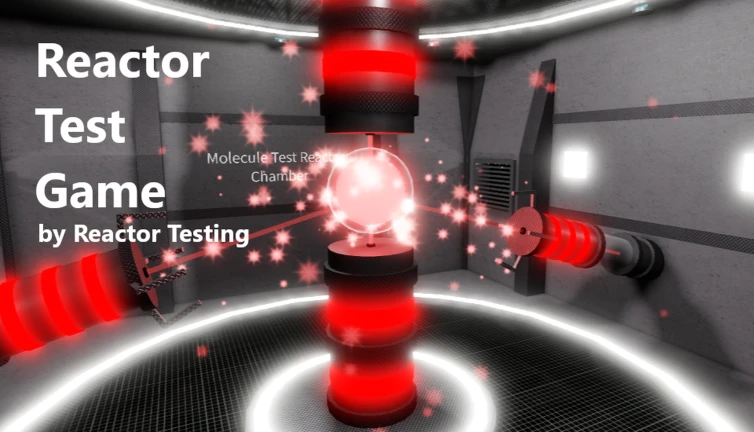
RTG has five distinct events that can end a round. Some you cause accidentally, some happen on their own, and one you have to start yourself deliberately.
| Self-Destruct | A manual sequence triggered from a designated emergency console; the Core must be stable before the console will respond. |
| Startup Failure | Happens at random during any startup or reboot with a very low natural chance; no player action causes or prevents it. |
| Shutdown Failure | Rarely, a shutdown attempt during meltdown fails even when all requirements are met, and the meltdown simply resumes. |
Surviving a meltdown step by step
StepMeltdown is the most common disaster in RTG because it only takes inattention or one person sabotaging the coolant. It moves through four stages, and your window to stop it closes quickly.
- Stage 1 yellow warning zone — Boost cooling immediately. The reactor can still be pulled back at this point without a shutdown.
- Stage 2 red danger zone — Attempt a shutdown sequence from the Control Room. The temperature must be below 2650°C for the shutdown to be accepted.
- Shutdown failure possibility If the shutdown fails, meltdown resumes as normal. Head for the bunker without delay.
- Stage 3 thermal runaway — The Core is no longer controllable by standard methods. A countdown to detonation starts and facility blast doors enter evacuation mode.
- Stage 4 detonation — The Core explodes and kills anyone remaining in the main facility. Get into the blast bunker before the countdown ends, or reach the Off-World Evac Zone, to survive.
Handling a freezedown
Warn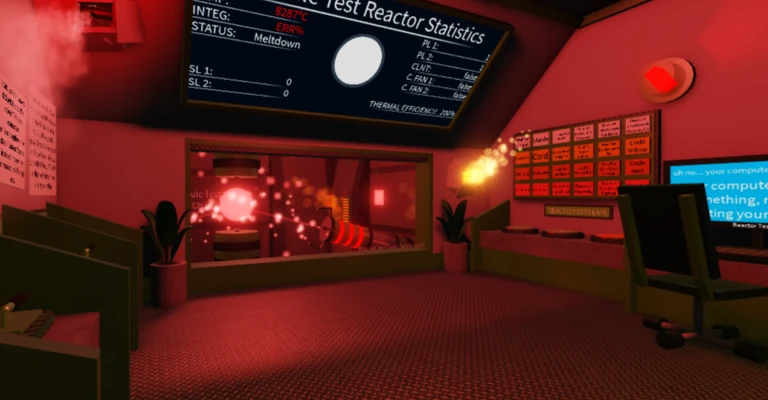
When the Core gets too cold, the facility loses power and frost effects appear in the Core Chamber. If the temperature keeps dropping, a black hole forms and the blast shields lock down.
Triggering and surviving Self-Destruct
Step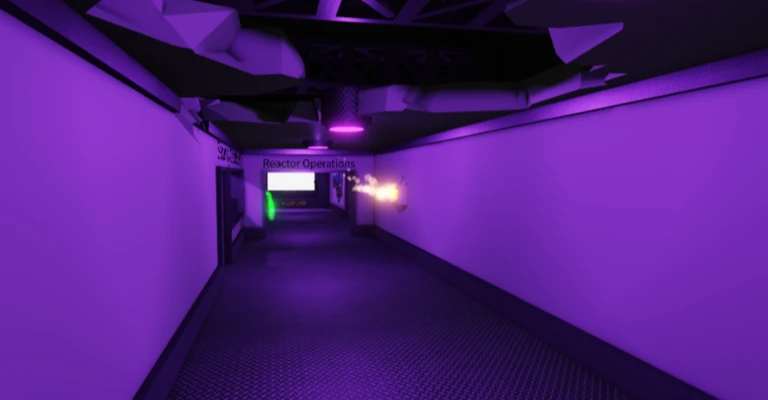
Self-Destruct is a manual, controlled demolition — not an accident. Because it requires a stable Core, you need to set that up before you touch the console. Once the sequence starts, it cannot be cancelled.
- Stabilize the Core first Make sure temperature and pressure are at normal operating levels. An active meltdown or freezedown locks out the Self-Destruct console entirely.
- Reach the console The Self-Destruct emergency console is located in the Control Room or the Security sector.
- Initiate the sequence Input the required security code or turn the dual key switches. A timed countdown begins and facility-wide alarms activate.
- Evacuate during the countdown Non-essential doors switch to evacuation mode. Use that window to reach the blast bunker or the Off-World Evac Zone before the timer hits zero.
- Detonation Anyone outside a designated shelter when the charges detonate is eliminated instantly, and the server resets the facility shortly after.
Evacuation zones
TableWhen any fatal disaster countdown is running, two locations can save you.
| Blast bunker | A subterranean shelter inside the facility; seal yourself inside before detonation and you survive the explosion. |
| Off-World Evac Zone | A special evacuation area outside the facility that takes you to an entirely different location; reaching it during any event earns the Off-World Survivalist badge. |
Gamepasses worth knowing
Table
These are the gamepasses available in RTG and what each one actually does in-game.
| Gamepass | Price (Robux) | What it does |
|---|---|---|
| VIP Team Access | 80 | Unlocks all teams except Administration and sets your level to 4 in every team (unless you are already higher) |
| Self-Destruct Access | 30 | Gives permanent access to the Self-Destruct system |
| Speed Coil MK2 | 20 | A movement speed coil between the standard Speed Coil and the faster upper-tier coils |
| Regeneration Coil | 20 | A coil that regenerates your health over time |
| Speed Coil | 15 | A coil that increases your movement speed |
Rarest badges and how to earn them
TableEvery badge in RTG is earned by experiencing a specific event or hitting a performance milestone.
| Badge | How to earn it | Rarity |
|---|---|---|
| Reactor Startup Success | Experience the reactor startup protocol | 38.9% |
| Breaker Failure | Experience a breaker failure | 34.2% |
| Coolant Pump Leak | Have all four coolant pump pipes fail | 31.8% |
| Reactor Meltdown | Experience a meltdown | 26.6% |
| Laser Malfunction | Have the MTR lasers malfunction and crack the glass | 24.6% |
| Reactor Self-Destruct | Experience the self-destruct sequence | 23.0% |
| Reactor Freezedown | Experience a freezedown | 20.1% |
| Bunker Survivalist | Survive inside the bunker during a meltdown | 17.8% |
| Bunker Escapist | Escape the facility after the Core is destroyed | 15.7% |
| Off-World Survivalist | Use the Off-World Evac Zone to escape any event | 12.2% |
| Reactor Operations Expert | Keep the Core from exploding for 15 minutes | 12.1% |
| Reactor Shutdown Success | Successfully shut down the reactor during meltdown | 11.8% |
| Reactor Startup Failure | Experience a startup failure | 8.4% |
| Reactor Shutdown Failure | Experience a shutdown failure | 8.3% |
| MTR Dangerous Piloting | Keep the MTR in critical or subzero range for 6 minutes without leaving or causing an event | 6.3% |
| MTR FULL COMBO GAMING | Reach Ω control combo rank while operating the MTR | 3.3% |
| Maintenance Expertise | Restart the breaker within 5 seconds | 3.1% |
| Reactor Operations Mastery | Reach Team Level EX in the Reactor Operations team | 1.1% |
| Maintenance Mastery | Reach Team Level EX in the Maintenance team | 0.5% |
| Security Mastery | Reach Team Level EX in the Security team | 0.0% |
Glossary
Glossary- MTR
- The in-game name for the Core, the main reactor at the centre of the facility.
- Meltdown
- A disaster caused by the Core overheating past its maximum limit, ending in a facility-wide explosion.
- Freezedown
- A disaster caused by the Core dropping below its minimum temperature, which eventually forms a black hole.
- Self-Destruct
- A manual demolition sequence that can only be triggered from a designated console while the Core is stable.
- Startup Failure
- A rare event that randomly interrupts the reactor startup sequence; it is not caused by player error.
- Shutdown Failure
- A rare outcome where a shutdown attempt during meltdown fails even though all requirements were met, allowing the meltdown to continue.
- Blast bunker
- An underground shelter inside the facility where players can survive any reactor explosion.
- Off-World Evac Zone
- A special evacuation area that transports players to an entirely different location outside the facility during an event.
- Reactor Testing group
- The Roblox group you join to unlock the Reactor Operations and Maintenance employee teams.
Common questions
FAQCan I prevent a Startup Failure?
No. Startup Failure triggers randomly during any startup or reboot at a very low natural rate, and no button press or setting changes that chance. If it happens, the ignition sequence cuts out and the console resets — just try starting the Core again.
What do I do if a shutdown fails during a meltdown?
When a shutdown fails, the meltdown picks up right where it left off. Stop trying to control the Core and head straight for the blast bunker or the Off-World Evac Zone before the detonation countdown ends.
Why won't the Self-Destruct console respond?
The Self-Destruct system requires the Core to be at a stable temperature and pressure. If the reactor is melting down, frozen, or otherwise compromised, the console is locked. Stabilise the Core first, then return to the console.
Do I need to join the Reactor Testing group to play?
You can play without joining, but the Reactor Operations and Maintenance employee teams are locked behind group membership. All other teams are accessible to anyone through the team select menu at the bottom right of the screen.
Game updates can change what is on this page. If you spot something, get in touch and let us know.
