
Ladders Obby Hard Guide: Basic controls and first steps
About
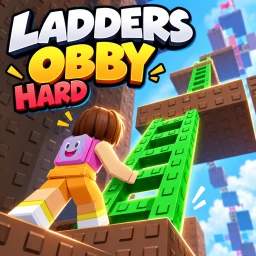
OverviewLadders Obby Hard is a Roblox obstacle course with over 100 ladder stages, each harder than the last. Your goal is to climb from the bottom to the top without falling — and falling sends you back to your last checkpoint. This guide covers how to get started, push through the toughest stages, and keep going after you reach the top.
What is on this page
Contents
Player notes and tips
Found a useful trick? Share it with everyone! Notes with screenshots are welcome!
Write a guide note
Ladders Obby Hard
Basic controls and first steps
Step
Ladders Obby Hard uses Roblox's standard controls, so you move with WASD, jump with the spacebar, and spin the camera with your mouse. The first few stages are gentler than what comes later, making them the best place to build muscle memory. Take a moment to adjust your mouse sensitivity to something that feels natural before you climb past those opening rungs.
- Check controls
confirm WASD movement, spacebar jump, and mouse camera rotation before climbing anything.
- Adjust camera sensitivity
find a sensitivity that lets you see the next step clearly without overshooting.
- Spot the checkpoints
notice where each checkpoint sits so you know exactly where you will restart if you fall.
- Clear the first few stages
use them to get a feel for jump timing and landing, not just to make progress.
MetaNew Player Survey

The next survey is being prepared.
Smart habits for early stages
Tips
Many players try to rush by jumping as far as possible, but landing firmly on each step and pausing before the next jump is more reliable. When you do fall, treat it as information — figure out what went wrong at that specific step rather than just trying again the same way.
- Jump small and land squarely rather than leaping as far as you can.
- Wait a beat after landing before starting the next jump so your character is fully stable.
- After falling, replay the moment in your head and identify what caused it before you try again.
- Use headphones if you can, since sound cues help you feel the rhythm of each jump.
When you keep falling at the same spot
CheckIf you have dropped from the same step three or more times in a row, something needs to change before you try again. Run through these checks before your next attempt.
- Have you fallen from this exact spot more than three times straight if yes, take a short break before continuing.
- Can you clearly see the edge you are trying to land on if not, tilt or rotate the camera until the depth is visible.
- Are you jumping immediately after landing pause for one beat on each step to make sure you are stable first.
- Is your screen stuttering or lagging lower the graphics setting in Roblox's menu to smooth out the frame rate.
Mid-game and late-game difficulty spikes
Tips
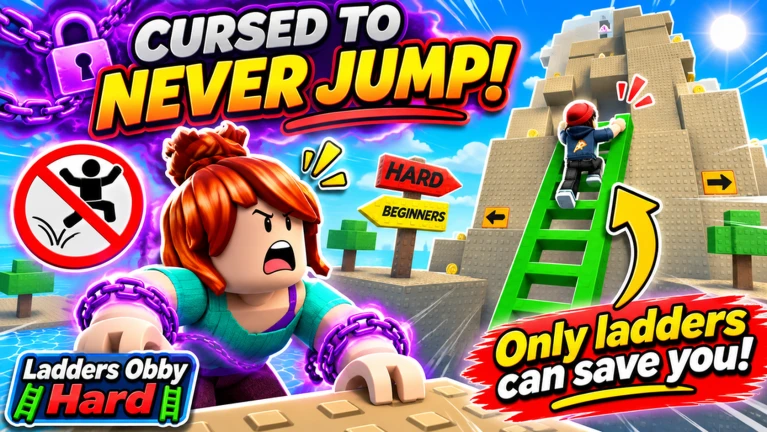
After the opening stretch of stages, the game adds angled ladders, moving platforms, and tight corridors that standard ladder-climbing habits will not handle. Spending your first attempt on a new stage just watching how the hazards move — rather than immediately jumping in — saves you far more time than rushing does.
- On your first look at a new stage, watch the full movement cycle of any platform before jumping onto it.
- Time your jump so you land on a moving platform at the start of its slowest or most stable point.
- Move slowly through narrow corridors
speed is your enemy when the path barely fits your character.
- Study footage of skilled players on stages that are blocking you to see the intended line.
Playing with friends
Tips
The game supports multiple players on the same server, so you can invite friends and race to the top. Competition naturally pushes you to stay focused, and watching someone else navigate a hard step can reveal a technique you had not considered.
- Drop your graphics settings before a multiplayer session to keep your frame rate stable with others in the server.
- Streamers find this game works well for an audience because the high difficulty makes every near-miss and fall entertaining to watch.
What to do after reaching the top
Summary
Finishing every stage opens up personal goals that keep the game interesting. New stages are also planned in future updates, so there will be fresh content to tackle.
- Time attack
race through all 100+ stages as fast as possible and try to beat your own record.
- Stage replay
return to the hardest stages and practice until they feel routine.
- Friend races
challenge someone else who has finished and compare completion times.
- Upcoming stages
check in-game announcements for new content added in future updates.
Progress and cost
SummaryThere are no paid abilities, no stage skips for purchase, and no paywalls at any point. The only things that determine how far you get are skill, focus, and patience. Favoriting the game saves your progress so you can split a full run across multiple sessions.
- Cost to reach the top
free; no purchases affect progression.
- Progress saving
favorite the game to carry your checkpoint position into future sessions.
- Checkpoints
placed throughout all 100+ stages so a fall never costs more than one section of progress.
- What the game demands
skill, concentration, and willingness to retry.
Glossary
Glossary- Obby
- Short for obstacle course — a Roblox game genre where you navigate a series of platforms and hazards to reach a finish line.
- Checkpoint
- A point in the stage that, once reached, becomes the spot you respawn at when you fall.
- Frame rate
- How smoothly the game moves on screen — lowering graphics settings raises it, which makes precise jumps easier to time.
- Time attack
- A self-imposed challenge to complete all the stages as quickly as possible after you have already cleared them.
- Moving platform
- A stage hazard that shifts position on a set cycle, requiring you to time your jump around its movement.
Common questions
FAQIf I fall, do I lose all my progress?
No. When you fall, you respawn at the last checkpoint you reached, not at the very beginning. You will never be sent back past a checkpoint you have already cleared.
Does spending Robux give any advantage?
There are no purchases that affect how far you can get or how fast you climb. Every stage is available to every player at no cost, and finishing the game is entirely down to your own skill.
My game is running slowly and I keep missing jumps — what can I do?
Open the Roblox settings menu and lower the graphics quality. This reduces how much your device has to render each frame, making the game run more smoothly and your jump timing more reliable.
How do I get a friend into the same server?
Use Roblox's built-in friend invite feature to bring them directly into your session, or have them join from your profile while you are already in the game.
Game updates can change what is on this page. If you spot something, get in touch and let us know.
