
PANTSIR — Three roles and what each one does
About
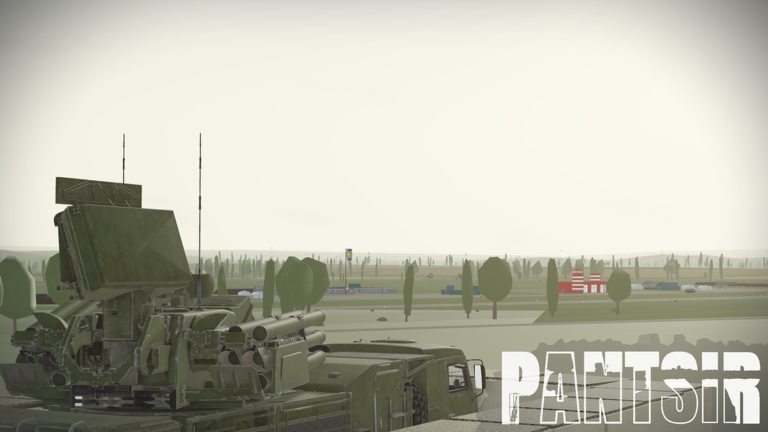
OverviewPANTSIR is a Roblox PvP game where players choose to defend, attack, or survive. Defenders operate real air-defense systems to shoot down incoming drones and missiles, while Operators pilot UAVs and launch strikes against strategic targets. Civilians try to survive the crossfire. This guide covers all three roles, vehicle controls, and how to unlock achievements.
What is on this page
Contents
Three roles and what each one does
Table
The game splits every match between Defenders, Operators, and Civilians. Each role has its own equipment and win condition, so knowing the difference upfront saves a lot of confusion.
| Defender | operates air-defense systems (Pantsir-S1, TOR-M1, Strela-10, ZU-23-2) to shoot down incoming drones and missiles |
| Operator | pilots UAVs or launches missiles to destroy targets held by the other side |
| Civilian | carries no weapons; the goal is simply to stay alive through the crossfire |
Getting into an air-defense system
Step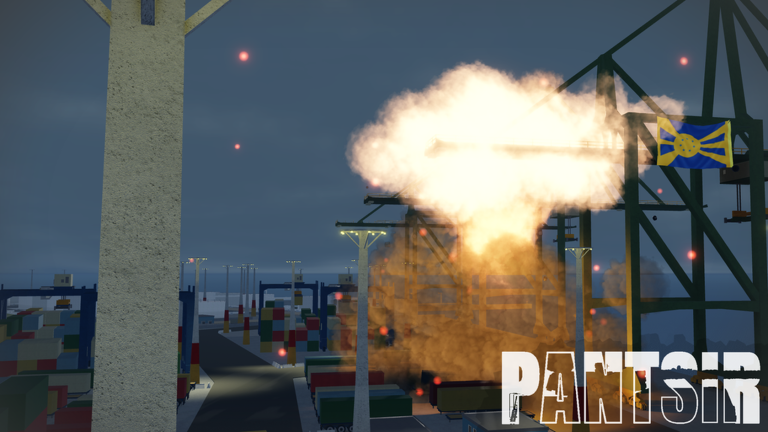
All four defensive systems — the Pantsir-S1, TOR-M1, Strela-10, and ZU-23-2 — require you to enter them before you can do anything. The entry step is the same across PC and mobile.
- Board on PC hold E until the entry animation completes.
- Board on mobile press and hold the prompt button that appears on screen.
Pantsir-S1 controls at a glance
TableThe Pantsir-S1 carries both missiles and a 30 mm cannon, each with its own control mode. Every function is mapped to a single key.
| Key | Function | Options or effect |
|---|---|---|
| Z | Radar on/off | Targets appear as green squares on screen and circles on the bottom-left radar |
| X | Missile guidance mode | Automatic (self-guiding) or Manual (you aim the missile) |
| Q | Weapon select | Missiles or 30 mm cannon |
| C | Cannon fire control | Automatic aim or Manual aim |
| R | Thermal camera | Toggle on/off |
| E (after filling bar) | Target lock | Locks the crosshair-aligned target; bar must be fully filled first |
| LMB | Fire | Launches missile or fires cannon at locked target |
TOR-M1 and Strela-10 differences
Tips
If you can operate the Pantsir-S1, you can operate the TOR-M1 without relearning anything. The Strela-10 works similarly but has one extra feature worth knowing.
- TOR-M1 uses the same Z/X/R/E/LMB layout as the Pantsir-S1 — radar, guidance mode, thermal, lock, and fire all behave identically.
- Strela-10 adds camera stabilization on Z — toggle it on or off as needed.
- Strela-10's Lock Mode (Q) lets you skip the fill-bar: just aim at a target and it locks instantly, then press LMB to fire.
- The ZU-23-2 is the simplest of the four — LMB fires and C switches the camera mode, nothing else to configure.
UAVs available to Operators
Table
Every UAV below is available from Rank 0.
| UAV | Cost | Max speed (new physics) | Explosion size | Kill reward |
|---|---|---|---|---|
| Molniya-1 | Free | 130 | 5 | 6 XP / 36 Vols |
| Kub | Free | 150 | 7 | 6 XP / 35 Vols |
| Darts | Free | 160 | 4 | 6 XP / 33 Vols |
| Bober | Free | 210 | 12 | 4 XP / 20 Vols |
| Chaklyn | Free | 190 | 9 | 4 XP / 20 Vols |
| BM-35 | 1,500 Vols | 160 | 8 | 4 XP / 24 Vols |
Ballistic strike setup
StepThe Ballistic item is free, but it does nothing on its own. It only fires when a GPS Marker placed by a Molniya-1 is already on the ground. Check the item's status indicator before attempting a launch.
- Fly the Molniya-1 over the target press G on PC to drop the GPS Marker at the desired location.
- Watch the Ballistic status it reads 'Not ready' when no marker exists, and 'Ready' once the marker is placed.
- Launch on PC press LMB while holding the Ballistic item; on gamepad, press R2; on mobile, tap the screen.
- Wait out the cooldown after firing, the item shows 'Cooldown' until it can be used again.
USV-1 and ground vehicles
Tips
Ground and surface options add variety beyond the main air-defense and UAV roles. The Vehicle Spawner is a free item that all players can use from the start.
- Open the Vehicle Spawner and pick from four vehicles: the Def Car and Sedan-07 are free, the Ural-4320 costs 1,500 Vols, and the Van costs 6,000 Vols.
- Add modules before spawning — the ZU-23-2 mount costs 1,500 Vols, while the Tent, Benches, AAS, Camouflage, and DShK are all free.
- USV-1 is free from Rank 0 and is the only unmanned surface vessel in the game — use F to detonate it and C to switch between its three camera modes.
- The USV-1 can reverse (minimum speed -60) so you can back away from obstacles without turning around.
- On PC, control the USV-1 with W/S/A/D and detonate with F; on gamepad, steer with the left stick and detonate with B.
Achievements worth pursuing
CheckThere are seven badges in total. Two are earned by meeting developers in a live session, one requires finding hidden components, one requires joining a group after hitting kill and interception goals, and one is no longer obtainable.
- Storm Shadow find all three hidden missile components scattered across the map.
- Verba get 50 kills as an Operator, get 50 interceptions as a Defender, join the PANTSIR DevTeam group on Roblox, then press the Event button near the money display and click Claim.
- Meet @sputnnik and Meet @flawgod join a session where either the creator or director is present; these are chance encounters.
- Igla-S this badge can no longer be earned because the collaboration it required has ended.
Glossary
Glossary- SAM
- Surface-to-air missile — the main weapon Defenders use to intercept drones and missiles from the ground.
- UAV
- Unmanned aerial vehicle, commonly called a drone; Operators pilot these to attack targets.
- GPS Marker
- A marker dropped from the Molniya-1 UAV that tells the Ballistic item exactly where to send its strike.
- Thermal
- A camera mode toggled with R that displays heat signatures.
- Target Lock
- The process of centering a crosshair on a target, waiting for the bar to fill, then pressing E to begin tracking it.
- Vols
- The in-game currency used to purchase paid UAVs, vehicles, and modules.
- USV
- Unmanned surface vessel — a remotely controlled boat; the USV-1 is the only one in the game.
- Explosion Size
- A stat shown in each UAV's characteristics that indicates how large the blast is on detonation.
Common questions
FAQCan I play on mobile just as well as on PC?
Every boarding action that uses E on PC is done by pressing and holding the on-screen prompt on mobile. Radar, thermal, and other functions all have corresponding mobile buttons, and UAVs and the USV-1 are steered with the virtual joystick.
How does the Verba achievement work exactly?
You need 50 kills as an Operator and 50 interceptions as a Defender — both milestones must be reached. After that, join the PANTSIR DevTeam group on Roblox, then press the Event button beside the money display and hit Claim.
What is the difference between automatic and manual guidance on the Pantsir-S1?
In automatic mode, the missile steers itself toward the locked target without any input from you after firing. In manual mode, you have to guide the missile to the target yourself using your aim.
Do color options on drones like the Chaklyn affect performance?
No. The Chaklyn lets you choose black or white in the Drone Options menu, but both versions have identical stats. The color change is purely cosmetic.
Game updates can change what is on this page. If you spot something, get in touch and let us know.
