
Sword Hunter Guide: First steps when you load in
About
OverviewSword Hunter is an open-world Roblox game where you defeat monsters, turn loot into cash, and merge swords at your base to keep getting stronger. You can hatch and collect pets, explore new areas, and team up with other players to take on tougher enemies. This guide walks you through the core loop, the controls, and the habits that will keep your progress moving.
What is on this page
Contents
First steps when you load in
Step
Before you attack anything, find your base and the spot where you convert loot into cash — these are the two places you will return to constantly. Once you know where they are, head to the monsters near the starting area and press E to attack them. When you have collected enough loot, walk to the conversion point, turn it into cash, then go to your base and merge your sword. After every merge, press F to make sure your new sword is the one you are actually using.
- Find your base locate it before anything else so you always know where to go back to
- Find the cash conversion point confirm where loot becomes spendable currency
- Redeem codes enter any codes at the in-game code spot to get a head start on resources
- Attack nearby monsters press E on the weak enemies close to the starting area to build up loot
- Convert your loot visit the conversion point to turn loot into cash before trying to merge
- Merge and reselect spend your cash at the base to merge your sword, then press F to equip it
MetaNew Player Survey
The next survey is being prepared.
The three controls that matter most
Table
On PC, three keys handle the bulk of your gameplay. Mobile and tablet players see on-screen buttons that do the same jobs. The key to watch out for is E, because it changes function depending on what you are standing in front of — it attacks monsters normally, but when a capture prompt appears near a catchable creature, pressing E captures it instead of dealing damage.
| E | attack a monster, or capture a creature when the capture prompt appears |
| R | toggle auto-attack on or off |
| F | open the sword selection screen and choose which sword you use |
Loot, cash, and the merge cycle
Tips
Monsters drop loot, but loot sitting in your inventory does nothing for your sword upgrades. You have to take it to the conversion point and exchange it for cash before you can spend anything at the base. Once that clicks, the whole loop becomes straightforward: fight, convert, merge, reselect, repeat.
- Loot and cash are separate — killing monsters grows your loot total, not your cash total
- If your cash is not increasing, check whether you are actually visiting the conversion point
- After merging, always press F to confirm the new sword is equipped before heading back out
- To check whether a merge helped, find the same enemy you were fighting before and time how long it takes to defeat
Getting and using pets
Check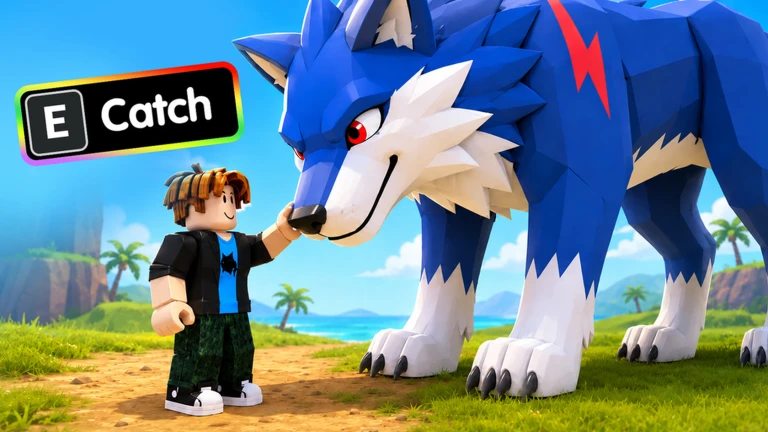
Pets join you in the field and support your monster hunting. You can get them by hatching eggs or by capturing wild creatures you encounter while exploring. Capturing looks like attacking, which causes a common mistake — auto-attack stays on and E hits the creature instead of grabbing it. Turn auto-attack off with R first, walk up to the creature until the capture prompt appears, and then press E. Once a pet is in your collection, check that it is actually equipped rather than just sitting unequipped in your inventory.
- Eggs can be hatched to receive a pet
- Wild creatures in the field can be captured when a capture prompt appears on screen
- Auto-attack is turned off with R before attempting any capture
- The capture prompt is visible before pressing E to confirm the action
- Newly obtained pets are confirmed as equipped, not just collected
Closing the game without losing progress
StepYour selected sword collects loot automatically while the game is closed, so you do not need to leave anything running. The sword that is active when you quit is the one that works offline, which makes the pre-logout routine worth doing every time. When you come back, the first thing to do is collect whatever offline loot accumulated and convert it immediately.
- Convert loot visit the cash conversion point before you log off
- Merge if possible if you have enough cash, do one more merge at the base
- Reselect with F confirm the strongest sword you own is selected before closing
- On return collect offline loot and convert it before doing anything else
 UPDATE2
UPDATE
LIKE1000
Pet Egg、500 kg of Loot
LUCKY
UPDATE2
UPDATE
LIKE1000
Pet Egg、500 kg of Loot
LUCKY
Community strategy ideas
CommunityThese ideas and tips come from people playing the game. Share your discoveries too!
No strategy ideas yet. Share a tip you discovered.
Share a strategy idea
[🔥UPD] Sword Hunter
Glossary
Glossary- Loot
- Items dropped by defeated monsters that must be converted at the cash conversion point before you can spend them.
- Cash
- The spendable currency you get by converting loot, used mainly to merge swords at your base.
- Merge
- The base upgrade action where you spend cash to unlock a stronger sword.
- Base
- Your personal upgrade hub where sword merging takes place.
- Auto-attack
- A toggled mode switched on and off with R that makes your character automatically attack nearby monsters.
- Pet
- A companion that supports your monster hunting, obtained by hatching eggs or capturing wild creatures in the field.
- Capture
- The action of pressing E when a capture prompt appears near a wild creature to add it to your pets.
- Area
- A distinct zone of the open world with its own monster types, difficulty level, and potential pet spawns.
- Boss
- A large, high-health enemy that is easier to defeat when multiple players attack together.
- Offline loot
- Loot gathered automatically by your selected sword while the game is closed.
Common questions
FAQWhy is my cash not going up even though I am killing monsters?
Loot and cash are tracked separately. Defeating monsters raises your loot total, but that loot has to be taken to the in-game conversion point and exchanged before it becomes cash. Check your loot count, then visit the conversion point if it has built up.
I merged my sword but it does not feel any stronger — what happened?
Merging unlocks a new sword but does not automatically switch you to it. Press F after every merge and select the new sword from the list. You can confirm the difference by fighting the same enemy you were using before and comparing how fast it goes down.
Every time I try to capture a pet I end up attacking it instead — how do I fix that?
Press R to turn auto-attack off, then stand directly in front of the creature and wait for the capture prompt to appear on screen before pressing E. With auto-attack off, E will capture rather than attack when the prompt is showing.
Do I need to keep the game open to collect loot?
No. The sword you have selected keeps collecting loot even after you close the game. Before you log off, press F to make sure your strongest sword is the active one, since that is the sword that works while you are offline.
When should I move on to a new area?
Walk to the entrance of the next area and test one enemy — if the fight drags on or your health drops sharply, go back and merge your sword more first.
Game updates can change what is on this page. If you spot something, get in touch and let us know.
