
Tower that can't be broken — Getting started with your first tower
About
OverviewTower that can't be broken is a Roblox crafting game where you stack food-themed blocks to build your own unique tower. The twist: once a block is placed, it stays there forever — nothing can be deleted or moved.
What is on this page
Contents
Getting started with your first tower
Step
Before you put down a single block, take a moment to scroll through the food blocks available to you. They come in different colours and shapes, and knowing what you have to work with makes planning much easier. Pick your spot, then begin from the bottom and work your way up.
- Browse all blocks look at every food block available before committing to a design.
- Pick your spot decide where on the map you want your tower to stand before placing anything.
- Start low build a short tower first so you can get a feel for how placement works.
- Remember the rule once a block is down, it cannot be removed or moved, ever.
The one rule that changes everything
WarnThe entire game is built around one mechanic: blocks cannot be broken, deleted, or repositioned after placement. This is not a bug — it is the core concept. If a block ends up somewhere you did not intend, your only option is to keep building and work around it.
Building a tower that holds together
Check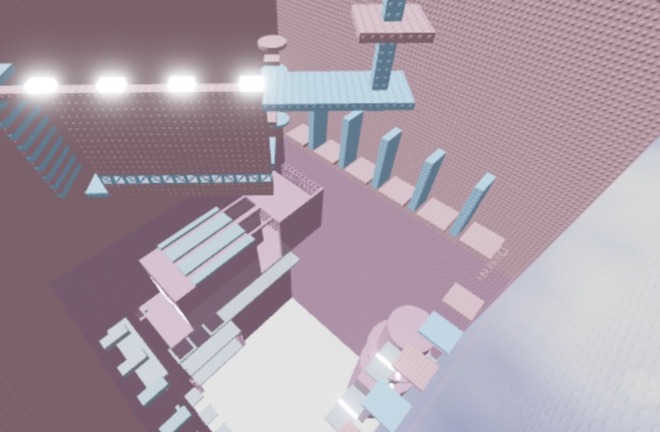
Visual balance matters here. These checks will spare you headaches later.
- Is the base wider than the top? A broader foundation gives the tower a stable look as it rises.
- Are all bottom blocks firmly connected to the ground? Loose-looking bases cause problems higher up.
- Is the centre line roughly straight? Checking for drift early means you can compensate before it gets worse.
- Does the overall silhouette narrow as it climbs? Tapering toward the top keeps the tower balanced.
Making your tower original
TipsThe game explicitly tells you not to make a fan tower and not to make a copy. Food blocks come in a range of colours and shapes, which gives you plenty of raw material for a design that is entirely your own.
- Mix block colours deliberately — try a gradient from bottom to top, or keep one colour per section.
- Use the food theme as inspiration: bread blocks are warm yellow tones, strawberry blocks lean red, and so on.
Keeping it fun when you feel stuck
Tips
- Limit yourself to one colour for an entire build.
- Set a height cap for yourself and design within that.
- Choose a single food type and build a tower that looks like it belongs to that food.
What costs money and what does not
TableAll food blocks and building tools are part of the base game at no cost. There is no time limit on sessions and no cap on how many towers you can build.
| All food blocks | free to use from the start. |
| All building features | free, no purchases required. |
| Play time | unlimited, no session cap. |
| Competitive pressure | none, the game is solo. |
Glossary
Glossary- Unbreakable tower
- The game's core mechanic: any block you place is locked in position permanently and can never be deleted or moved.
- Food block
- A building block shaped and coloured after a food item, such as bread, fruit, or sweets — the only material used to build towers in this game.
- Original design
- A tower you created from scratch without copying another player's tower or following a pre-made template.
Common questions
FAQCan I move or delete a block after I place it?
No. Once a block is placed it is fixed there for good — that is the whole point of the game.
Do I need to spend Robux to access all the blocks?
No. All food blocks and building features are available for free.
Can I build with other players?
The game is designed as a solo experience, so you build your own tower on your own.
Game updates can change what is on this page. If you spot something, get in touch and let us know.
