
Build Anything Guide: First steps when you load in
About
OverviewBuild Anything! is a free-form building game where you place and remove blocks to create whatever you can imagine. Your work saves in a free private server, so you can stop and pick up right where you left off.
What is on this page
Contents
First steps when you load in
Step
When the game loads, you can start a new world or join one that already exists. The tool menu shows up on screen and is the main thing you'll interact with — spend a moment looking at what each tool does before you place a single block. Then place a block and delete it just to confirm the controls feel right.
- Choose a world create a new one or enter an existing one before doing anything else.
- Read the tool menu identify which tool places blocks, which deletes them, and which changes colours.
- Place and remove a test block a quick trial run confirms the controls are working as expected.
MetaNew Player Survey

The next survey is being prepared.
Building habits that actually help
TipsStarting with a small structure, like a simple house or hut, lets you get a feel for the tools without getting overwhelmed. Once block placement feels natural, mixing different colours and materials is what makes a build look interesting rather than flat. Your progress saves in your private server, but making a habit of hitting the save button during long sessions is still a good idea.
- Start with something small — a house or shed is enough to learn the basics.
- Combine colours and materials — variety is what separates a plain build from a good-looking one.
- Save during long sessions — do not rely on the private server save alone when you have been building for a while.
Building together in a private server
Tips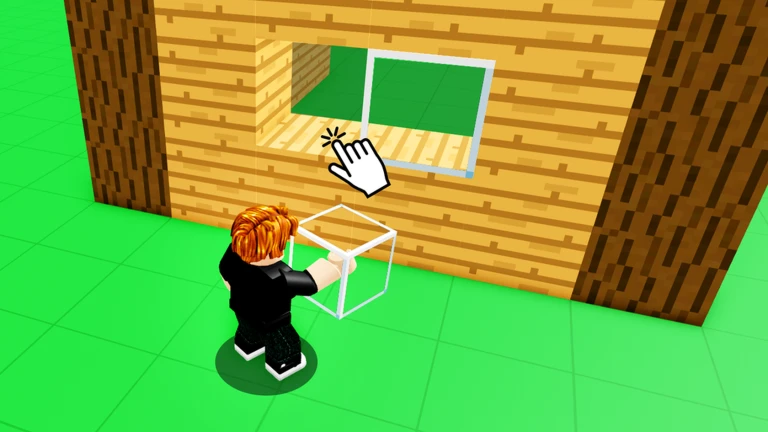
Private servers are free and let you invite friends to build alongside you. Splitting the world into areas and agreeing on a theme before you begin are the two things that make the biggest difference.
- Decide on a theme before anyone places a block.
- Divide the world into zones so people aren't building on top of each other.
- Check in regularly to make sure the separate pieces will fit together.
- Ask before editing another player's section — changing someone's work without warning causes problems.
Behaviour that keeps the server fun
WarnBecause private servers are shared spaces, what one person does affects everyone else. The game description does call out trolling as something players do, but there is a clear line between a harmless joke everyone is in on and deleting hours of someone's work.
What you get without spending anything
TableBuild Anything! is designed so that no purchase is needed to access its main features. All the building tools, the private server, the save system, and the ability to invite friends are all part of the base game.
| Building tools | fully available without payment. |
| Private servers | free to use for inviting and playing with friends. |
| Save system | storing your builds costs nothing. |
| Friend invitations | no purchase required to bring others into your world. |
Community strategy ideas
CommunityThese ideas and tips come from people playing the game. Share your discoveries too!
No strategy ideas yet. Share a tip you discovered.
Share a strategy idea
Build Anything! [🛠️]
Glossary
Glossary- Private server
- A dedicated game space just for you and the friends you invite, where your builds are stored.
- Build
- Any structure or creation you assemble from blocks inside the game.
- World
- A single playable space; you can create more than one and manage them separately.
- Grid
- An invisible set of lines that blocks snap to, making it easier to place them neatly.
- Snap
- The automatic alignment that kicks in when you place a block, locking it to the nearest grid position.
Common questions
FAQCan I play by myself?
Yes — the game works just as well solo as it does with a group. You can build at your own pace without needing anyone else in the server.
Will my build disappear when I log out?
Your work saves in your private server, so it will still be there the next time you log in.
Is there a limit to what I can build?
The game's stated premise is that you can build anything you can imagine, so there is no fixed list of restricted structures.
Game updates can change what is on this page. If you spot something, get in touch and let us know.
