Games listed 42,869
Game guide

Grow a Garden Guide: Your first five minutes

[🧬] Grow a Garden 🌶️
The Garden Game, Playing 23.6K, Rating 89.9%
Creator The Garden Game
Playing 23.6K
Rating 89.9%
Is this game fun?
No votes yet. Cast the first one.

About

Overview

Grow a Garden is a relaxed, idle farming game on Roblox where you plant seeds, wait for them to grow, sell the harvest, and reinvest the profits. Your crops keep growing even while you are offline, so you can make progress at whatever pace suits you. This guide covers everything from your very first seed to chasing rare mutated crops, levelling up through achievements, and getting the most out of pets.

What is on this page

Contents
01

Your first five minutes

Step
In short Buying a Carrot seed and selling the harvest gets you your first coins and shows the core loop.

When you load in, head straight to the Seed Stall to buy seeds. Carrot seeds are the cheapest option and grow in seconds. Once you have seeds, click or tap the brown plots on your farm to plant them — crops only grow on those brown squares, nowhere else. After a crop is fully grown an icon appears; click or tap it to harvest, then take your goods to the Sell Stuff counter to turn them into Sheckles.

  1. Visit the Seed Stall buy the cheapest Carrot seeds to get going immediately
  2. Click a brown plot this is the only place crops will actually grow
  3. Wait for growth the game continues growing crops even while you are offline
  4. Watch for the harvest icon click or tap it when the crop is fully grown
  5. Head to the Sell Stuff counter exchange your harvest for Sheckles
  6. Reinvest immediately take that cash back to the Seed Stall for your next batch
Ask on the board
02

Early upgrades

Check
In short Switching to multi-harvest crops and buying a Basic Sprinkler will grow your income.

Once you have a little money saved, two upgrades make an immediate difference. Multi-harvest crops like Strawberries and Blueberries can be collected several times from a single planting, cutting the cost of constantly re-buying seeds. A Basic Sprinkler waters your plots automatically, speeding up growth and increasing fruit size without any extra effort from you. Expanding your number of plots also pays off because more squares means more crops growing at the same time. Keep an eye on the Garden Guide panel on the left side of the screen — completing its tasks is the only way to earn XP and level up.

  • Switch to a multi-harvest crop such as Strawberry or Blueberry
  • Purchase a Basic Sprinkler for automatic watering and faster growth
  • Buy at least one Plot Expansion to increase the number of crops you can grow at once
  • Check the Garden Guide for available tasks harvesting alone does not grant XP
Stuck? Try a video
Grow A Garden Fruits IRL + ASMR
【庭を成長させる】料理アップデート攻略 プリズマティックレシピの紹介 とペットの能力について【ROBLOX】
【庭を成長させる】豆の木イベント攻略 イベントの進め方、ペットの能力、アチーブメントなど全て解説 危険な機能もあるので必ず最後まで見て‼【ROBLOX】
See more guide videos
03 Live and upcoming events Events

Events running now or coming soon. They have fixed dates, so check them first.

Live now –

🎃GHOUL GARDEN 2🎃

This update brings Part 2 of the Ghoul Garden Halloween event, brand new activities to participate in, return of spooky…

Upcoming –

NEXT UPDATE

Follow the event so you don't miss out...
See the whole schedule
04

How XP and achievements actually work

Summary
In short Every point of Garden XP comes from completing achievements in the Garden Guide, not from harvesting crops.

The Garden Guide on the left side of the screen lists all your available achievements. Finishing one grants Garden XP, and higher-rarity achievements give more of it. Achievements cover both plants and pets, and they are split into tiers — Common, Uncommon, Rare, Legendary, Mythical, Divine, and Prismatic for plants; Common through Divine for pets. Completing the full Core Plant set earns the Grand Achievement badge.

  • XP source Garden Guide achievements only, never from harvesting alone
  • Plant tiers Common, Uncommon, Rare, Legendary, Mythical, Divine, Prismatic
  • Pet tiers Common, Uncommon, Rare, Legendary, Mythical, Divine
  • Higher tiers harder tasks but larger XP rewards
  • Grand Achievement badge awarded for finishing the entire Core Fruit Achievement set
05

How mutations work

Table
In short Mutations stack on top of each other, so landing two or three on the same crop can multiply its sell value dramatically.

A mutation is a special effect that alters a crop's appearance and raises its sell price. Weather and certain items trigger mutations by chance, and multiple mutations stack additively on the same plant rather than replacing one another. Because weather is the same across all players on a server, a rain or thunderstorm is the best time to have as many crops in the ground as possible.

Wet2× value — triggered by rain, thunderstorm, or a Sprinkler
Golden20× value — occurs naturally at roughly 1% chance
Rainbow50× value — extremely rare at roughly 0.1% chance
Shocked100× value — lightning strike during a thunderstorm, guidable with a lightning rod
Celestial120× value — triggered by a meteor shower event
06

Fruit variants and their sell multipliers

Table
In short Variant multipliers apply on top of mutation multipliers, so a high-variant fruit with stacked mutations can be worth an enormous amount.

Every fruit has a variant that multiplies its base sell value. These multipliers apply alongside any mutation multipliers the fruit has picked up.

VariantSell multiplier
Normal×1
Silver×5
Gold×20
Rainbow×50
Diamond×50
Jelly×50
Ember×60
07

Weather events and when to plant

Tips
In short Planting heavily at the start of rain or a thunderstorm lets you combine faster growth with mutation chances at the same time.

Weather changes automatically and applies to every player on the server at once. Rain and thunderstorms both increase growth speed by 50% and open up Wet mutations. Thunderstorms also bring the chance of Shocked mutations, and other weather types like frost and heat waves each produce their own distinct mutations.

Tips worth knowing
  • Plant as many crops as possible when rain or a thunderstorm starts — you get 50% faster growth and mutation chances together
  • Thunderstorm lightning can produce Shocked mutations, and a lightning rod lets you direct strikes
  • Weather is server-wide, so every player on your server experiences the same event at the same time
08

Getting and raising pets

Step
In short Pets grow stronger as their Age increases, so keeping them fed and using tools like the Pet Incubator speeds up that process considerably.

Pets were added in Update 1.04.0 and are hatched from eggs placed on your farm's plots. Each pet has a skill that helps your farm in a different way, and having multiple copies of the same pet stacks that skill. A pet earns 0.5 XP per second by default, and its hunger bar takes roughly 12 hours to fully empty. As a pet's Age rises its weight increases, which strengthens its abilities — reducing cooldowns, boosting passive effects, and more. You start with three equip slots and can expand that number over time.
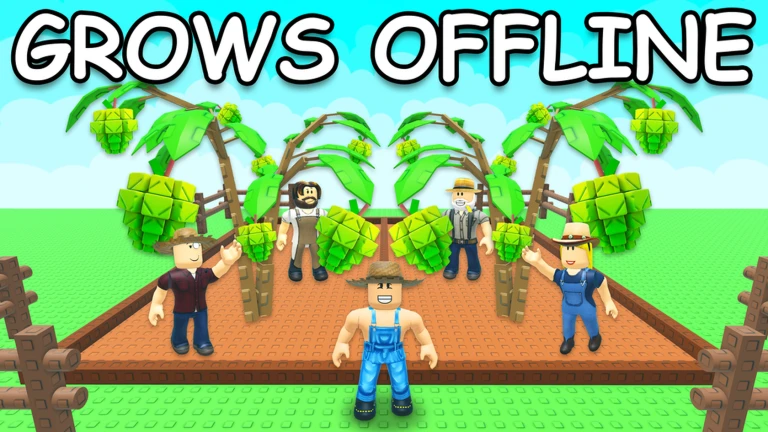
  1. Visit the Egg Shop start with a Common Egg as the most accessible option
  2. Place the egg on a farm plot eggs must be on the plot to hatch
  3. Check the pet's skill a Bee pet adds Pollinated mutations to nearby crops, while a Cow pet boosts surrounding plant growth speed
  4. Feed your pet regularly the hunger bar empties over about 12 hours and hunger affects normal aging
  5. Use the Pet Incubator placing a pet inside multiplies its XP gain by 3×, and a nearby player can boost that to an extra 2× on top; it works while you are offline
  6. Equip multiple copies of the same pet their skills stack, making the effect stronger
09

Expanding your pet inventory

Tips
In short Your default 60-pet inventory can be expanded in several ways, so plan ahead before you start hatching large numbers of eggs.

Running out of pet storage stops you from hatching new eggs, so it is worth knowing your options early. The base inventory holds 60 pets, and you can add space through crafting, the Garden Coin shop, and other progression systems.

Tips worth knowing
  • Default inventory holds 60 pets
  • Craft a Pet Pouch using one Common Egg, one Corndog, one Small Treat, one Small Toy, and 50,000,000 Sheckles to add one slot per pouch, up to 50 extra slots total
  • Pet Pouches also drop as rewards from completing pet achievements
  • The Garden Coin shop sells additional pet inventory upgrades
  • Equip slots start at three and can be increased through gamepasses or by trading aged pets in
10

Redeeming promo codes

Step
In short Codes expire and can only be used once, so enter any code you find as soon as possible.

The game supports promo codes that give you bonus cosmetics or items. Codes are single-use and many have expiry dates. This site currently tracks six working codes — the live list is shown on this page rather than written here, since codes change frequently.
  1. Open settings hover over the settings icon to reveal the menu
  2. Scroll down to the codes section the input field becomes visible as you scroll
  3. Enter the code exactly capitalisation matters, so copy carefully
  4. Press Claim a confirmation message appears if the code worked
  5. Check this page for current codes the live list updates whenever a new code is found
11 Working codes Codes
torigate
HARVEST10 -
-
SUMMER_QUEST26
SUMMER25 -
-
Every code, and the votes on it, are on the codes page
12

Common problems and fixes

Warn
In short Most early-game problems come down to planting on the wrong spot or not knowing that XP only comes from Garden Guide achievements.

A handful of mistakes trip up almost every new player. Knowing what to check first saves a lot of frustration.

Worth watching out for
XP not increasing harvesting crops does not grant XP; only completing Garden Guide achievements does
Missing rare seeds the Seed Stall restocks every five minutes, so check back regularly rather than waiting at the shop
Accidentally selling a valuable fruit use the favoriting feature to protect important items before you visit the sell counter

Community strategy ideas

Community

These ideas and tips come from people playing the game. Share your discoveries too!

No strategy ideas yet. Share a tip you discovered.

Glossary

Glossary
Sheckles
The main in-game currency, used to buy seeds, gear, and other items.
Plot
A brown square on your farm and the only place where seeds can be planted and crops can grow.
Seed Stall
The shop where you purchase seeds, with its stock refreshing every five minutes.
Multi-Harvest
A crop trait meaning one plant can be harvested multiple times before it needs replanting.
Offline growth
The mechanic that keeps your crops growing even when you are not logged into the game.
Mutation
A special effect triggered by weather or items that changes a crop's appearance and raises its sell price.
Gear
Equipment items that improve your farm, such as by speeding up growth or increasing harvest rewards.
Sprinkler
A gear item that waters your plots automatically, speeding up crop growth and increasing fruit size.
Garden Guide
A task and achievement list on the left side of the screen; completing its achievements is the only way to earn Garden XP.
Pet
A companion hatched from an egg that provides ongoing farm benefits such as automatic harvesting or improved mutation rates.
Age
A pet's level equivalent — as Age increases so does the pet's weight, which strengthens its abilities.
Ember
A fruit variant with a ×60 sell multiplier.
Pet Incubator
A cosmetic device that multiplies a placed pet's XP gain by 3×, and continues working while you are offline.
Garden Coins
A secondary currency earned through Garden Ascension, used to buy inventory upgrades and cosmetics.
Pet Pouch
A craftable item that permanently adds one slot to your pet inventory, up to a maximum of 50 extra slots.

Common questions

FAQ

Do I need to spend real money to progress?

No. Seeds are bought entirely with Sheckles earned from selling crops, and items like Sprinklers and pets can all be obtained without spending real money.

Why is my XP not going up even though I keep harvesting?

Harvesting crops does not grant XP. The only way to earn Garden XP is by completing achievements listed in the Garden Guide panel on the left side of the screen. Open it and work through those tasks to level up.

What is the best time to plant a lot of crops at once?

The moment a rain or thunderstorm begins is a good window — growth speed increases by 50% and mutation chances are active at the same time. Since weather is the same for everyone on the server, you will know right away when conditions are good.

Does it matter if I log off for several days?

Your crops continue growing while you are offline, so a few days away will not wipe your progress. However, daily quests and weather events are time-limited, so checking in regularly means you will not miss those bonuses.

How do I get a pet?

Buy an egg from the Egg Shop and place it on a farm plot to hatch it. Starting with a Common Egg is the most accessible option. Feeding your pet over time raises its Age, which strengthens its abilities.

How do I make my pet level up faster?

Pets earn 0.5 XP per second by default, but the Pet Incubator multiplies that to 3× for the pet placed inside — and it keeps working while you are offline. A nearby player can boost the incubator for an additional 2× on top of that.

Updated Oct 3, 2026
Game updates can change what is on this page. If you spot something, get in touch and let us know.
[🧬] Grow a Garden 🌶️ The Garden Game, Playing 23.6K, Rating 89.9%
See the game pageSee working codesAsk on the boardWatch guides and let's plays
Add it to your home screen and it works like an app. One tap to open, and it loads faster after that.