
Universal Showdown Guide: Controls for every device
About
OverviewUniversal Showdown is a Roblox fighting game where you battle other players using punches, dashes, and powerful ultimate moves. Play as any character you can imagine, on PC, console, or mobile. This guide covers the controls, combat tactics, special field events, and the reward system so you can jump in and start winning.
What is on this page
Contents
Controls for every device
Check
Universal Showdown runs on PC, console, and mobile. Every action has its own dedicated key.
- Left click punch your opponent
- Q dash to move fast or dodge an incoming hit
- G fire off your ultimate move
- F block to absorb enemy attacks
- Double-tap W break into a run
- B open the emote wheel
MetaNew Player Survey
The next survey is being prepared.
Winning fights
Tips
Your controls work together in combat. You can dash to avoid attacks, use your ultimate against opponents, and block incoming punches.
- Dash through an enemy's attack to dodge it.
- Use your ultimate move with G.
- Use your block when an enemy is chaining punches.
- Run at enemies with double-tap W to close distance quickly.
- If you get ragdolled, hit Q to cancel the ragdoll state and get back into the fight faster.
Special field events
Step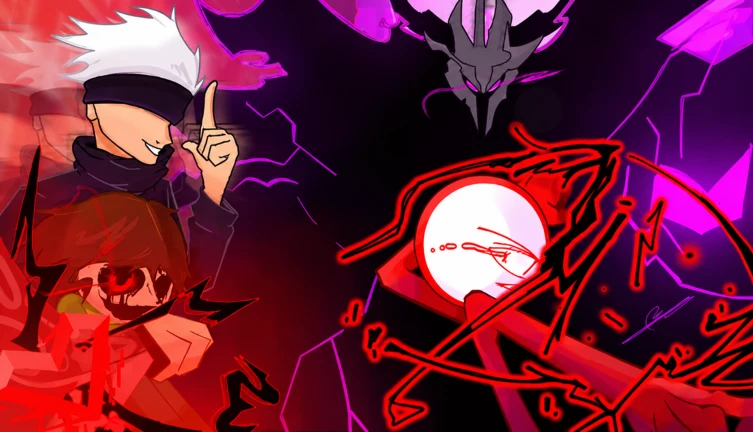
The battleground has two rare events to watch for while you fight.
- Watch the sky the Fracture of Tundra is an ancient power that falls from above and lands somewhere on the battleground. Reach it and claim its power to earn that badge.
- Random portals appear in the wild at unpredictable spots.
- Enter a portal and survive its challenge to earn the Conquered badge.
The reward system: emotes and spins
Summary
Playing the game earns you randomized rewards, which include emotes and spins. Every item in the pool has an equal chance of dropping, and you cannot receive the same item twice. Once you have an emote, press B during a match to open the emote wheel and use it.
- Drop rates every item has an equal chance
- Duplicates not possible
- Emote activation B key opens the wheel
- Effect on combat none, cosmetic only
Free-to-play fairness
Warn
All gacha items — emotes and spins — are cosmetic. They do not change your character's strength, speed, or any combat stat. Every player enters a match on the same footing.
Glossary
Glossary- Ultimate
- A powerful move activated with G.
- Dash
- A quick burst of movement triggered by Q, used both to move fast and to dodge incoming attacks.
- Ragdoll cancel
- A technique where you press Q while ragdolled to recover from the state faster.
- Emote wheel
- A menu opened with B that lets you play cosmetic emotes you have collected through the game's reward system.
- Spin
- A randomized reward item that can be obtained through the gacha alongside emotes.
- Fracture of Tundra
- An ancient power that falls from the sky onto the battleground; reaching it earns you a badge.
- Random portal
- A portal that appears somewhere in the field at random; entering it starts a challenge that awards the Conquered badge if you survive.
Common questions
FAQDo I need to spend Robux to be competitive?
No. Every item available through the reward system is cosmetic and has no effect on combat. All players fight under the same conditions regardless of what they have collected.
Can I play on mobile or console?
Yes. Universal Showdown supports PC, console, and mobile.
Will I ever get a duplicate reward from the gacha?
No. The game does not allow duplicate rewards. Every item has an equal chance of dropping, and once you own it, it will not appear again.
How do I earn badges in the game?
Watch the battleground for the Fracture of Tundra falling from the sky and grab it, or find a random portal on the field and survive its challenge. There is also a badge tied to admiring the night sky for yourself.
Game updates can change what is on this page. If you spot something, get in touch and let us know.
