
Phantom Ball Guide: Controls you need to know before your first match
About
OverviewPhantom Ball is a player-versus-player action game where you deflect a ball back and forth until only one person is left standing. You earn diamonds, collect speed boosts, and climb through leagues as you improve. This guide walks you through the controls, how to earn and spend diamonds, how to win more matches, and what to avoid.

What is on this page
Contents
Controls you need to know before your first match
CheckPhantom Ball gives you four actions: Block, Ability 1, Ability 2, and Passive. Block is your main survival tool — you use it to stop the ball from hitting you. Ability 1 and Ability 2 are active skills you trigger yourself, while Passive activates on its own without any input from you. On PC you can use the keyboard or click the on-screen UI buttons; on mobile, tap the UI buttons.
- Block is mapped to F, Left Click, or the on-screen UI button
- Ability 1 is mapped to Q or its UI button
- Ability 2 is mapped to 1 or its UI button
- Passive fires automatically you never press anything for it
- All controls work by tap on mobile through the same UI buttons
Boost items and mid-match positioning
Tips
Boosts are scattered around the map and give you a temporary speed increase when you collect them. That speed advantage lets you chase down opponents or create distance when you need a moment to recover. Abilities hit harder when the opponent is off-balance, so save them for openings rather than firing them the instant they come off cooldown.
- Grab boosts — the speed buff immediately changes how the round feels
- Use the speed window to push towards your opponent rather than just running around
- Save Ability 1 and Ability 2 for moments when your opponent is already reacting to the ball
Earning and spending diamonds
Table
Diamonds are the main currency and you earn them from every match you play. Wins pay out significantly more than losses or early eliminations, but you always receive something, so free-to-play progress never stops completely. Spend diamonds on new items, then put further diamonds into levelling those items up to improve their stats.
| Match win | large diamond payout |
| Loss or early elimination | small payout, still worth playing for |
| New item purchase | costs diamonds, unlocks the item for use |
| Item level-up | costs diamonds, raises the item's performance |
Things that will get your account banned
Warn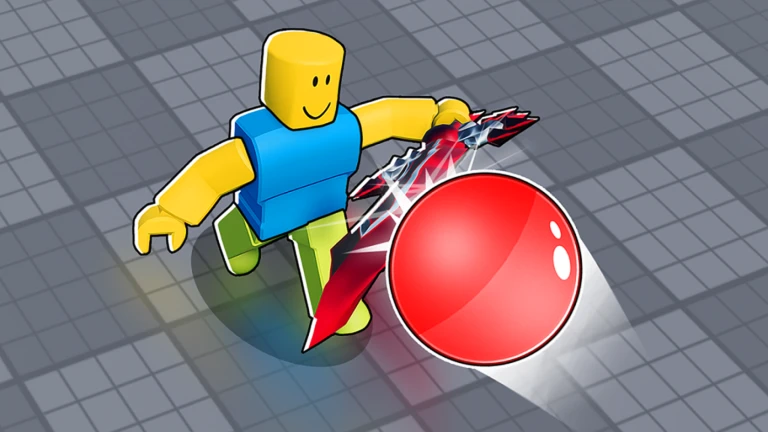
The game runs an anti-cheat system and active moderation. If either catches you exploiting or auto-farming, your account is permanently banned and there is no appeal process. The one official exception is the AFK lobby, where macros and auto-clickers are explicitly permitted.
Leagues, leaderboards, and long-term goals
SummaryAs you play and level up, you progress through different leagues that reflect your current skill tier. Separately, your consecutive win streak is what drives your leaderboard ranking — the longer the streak, the higher you appear.
- League progression tied to your level, rises as you earn experience
- Leaderboard rank driven by your win streak, not your level
 UPDATE9
WheelSpins
5MVisits
GEMSCAREPACKAGE
UPDATE9
WheelSpins
5MVisits
GEMSCAREPACKAGE
Glossary
Glossary- Block
- The defensive action that stops the ball from hitting you, triggered with F, Left Click, or the on-screen button.
- Ability 1
- An active skill tied to Q or the UI button that you trigger yourself during a match.
- Ability 2
- A second active skill mapped to the 1 key or its UI button.
- Passive
- A character skill that activates automatically without any input from you.
- Diamonds
- The in-game currency you earn from every match and spend on new items and item upgrades.
- Boost
- A pick-up scattered around the map that temporarily increases your movement speed.
- League
- A skill tier you reach by levelling up.
- Leaderboard
- The global ranking table ordered by win streak.
- AFK Lobby
- The waiting area where macros and auto-clickers are officially permitted.
Common questions
FAQCan I reach the top of the leaderboard without spending real money?
Diamonds drop after every match regardless of whether you win or lose, so free-to-play players can build up items over time. Leaderboard rank is based on win streaks, not on how much you spend.
Do leagues change who I get matched against?
As your league rises, the opponents you face have more experience. Each league step means tougher opponents.
Are macros and auto-clickers ever allowed?
Macros and auto-clickers are allowed in the AFK lobby. Using them in an actual match is a violation and results in a permanent ban with no appeal.
Game updates can change what is on this page. If you spot something, get in touch and let us know.
