
Wash The House Guide: Controls to learn before you start
About
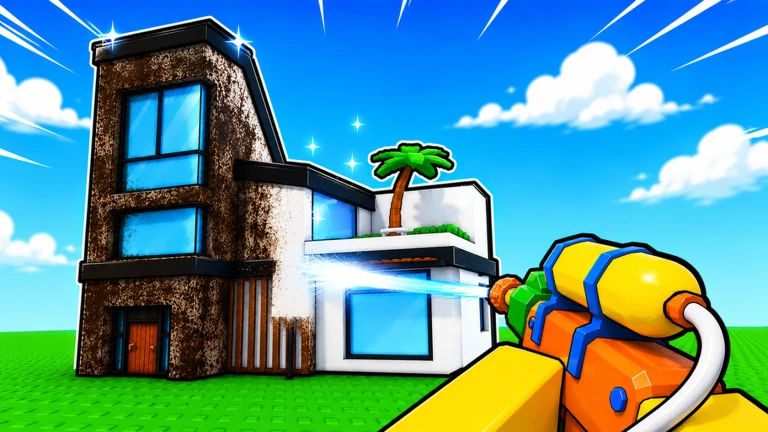
OverviewWash The House is a co-op cleaning simulator where you and your friends tackle the dirtiest mansion imaginable — picking up scattered items, power washing filthy surfaces, and fixing broken things. This guide walks you through the controls, the core cleaning loop, upgrades, and how to work with friends so you can make real progress.
What is on this page
Contents
Controls to learn before you start
Table
Before you step inside the mansion, get these controls locked in. Each action maps cleanly to both PC keys and controller buttons, so you can jump straight into cleaning without stopping to figure out how to pick something up.
| Pick up items | E on PC, RT on controller |
| Drop items | G on PC, LT on controller |
| Rotate the power washer | R on PC, Y opens upgrades on controller |
MetaNew Player Survey

The next survey is being prepared.
The core cleaning loop
Step
The mansion has items scattered everywhere, walls and floors coated in grime, and things that need fixing. You cycle through these three jobs over and over — and the house genuinely starts to look better as you go. Keep an eye on the on-screen objectives so you always know which task to tackle next.
- Return items pick up anything out of place with E (or RT) and carry it back to where it belongs
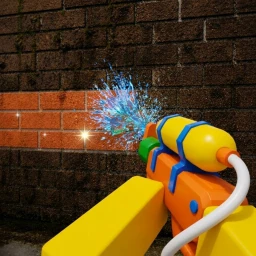
- Power wash surfaces aim at dirty walls or floors and use R to rotate the washer head so it covers the stain
- Repair broken objects some items need fixing before they can be returned, so deal with those when you find them
- Check the objective display if you feel stuck, the on-screen goals tell you exactly what is left to do
Spending in-game money on upgrades
Tips
As you clean you earn in-game money, and the upgrade shop lets you spend it to speed up your work. Because the whole upgrade system runs on earned money, there is no need to pay real currency at any point.
- All upgrades are available with in-game money, so nothing is locked behind real purchases
- Cleaning speed goes up when you invest in upgrades
What to check when progress feels stuck
Check- The on-screen objective display is visible and you have read what it says
- Every item you can see out of place has been returned to its correct spot
- You have aimed the power washer at every dirty surface, not just the obvious ones
- Broken objects in your area have been repaired, not just walked past
Playing solo versus playing with others
TableYou can clean the mansion on your own without any feature being locked away. The co-op structure just means a second or third player cuts the time it takes and makes the session more lively.
| Solo | every task is available, but one person handles all three jobs alone |
| With friends | roles can be split, so cleaning and item-returning happen at the same time |
Community strategy ideas
CommunityThese ideas and tips come from people playing the game. Share your discoveries too!
No strategy ideas yet. Share a tip you discovered.
Share a strategy idea
Wash The House 🧼
Glossary
Glossary- Power washer
- The tool you use to clean dirty walls and floors — rotate it with R on PC to aim it at stained surfaces.
- Item return
- The task of picking up objects scattered around the mansion and placing them back where they belong.
- Repair
- Fixing broken objects in the mansion, which is a separate task from washing or item return.
- Upgrade
- A purchasable improvement you buy with in-game money to make your cleaning faster or easier.
- Objective display
- The on-screen indicator that shows which tasks still need to be completed in the current area.
Common questions
FAQDo I need to spend real money to make progress?
No. Every upgrade in the game can be bought with money you earn by cleaning.
Can I play alone, or do I need friends?
You can play alone and every task is open to a solo player. The game is designed around co-op, so bringing a friend along makes the work faster.
What do I do if I cannot figure out what is left to clean?
Check the objective display on your screen first — it lists exactly what still needs doing. If that does not help, sweep each room for stray items, unwashed surfaces, and anything broken.
Does the game work with a controller?
Yes. RT picks up and places items, LT drops them, and Y opens the upgrades menu.
Game updates can change what is on this page. If you spot something, get in touch and let us know.
