
Project Vanz Guide: Starting your bike and basic controls
About
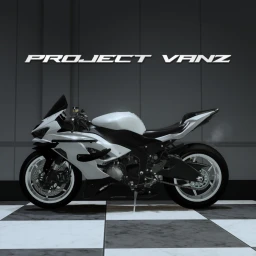
OverviewProject Vanz is a motorcycle racing game on Roblox where you ride superbikes across highways, mountain roads, and city streets using realistic physics. This guide covers the controls, earning money, upgrading your bike, and tips for racing against other players.
What is on this page
Contents
Player notes and tips
Found a useful trick? Share it with everyone! Notes with screenshots are welcome!
Write a guide note
[DRAG BIKES + FIX HEAD!] Project Vanz
Starting your bike and basic controls
Step
On keyboard, you have to start the engine manually before you can ride. Mobile and console players skip that step since the engine starts on its own. Once you are moving, switching your view and locking your mouse makes the bike much easier to handle.
- Start the engine
hold F on keyboard until the engine kicks in (mobile and console start automatically).
- Prepare your equipment
press E before you ride.
- Switch to first-person view
press V to feel how the bike handles.
- Lock the mouse
press B to stabilize your screen and get a cleaner view of the road ahead.
MetaNew Player Survey

The next survey is being prepared.
Riding techniques that actually help
Tips
Once you are comfortable moving, these controls let you push the bike harder and stay in control through corners and straights.
- Press Q to gear down and boost your acceleration.
- Hold T to perform a wheelie.
- Press N or L to toggle the headlight.
- Use Shift + P to open a free camera.
- Lock your mouse with B before entering a series of corners so your view stays steady.
Earning money and upgrading your bike
Summary
The game tracks your earnings through a built-in driving system as you race. Spend that money on performance upgrades or swap to a better bike when you can afford it. New bikes are added regularly with content updates.
- Upgrades
spend earned money to tune your bike's performance.
- New machines
better bikes become available as you progress and your funds grow.
- Fresh content
the game receives frequent updates that bring new bikes and performance improvements.
Redeem codes for extra cash
WarnFind the redeem screen inside the game's menu, type the code exactly as given, and your reward is added immediately. The game's community server and in-game announcements are where new codes are posted.
Glossary
Glossary- Wheelie
- Lifting the front wheel off the ground by holding T.
- Gear down
- Pressing Q to lower your gear and increase pulling power.
- Mouse lock
- A view mode toggled with B that keeps your camera fixed.
- Free camera
- A detached view activated with Shift + P that lets you look around without changing where the bike is going.
Common questions
FAQDo controls work differently on mobile and console?
The engine starts automatically on mobile and console, so you skip the hold-F step.
Where do I find new redeem codes?
New codes are announced in the game's community server and through in-game notices.
Game updates can change what is on this page. If you spot something, get in touch and let us know.
