
Barbie DreamHouse Tycoon Guide: First steps when you load in
About
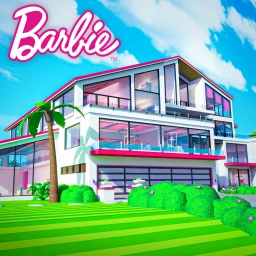
OverviewBarbie DreamHouse Tycoon is a Roblox tycoon game where you build and decorate your own DreamHouse, customize your avatar, and explore a town full of shops and mini-games.
What is on this page
Contents
First steps when you load in
Step
The game puts you straight into your own DreamHouse, and a tutorial walks you through the controls and basic rules. Read it carefully rather than skipping — it covers things you will need later. Once it is done, start placing walls, floors, and furniture to shape your space. After that, head into the mini-games to start earning coins and items.
- Read the tutorial work through every prompt so you know the controls before free-roaming
- Place your first furniture put down walls, floors, and at least a few pieces to claim your space
- Open a mini-game try the cooking, fashion, or music challenge to earn your first coins
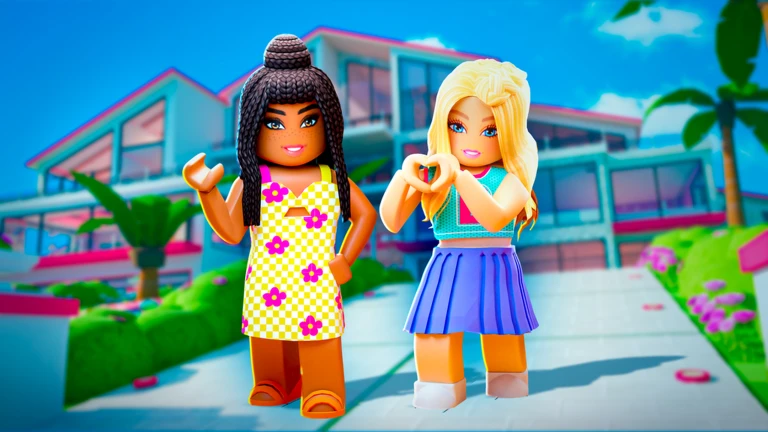
- Customize your avatar set your makeup, hair, and outfit so your character feels like yours
- Check the town step outside to see the boutique, bakery, and other locations from the start
MetaNew Player Survey
The next survey is being prepared.
Earning coins through mini-games
Tips
Three main mini-game types are available: a cooking challenge, a fashion challenge, and a music challenge. Each one pays out coins and items when you clear it. Playing the same mini-game on consecutive days can earn you a bonus multiplier, so logging in daily matters. If you keep hitting a wall on one challenge, switch to a different type and come back later — you can retry any of them as many times as you like.
- Log in every day to build your consecutive-play bonus
- Rotate between the cooking, fashion, and music challenges so a tough one never stops your progress
- Retry a failed mini-game immediately — there is no limit on attempts
DreamHouse design that actually works
CheckBecause the layout is completely open, it is easy to end up with a cluttered mix of styles. Picking a color scheme or theme for each room — living area, kitchen, bedroom — before you start placing furniture keeps things looking intentional. Leave clear paths through each room so nothing feels cramped. Visiting a friend's DreamHouse is one of the best ways to pick up layout ideas you would not think of on your own.
- Decide on a color palette for each room before placing furniture
- Leave walkable gaps between furniture so the room does not feel blocked
- Redecorate periodically using new items earned from mini-games and quests
- Visit friends' DreamHouses to borrow layout and decoration ideas
- If your house starts to feel heavy or slow, check whether you have placed too much furniture at once
What the town has that your house does not
Summary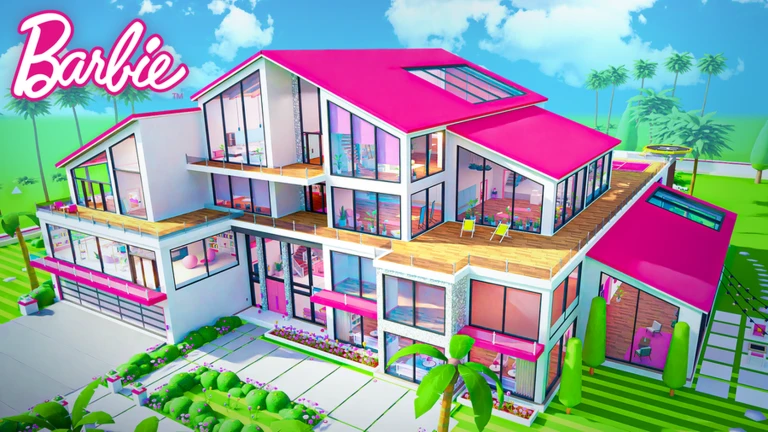
Once you step outside your DreamHouse, a whole town opens up. The boutique stocks clothes and accessories, and the bakery offers food items and decorations. Seasonal event locations also appear around town and bring limited-time items.
- Boutique clothes and accessories, including items not available inside the house
- Bakery food items and decorations you can collect and use
- Seasonal facilities limited-time event spots that rotate with updates
- Town exploration with friends a way to discover new locations together
Avatar customization
Tips
Your avatar's makeup, hairstyle, and outfit are all adjustable at any time. Eyeshadow, lip color, and lashes can each be tuned individually on the makeup side. For hair, you can mix length, color, and accessories. Outfit pieces — tops, bottoms, shoes, and bags — can be combined freely. New items arrive regularly as rewards from mini-games and quests.
- Adjust makeup details like eyeshadow and lip color independently, not just as a preset
- Combine hair length, color, and accessories to get a look that suits you
- Mix and match tops, bottoms, shoes, and bags for different styles
Playing with friends
Tips
You can visit a friend's DreamHouse directly through your Roblox friends list. Looking around their layout is one of the fastest ways to get fresh ideas for your own house. The game is fully free to play, so it costs nothing to invite a friend and start together.
- Use your Roblox friends list to jump straight to a friend's DreamHouse
- Compare mini-game scores with friends to add a competitive edge
- Tour multiple friends' houses in one session to gather a range of design ideas
When you get stuck
WarnBefore assuming the game is broken, run through a short checklist. A weak internet connection on mobile or tablet is the most common culprit for slow or freezing gameplay. Restarting the app clears most temporary bugs. And if the house itself feels sluggish, too many placed items at once can cause that.
Glossary
Glossary- DreamHouse
- Your personal home in the game, which you furnish and decorate however you like.
- Mini-game
- A short challenge — cooking, fashion, or music — that pays out coins and items when completed.
- Coins
- The in-game currency you earn from mini-games and quests, used to buy furniture and items.
- Quest
- A goal the game assigns you; completing it earns a reward.
- Boutique
- A shop in town where you can pick up clothes and accessories, some of which are only available there.
- Avatar customization
- The system that lets you change your character's makeup, hairstyle, and outfit piece by piece.
Common questions
FAQDo I need to spend money to enjoy this game?
No — the game is free to play and you can earn coins through mini-games to buy furniture and items without paying.
Can I play on my phone and then switch to a PC?
Yes, the game runs on mobile, tablet, PC, and Xbox. Logging in with your Roblox account keeps your progress the same across all of them.
How do I visit a friend's DreamHouse?
Open your Roblox friends list and select the friend you want to visit — the game lets you travel to their DreamHouse from there.
What should I do every day when I log in?
Play at least one mini-game each day, since consecutive daily play can earn you bonus rewards.
Game updates can change what is on this page. If you spot something, get in touch and let us know.
