
The Powder Box — Your first few minutes
About
OverviewThe Powder Box is a 2D sandbox game where sand, water, fire, and other elements follow real physics — pour water and it flows, drop sand and it piles up, touch fire to wood and it burns. This guide walks you through your first moves, building basics, growing plants, and making contraptions, so you can get comfortable and start experimenting on your own.
What is on this page
Contents
Your first few minutes
Step
When you load in, the left side of the screen holds the toolbar — a vertical menu of icons for every element in the game. Pick sand first, then click and drag across the canvas to draw with it. Watch it fall under gravity. Then switch to water and let it flow into your sand pile. Once that clicks, you are ready to try anything.
- Find the toolbar look at the left edge of the screen for the column of element icons.
- Pick sand select it from the toolbar and drag across the canvas to drop some in.
- Add water switch to water and draw it near the sand to see them interact.
- Try the eraser the eraser icon in the toolbar removes anything you have placed.
- Combine elements mix a few different ones and watch what the physics does.
Fire and explosives — what to watch out for
WarnFire is one of the most exciting elements in the game, but once it starts it spreads outward until it runs out of fuel. Explosives placed close together will set each other off in a chain.
Building a house
StepPick a solid material such as wood, brick, or stone from the toolbar before you start drawing. Outline the four sides of a box to form your walls, then use the eraser to hollow out the inside. Adding a triangular peak on top gives it a proper roof shape. From there, small details like windows and columns let you put your own mark on the design.
- Choose a solid material wood, brick, or stone all hold their shape well.
- Draw four walls outline a rectangle to form the outer shell of the building.
- Hollow out the inside erase the center so there is an actual room in there.
- Add a roof draw a triangle above the walls to finish the shape.
- Decorate use the eraser or additional elements to cut in windows, a door, or other details.
Growing plants
Check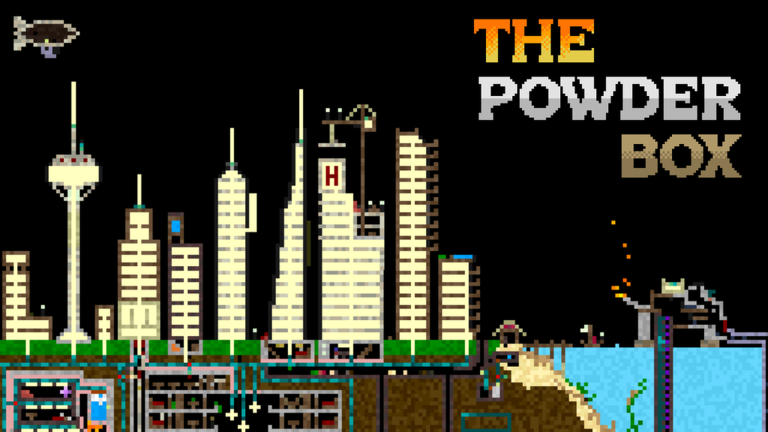
The game lets you farm and build gardens by combining a handful of elements in the right order. Lay down soil to give seeds somewhere to root, place seeds on top, then water them. Over time the seeds grow into plants. Mixing different plant types lets you build landscapes or a full farm layout.
- Soil is placed first draw it across the area you want to use for planting.
- Seeds go on the soil select seeds from the toolbar and place them on top.
- Water the seeds use the water element to start the growth process.
- Wait for growth plants develop over time without any extra input from you.
- Mix plant types combining different species lets you design varied gardens or farm rows.
Making contraptions and machines
TipsThe game includes pipes and other mechanical elements alongside the physical ones, which means you can route liquids and powders through structures you design. The in-game gallery shows what other players have built, which is a solid place to pick up ideas when you are not sure where to start.
- Start with a simple setup — one or two connected elements are easier to debug than a large system.
- Use pipes to move liquids or powders from one part of your build to another.
- Browse the in-game gallery to see working examples from other players.
When you feel stuck
CheckThe Powder Box has no set objectives, so a feeling of 'now what?' is normal. The toolbar almost certainly has elements you have not touched yet — that is the easiest starting point.
- Look at the in-game gallery for inspiration from other players' work.
- If the game feels slow, erase big structures you are finished with.
Glossary
Glossary- Toolbar
- The vertical strip of icons on the left side of the screen where you select which element to place.
- Falling sand game
- A genre of game where individual particles like sand, water, and fire follow physics rules and interact with each other — The Powder Box belongs to this genre.
- Chain reaction
- When one event triggers another in sequence — for example, one explosive setting off the next one beside it.
- Sandbox
- A game format with no required goals, where you decide what to build, destroy, or experiment with.
- 2D physics simulation
- A system that applies real-world rules like gravity and fluid flow to elements on a flat, two-dimensional canvas.
Common questions
FAQIs there a goal or story to complete?
There is no set goal or story in The Powder Box. You decide what to do — build, blow things up, grow a garden, or build machines. Whatever you find fun is the point.
Why is the game running slowly?
Too many active elements on the canvas at once is the usual cause. Use the eraser tool to delete old structures or large areas you are finished with, and performance should improve.
Can I see what other players have built?
Yes, there is an in-game gallery where you can browse other players' creations.
Do I need to spend Robux to access everything?
All elements are available without spending anything. You can play the full game for free.
Game updates can change what is on this page. If you spot something, get in touch and let us know.
