Games listed 44,475
Game guide

Universal Tower Defense Z Guide: First steps when you load in

[โšฝ4.25๐Ÿ†] Universal Tower Defense Z
Universal Tower Defense [UTD], Playing 38, Rating 97.2%
Creator Universal Tower Defense [UTD]
Playing 38
Rating 97.2%
Is this game fun?
No votes yet. Cast the first one.

About

Overview

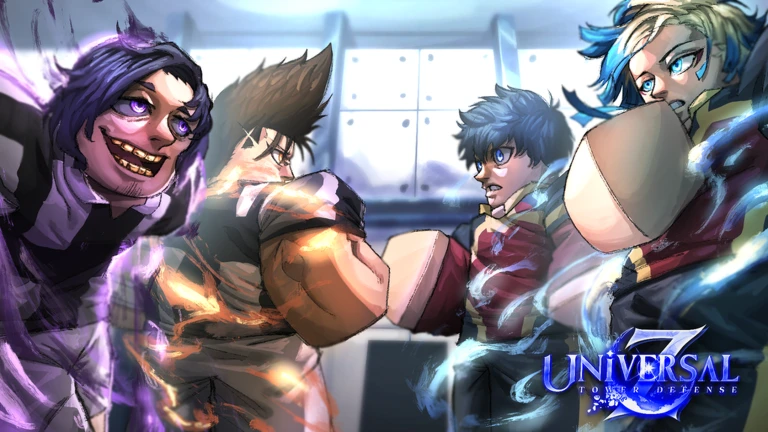
Universal Tower Defense Z is a Roblox tower defense game where you summon anime-inspired units, place them on the map, and hold off waves of enemies. You can strengthen your units by leveling them up, Etherealizing them, and Evolving them โ€” and the whole thing is playable solo or with friends. This guide covers how to get started, how the upgrade system works, and what to do when you hit a wall.
What is on this page

Contents

Player notes and tips

Found a useful trick? Share it with everyone! Notes with screenshots are welcome!

01

First steps when you load in

Step
In short Grabbing free rewards from codes before you do anything else gives you the best possible start.

The first few minutes set the tone for your whole run, so it pays to move through them in order. Redeem codes first, then work through the tutorial to learn where units can be placed and how waves flow. After that, summon your first units and push through the opening stage.

  1. Redeem codes

    tap the Codes button on the right side of the screen and enter each code to collect free gems, gold, and rerolls.

  2. Complete the tutorial

    use it to get comfortable with placing units and understanding how enemies move along the map.

  3. Summon your first units

    spend gems in the summon system to build your starting lineup.

  4. Equip your units

    newly summoned units are not added to your team automatically; go to the loadout screen in the lobby and set them into the six available slots before entering a stage.

  5. Turn off auto-wave sending

    finish placing and upgrading units before each wave instead of letting the next one begin on its own.

  6. Place units and clear the first stage

    check the attack range of each unit before you commit to a spot.

  7. Level up with your clear rewards

    use the gold you earned to strengthen your units before moving to the next wave.

Ask on the board
02

Building a working team

Tips
In short A balanced six-slot lineup with clearly assigned roles holds waves far more reliably than stacking your strongest units alone.

Before you enter a stage, fill all six loadout slots and assign each unit a clear job. A rough target is two main damage dealers, one farm unit, one support or crowd-control unit, one area-coverage unit that works from high ground or both terrain types, and one flex slot. Keep a low-cost early-game damage dealer in the lineup so you always have something to place at the very start of a stage.

Tips worth knowing
  • Place your cheapest main damage dealer at a corner first so enemies are covered before you commit resources elsewhere.
  • Put farm units on open ground away from combat units so they do not block placement spots

    farm units cannot defeat enemies on their own.

  • Split your damage dealers between early-game and late-game roles to avoid running out of battle funds in the opening waves.
  • In co-op, one player handles early damage, one runs the farm, and one covers support and late-game firepower.
  • Check each unit's individual placement limit in its detail screen before a stage so you are not surprised when you hit the cap mid-wave.
03 Live and upcoming events Events

Events running now or coming soon. They have fixed dates, so check them first.

Upcoming โ€“

UPDATE 4.5

I alone stand on top.

See the whole schedule
04

The three upgrade tiers

Table
In short Work through the tiers in order โ€” level up first, Etherealize second, Evolve third.

Every unit can be strengthened in three distinct ways, each more powerful than the last. Free-to-play players can reach Etherealize and Evolve by spending code rewards and stage-clear resources carefully.

Level Upcosts gold, raises attack power and other core stats; the starting point for every unit you own.
Etherealizea deeper upgrade that visibly transforms a unit and brings a large jump in performance.
Evolvethe highest tier, requires specific materials and conditions; prioritize the units that anchor your lineup.
05

Getting the most from trait rerolls

Tips
In short Save rerolls for units you plan to run long-term, and aim for income-boosting traits on farm units first.

Trait rerolls are limited, so spending them on the wrong units wastes a resource that is hard to replace early on. Decide which units will stay in your core lineup before you use a single reroll.

Tips worth knowing
  • Prioritize a Fortunate trait on your farm unit because it increases battle-fund income each wave.
  • Do not chase the Ruler trait early

    it has a very low chance of appearing and is not worth burning rerolls on at the start.

06

Game mode order for steady progress

Step
In short Story mode builds the foundation; unlock the other modes in order rather than jumping ahead.

Each mode unlocks rewards the next one depends on, so rushing to raid content before your lineup is ready wastes time. Work through the list below and move on only when your team handles the current mode comfortably.

  1. Story mode

    work through it first; it supplies gems, gold, and relics that everything else needs.

  2. Daily and timed challenges

    complete these alongside story mode for extra rewards under different conditions.

  3. Legendary stages

    go here once your core lineup is solid; these stages drop evolution materials.

  4. Virtual realm

    rewards focus on accessory relics and a dedicated currency.

  5. Raids

    wait until both your main damage dealers and farm unit are well developed before attempting these.

  6. Limited high-difficulty events

    tackle these only after all six loadout slots are fully built out.

07

Daily reward checklist

Check
In short Rewards do not collect themselves โ€” you have to tap the button each time a condition is met.

Make a habit of running through these every time you log in. Rewards sit unclaimed until you actively press the receive button, so it is easy to miss them if you jump straight into a stage.

  • Daily login reward available every day just for opening the game.
  • Quest and achievement rewards tap the claim button after each condition is met; they do not auto-collect.
  • Unit encyclopedia rewards check whenever you add a new unit, even a low-rarity one.
  • Battle pass free tier the free track has claimable items even if you have not purchased the paid pass.
  • Thumbs-up reward liking the game on Roblox can unlock free rewards, so tap the button if you have not already.
08

When a wave keeps beating you

Check
In short Most stalls come down to unit levels or placement, so check those two things before anything else.

Before you try a wave again, run through this list in order.

  • Unit levels spend any stored gold on level-ups before the next attempt.
  • Placement positions move units to spots where their attack range covers more of the enemy path; units cannot be placed on red-highlighted tiles or on the path itself.
  • Team balance if you are running all one attack type, swap in a unit with a different attribute; a single-attribute lineup is at a disadvantage on some stages.
  • Unused rerolls if a key unit has a weak trait, use a trait reroll to change it.
  • Farm unit timing if enemies are getting through early, pause farm upgrades and add a low-cost damage dealer instead of placing more farm units before defenses are stable.
  • Difficulty meter if you have been raising it for better rewards, turn it back down and switch off auto-wave sending, then do a full check of your main units' levels, evolution state, and equipped relics.
  • Duplicate high-rarity units before selling any copy, consider whether it can be used as evolution material or converted to aether; lock it until you decide, because selling is permanent.
  • Relic slots upper, lower, and accessory relics each have their own slot, so stacking duplicates of one type will not fill all three slots.
09

Redeeming codes

Step
In short Codes expire, so enter new ones as soon as you hear about them.

Codes hand out gems, gold, trait rerolls, and relic rerolls at no cost. Some codes require you to reach a certain level before they work, and each code can only be redeemed once per account.

  1. Open the game and find the Codes button on the right side of the screen.

  2. Type the code exactly as written

    the game is case-sensitive and punctuation matters.

  3. Press Redeem and collect your reward.

  4. If a code fails, check that you meet any level requirement it carries before trying again.

10 Working codes Codes
DemonicCyborgEvolved
WeLoveUTDZ! 1 Prodigy Mage , 1 Berserker (Enraged) , 1 Mage Staff , 12 Mythic Shards , 2
1 Prodigy Mage , 1 Berserker (Enraged) , 1 Mage Staff , 12 Mythic Shards , 2
NewBlitzPass! 50 Trait Rerolls and 5,000 Gems
50 Trait Rerolls and 5,000 Gems
UniversalFootball! 25 Trait Rerolls , 25 Relic Rerolls , 25 Stat Rerolls , 25 Stat Locks , and
25 Trait Rerolls , 25 Relic Rerolls , 25 Stat Rerolls , 25 Stat Locks , and
Every code, and the votes on it, are on the codes page

Glossary

Glossary
Wave
A set number of enemies that travel along a fixed route toward your defenses; clearing one lets you prepare before the next begins.
Unit
A character you place on the map to attack enemies, upgradeable through leveling, Etherealizing, and Evolving.
Gems
A premium in-game currency used for summoning units and other purchases, earned through stage clears and codes.
Gold
The main in-game currency for leveling up units, earned by clearing stages.
Battle Funds
Temporary in-stage money used to place and upgrade units during a battle; separate from lobby gems and gold, and lost when the stage ends.
Trait Reroll
An item that randomizes the trait attached to a unit, giving you another shot at a stronger one.
Relic Reroll
An item that randomizes a unit's relic, which contributes to further strengthening that unit.
Etherealize
The second upgrade tier, which changes a unit's appearance and significantly boosts its power.
Evolve
The highest upgrade tier, requiring specific materials and conditions.
Universal Gem
A separate season-specific currency that can be exchanged for particular rewards, distinct from regular gems.
Farm Unit
A unit that increases your battle funds each wave but cannot attack enemies, so it must be paired with combat units.
Fortunate
A trait that increases a farm unit's income each wave; prioritize getting this on your farm unit.
Ruler
The highest-tier trait, with a very low chance of appearing from a reroll.
Difficulty Meter
A setting that makes enemies harder in exchange for better stage rewards; raise it only once you can clear stages comfortably.
Main Damage Dealer
The unit at the core of your lineup that deals most of the damage; keeping separate early-game and late-game options prevents running out of battle funds.
Pity
A system that guarantees a result of a certain rarity or higher after a set number of summons.

Common questions

FAQ

Can free-to-play players get strong units?

Yes. Gems and gold earned from stage clears fund both summons and upgrades without any real-money spending. Redeeming every available code adds extra gems and rerolls on top of that.

What should I do if an enemy wave keeps breaking through?

Check unit levels and placement before anything else โ€” those two things fix most stalls. If both look fine, make sure you are not relying on a single attack type, since a one-attribute lineup struggles on certain stages.

Why isn't my newly summoned unit showing up in battle?

Summoning a unit does not add it to your team automatically. Go to the loadout screen in the lobby, place the unit into one of the six available slots, then enter the stage.

When is the right time to use trait rerolls?

Wait until you have settled on the units you plan to run long-term before spending any rerolls. Using them on a unit you later swap out wastes a resource that is hard to replace early in the game.

Do secret or shiny results ever appear in the summon list?

Some higher-rarity results are locked until your player level reaches 10. Work through story mode to raise your level, then check the banner screen again โ€” a lock icon marks anything not yet available to you.

Can all three relic types be equipped at the same time?

Yes โ€” upper, lower, and accessory relics each correspond to a different slot, so all three can be equipped simultaneously. If you have more than one relic of the same type, choose which copy to assign to that slot.

What should I do if matchmaking is not finding enough players?

Cancel the queue and either switch to a lower-player-count difficulty or use the lobby refill feature to start fresh.

Updated Nov 15, 2026
Game updates can change what is on this page. If you spot something, get in touch and let us know.
[โšฝ4.25๐Ÿ†] Universal Tower Defense Z Universal Tower Defense [UTD], Playing 38, Rating 97.2%
See the game pageSee working codesAsk on the board
Add it to your home screen and it works like an app. One tap to open, and it loads faster after that.

