
obby but you get smaller every stage Guide: How the shrinking mechanic changes the game
About
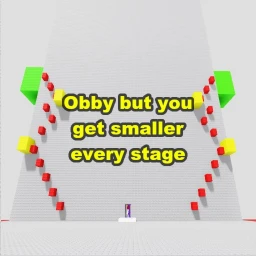
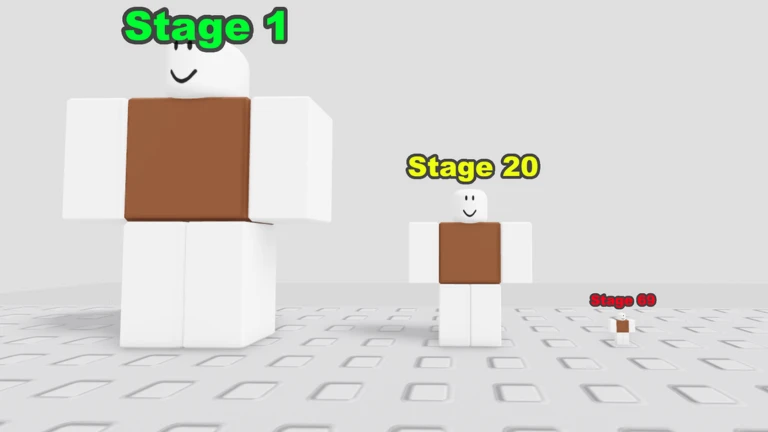
OverviewObby But You Get Smaller Every Stage is a Roblox obstacle course where your character shrinks after every stage you complete, all the way down to the size of an atom across 142 stages. This guide covers the controls you need to know, how to handle the shrinking mechanic, and what to do when you get stuck.
What is on this page
Contents
Player notes and tips
Found a useful trick? Share it with everyone! Notes with screenshots are welcome!
Write a guide note
obby but you get smaller every stage
How the shrinking mechanic changes the game
Summary
The core twist is simple: finish a stage and your character gets smaller. This keeps happening until you reach atom size at stage 142. The tricky part is that the same gap or ledge feels completely different at a new size, so you can't rely on the muscle memory you built in earlier stages.
- Size your character shrinks after every stage you complete
- Stage count 142 stages total, ending at atom size
- Picking up players if another player is less than half your size, you can pick them up
MetaNew Player Survey

The next survey is being prepared.
Controls and settings to set up first
Step
The game added custom keybinds on November 5, 2026, so you can now remap actions to whatever keys work best for you. On mobile, every on-screen button can be dragged to a different position on the screen. Mobile auto jump is disabled.
- Remap your keys use the custom keybind option added on November 5, 2026
- Move mobile buttons drag each on-screen button to a different position on screen
- Enable manual save turn on the manual save option in settings so you decide when your progress is saved
Keys that help you survive later stages
Tips
Two controls added on November 3, 2026 make a real difference once landings become tight. The alignment keys let you nudge your facing direction in small steps, and the reset button puts you back at the start of the current stage.
- Press the < key to nudge your character's facing direction slightly to the left
- Press the > key to nudge it slightly to the right
- Press R at any point to restart the current stage from its beginning
Getting past a stage you're stuck on
CheckWhen a stage stops you, reset and start from the beginning.
- Hit R to reset to the beginning of the current stage
- Look for gaps in walls and narrow passages that your smaller body can now fit through
- Use the < and > alignment keys to fine-tune your angle before each jump
- If you're on mobile, drag your buttons to better positions before retrying
Glossary
Glossary- Obby
- Short for obstacle course — a Roblox game genre where you jump, climb, and navigate through a series of stages using skill and timing.
- Reset
- Pressing R sends you back to the very beginning of your current stage so you can try it again cleanly.
- Alignment keys
- The < and > keys, which rotate your character in small steps so you can line up a precise jump.
- Manual save
- A settings option that lets you choose when to save your progress, instead of relying on automatic saving.
Common questions
FAQHow many stages are there?
There are 142 stages. Your character shrinks after each one and keeps shrinking until you reach atom size at the end.
Can I play with friends?
If another player's character is less than half your current size, you can pick them up.
My progress isn't saving — what do I do?
Open the settings menu and check the manual save option. Turning it on lets you save at a time you choose rather than waiting for an automatic save.
Why do my jumps feel off after clearing a stage?
Every stage makes your character smaller, so the distance and height of your jumps change relative to the platforms around you.
Game updates can change what is on this page. If you spot something, get in touch and let us know.
