
Lucky World Guide: The three things you do in Lucky World

About
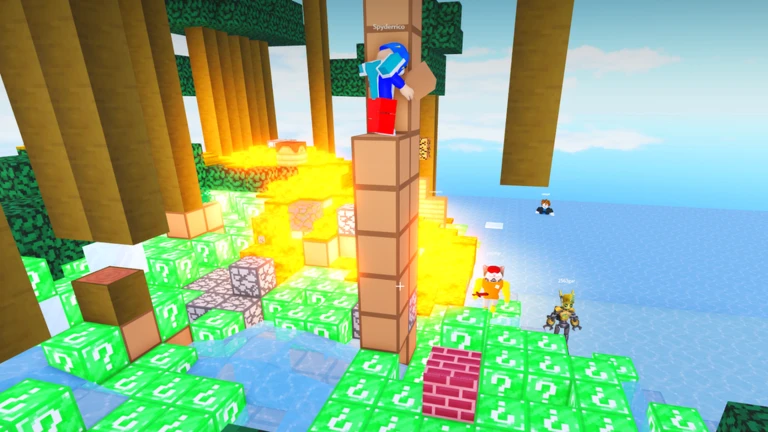
OverviewLucky World drops you into a map full of Emerald Lucky Blocks to mine, materials to build with, and other players to fight. This guide covers how to get started, how to mine efficiently, how building works, and what to know about PvP so you can play the way you want.
What is on this page
Contents
Player notes and tips
Found a useful trick? Share it with everyone! Notes with screenshots are welcome!
Write a guide note
⛏️Lucky World! 💚 (EMERALD LUCKY BLOCKS!)
The three things you do in Lucky World
Summary
Every session in Lucky World revolves around three activities: mining blocks, building a house, and fighting other players. None of them are locked behind the others, so you can spend an entire session just mining or just building if you prefer. Your items save across every server, so nothing you collect is tied to a single session or lobby.
- Mining
break blocks around the map to collect items
- Building
use collected items to construct your own house
- Fighting
take on other players in optional PvP combat
- Inventory
press E to open it and check or organise what you have collected
- Saving
items persist no matter which server you join next
MetaNew Player Survey

The next survey is being prepared.
Why Lucky Blocks are worth hunting
Tips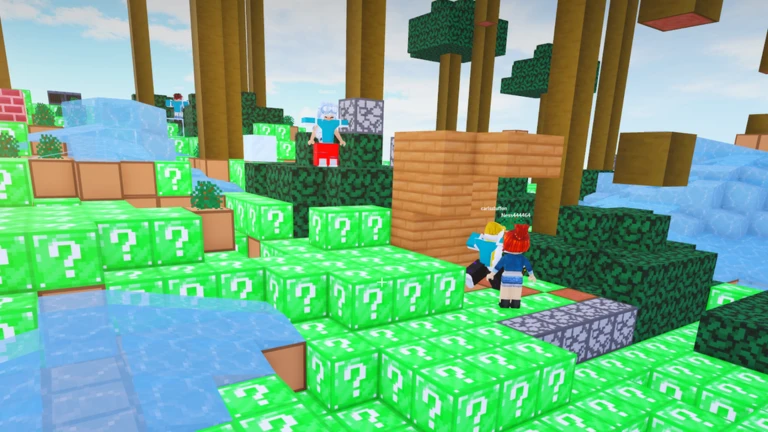
Not every block on the map is equal. Emerald Lucky Blocks offer higher-value items than standard blocks. Items from all mining land straight in your inventory the moment the block breaks.
- Emerald Lucky Blocks give better items than regular blocks
- Moving across the whole map instead of staying in one spot gives you access to more Lucky Blocks
- Every item you mine is added to your inventory immediately, with no extra steps required
- Because items save across servers, you can mine across multiple sessions without losing progress
Building your house
StepBuilding uses the items you gather from mining. You pick the location yourself on the map.
-
Mine to gather blocks and items before building
- Open inventory
press E to confirm you have the materials you need
-
Choose a location on the map and start building with your collected items
PvP and how to avoid it
Warn
Lucky World includes player-versus-player combat, but nothing forces you into it. If fighting other players is not your thing, you can spend your whole session mining and building without any issue. Players who do want to fight can engage freely.
Free VIP servers and item saving
CheckLucky World offers free VIP servers, so you do not need to pay to access one. On top of that, your collected items are stored no matter which server you play on, which means switching lobbies never costs you your progress.
- Free VIP servers are available no Robux required to use one
- Items save across every server, so progress is never lost when you switch
- All three activities mining, building, and fighting — are accessible without spending anything
Glossary
Glossary- Emerald Lucky Block
- A special block that drops higher-value items compared to ordinary blocks on the map.
- Inventory
- The bag that holds every item you have mined, opened and closed with the E key.
- PvP
- Player versus player combat, where you fight other real players.
- VIP Server
- A private server available at no cost in Lucky World.
Common questions
FAQDo I need to spend Robux to enjoy Lucky World?
No. Mining, building, and fighting are all free, and VIP servers cost nothing either.
Will I lose my items if I leave the server?
No. Your items save automatically no matter which server you are on.
What should I do if I do not want to fight other players?
Just focus on mining and building. PvP is optional, so you can ignore combat entirely.
How do I check what I have collected?
Press E to open your inventory at any time.
Game updates can change what is on this page. If you spot something, get in touch and let us know.
