Games listed 43,046
Game guide

Kitten Game Guide: First steps when you load in

Kitten Game 🐾
Bro_IsThisReal, Playing 4.7K, Rating 91.0%
Creator Bro_IsThisReal
Playing 4.7K
Rating 91.0%
Is this game fun?3 votes
Fun 100%3Average 0%0Not fun 0%0

About

Overview

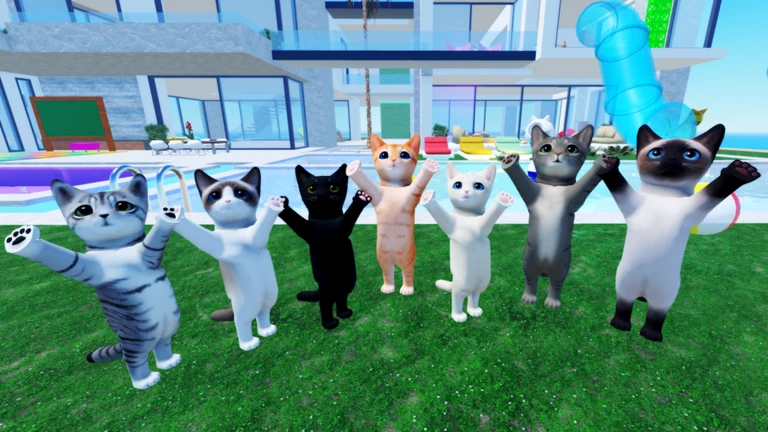
Kitten Game 🐾 is a chill Roblox game where you play as a cat, hunt down accessories, and explore the world solo or with friends. This guide walks you through getting started, finding accessories, and making the most of the group perk — whether you're brand new or just looking for tips.

What is on this page

Contents
01

First steps when you load in

Step
In short Pick your kitten and get comfortable with the controls before anything else.

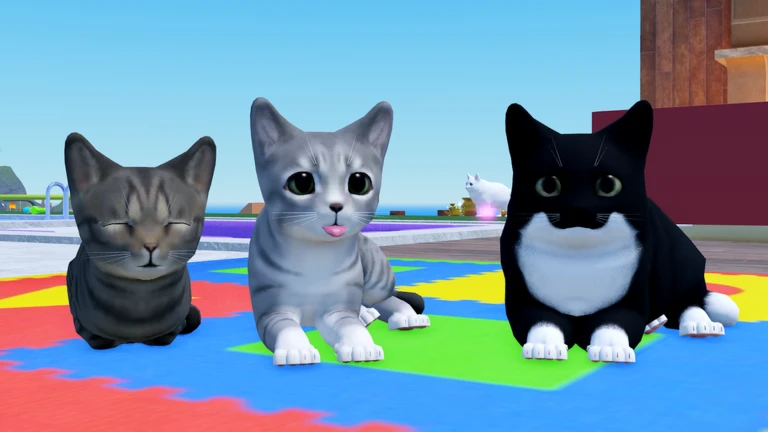
The first thing you do is choose which kitten you want to play as — take your time, since this is your character. Once you're in, pull up the menu to check how everything works before you start exploring. Controls are simple: on desktop press R to run, and on console press L3.

  1. Choose your kitten pick the one you like the look of from the character select screen.
  2. Open the menu press R on desktop or L3 on console to see the full control guide.
  3. Start exploring head out into the world to begin finding accessories.
  4. Join the group search for Free-Time Studio on Roblox and join for free to unlock extra rewards.
Ask on the board
02

Finding and collecting accessories

Tips
In short Thorough exploration and playing with friends are two ways to build up your accessory collection.

Accessories are hidden all around the map, so the more ground you cover the more you'll find. Playing with friends can open up accessories you wouldn't get on your own. The September update added new kittens and new accessories, so there's fresh stuff to hunt for right now.

Tips worth knowing
  • Search every corner of the map — accessories turn up in spots that are easy to walk past.
  • Team up with friends to go after accessories that multiplayer makes available.
  • Log in after updates to find newly added accessories.
03 Live and upcoming events Events

Events running now or coming soon. They have fixed dates, so check them first.

Live now –

🎃October Update

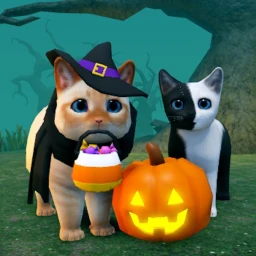
Celebrate October with new Halloween kittens and accessories! - Jinx: Summon spooky cats! - Lilith: Blur the line be…

See the whole schedule
04

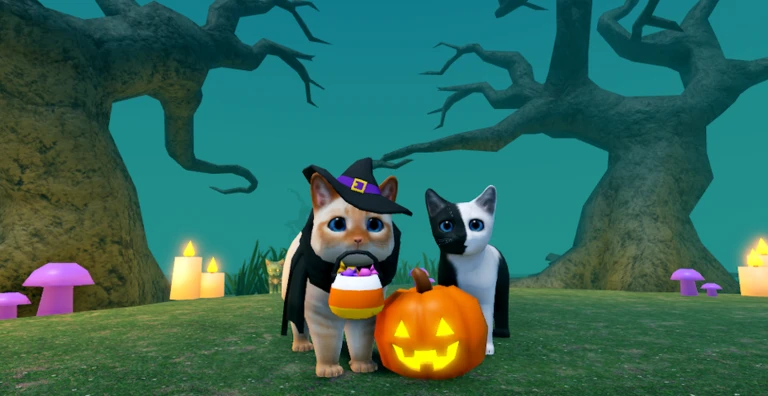
The September update: Witch Cauldrons

Summary
In short The September update added a mini-game and new content.

The September update brought three new things to the game. If you've played before and put it down for a while, this is a good reason to come back.
  • New mini-game Witch Cauldrons
  • New kittens added alongside the mini-game
  • New accessories more items to hunt down and collect
05

Free-Time Studio group perks

Check
In short Joining the group is free.

The game's own page calls out joining the group for 'awesome stuff.' The group is called Free-Time Studio and you can find it by searching on Roblox. Joining costs nothing.

  • Searched for Free-Time Studio in the Roblox groups tab
06

Staying safe in multiplayer

Warn
In short Playing with friends is one of the best parts of this game, but keep your personal details to yourself.

Kitten Game supports multiplayer, so you'll run into other players while exploring. Most interactions are fun, but it's worth knowing what to watch out for.

Worth watching out for
Never share your real name, address, school, or phone number in game chat.
Don't click links that other players send you, even if they sound interesting.
Use the block feature straight away if someone is being inappropriate or making you uncomfortable.
Ignore any requests to share passwords or Robux codes.
07

Playing without spending anything

Table
In short The full core experience — exploring, collecting, and playing with friends — costs nothing.

Kitten Game is free to start and the main activities don't require spending Robux. Here's how each part of the game breaks down on cost.

Starting the gamefree
Choosing a kittenfree
Collecting accessories through explorationfree
Joining Free-Time Studio groupfree
Playing with friends in multiplayerfree

Community strategy ideas

Community

These ideas and tips come from people playing the game. Share your discoveries too!

No strategy ideas yet. Share a tip you discovered.

Glossary

Glossary
Accessory
An item you put on your kitten to change how it looks.
Witch Cauldrons
A mini-game added in the September update.
Free-Time Studio
The Roblox group run by the game's developer; joining it gives you in-game perks at no cost.
L3
The button you press by clicking down on the left thumbstick on a console controller; used to run in this game.
Multiplayer
Playing in the same world as other people at the same time.

Common questions

FAQ

How do I run?

On desktop, press R. On console, press L3 (click the left thumbstick down).

What do I get for joining the Free-Time Studio group?

The game promises awesome stuff for group members, and joining is completely free.

Can I play with my friends?

Yes — the game supports multiplayer and you can play together with friends.

What's new in the September update?

The update added a mini-game called Witch Cauldrons, new kittens, and new accessories.

Do I need to spend Robux to enjoy the game?

No. Starting out, picking a kitten, collecting accessories by exploring, joining the group, and playing with friends are all free.

Updated Sep 10, 2026
Game updates can change what is on this page. If you spot something, get in touch and let us know.
Kitten Game 🐾 Bro_IsThisReal, Playing 4.7K, Rating 91.0%
See the game pageAsk on the board
Add it to your home screen and it works like an app. One tap to open, and it loads faster after that.