
MX WORLD Guide: Your first steps in MX WORLD
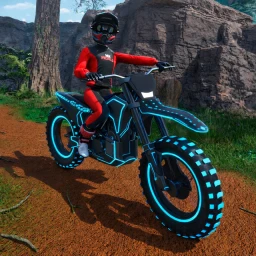
About
OverviewMX WORLD is an open-world Roblox game where you ride dirt bikes, ATVs, and UTVs across a wide off-road environment. You can customize your vehicle, race friends, and explore freely. This guide covers how to get started, which vehicle suits you, how to win races, and what to do when something goes wrong.
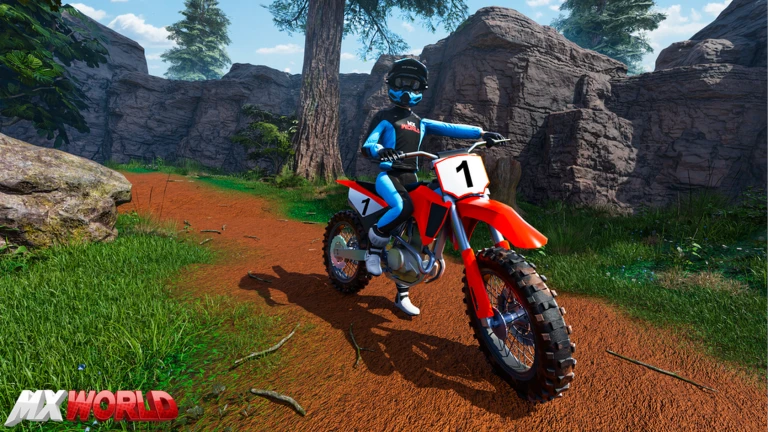
What is on this page
Contents
Your first steps in MX WORLD
Step
When you first load in, you need to choose between a dirt bike, an ATV, or a UTV before you do anything else. Once you are moving, spend time getting comfortable with acceleration, steering, and jumping rather than rushing toward races. The open world is large, so riding around without a goal at first is actually a good way to learn the layout.
- Choose your vehicle pick the type of off-road ride that appeals to you from the three available options.
- Practice the basics get a feel for how your vehicle accelerates, turns, and handles jumps before worrying about competing.
- Explore the world ride to different parts of the map to find race courses and customization spots.
- Find other players look for other riders in your server to race or just ride alongside.
Dirt bike, ATV, or UTV — which to choose
Table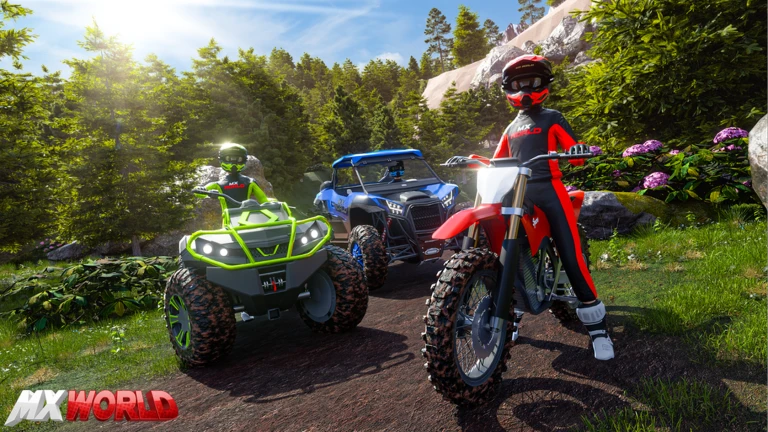
The three vehicle types handle very differently from one another. Dirt bikes reward skill and precise inputs, while the larger four-wheeled options give you more stability but feel heavier. Knowing what each one does well helps you pick the right ride for a given course.
| Dirt bike | light and agile, best for technical courses where quick reactions matter. |
| ATV | four-wheeled and stable, a comfortable pick for newcomers still learning the controls. |
| UTV | the largest option, excellent stability and the strongest performance on rough ground. |
Customization without limits
TipsMX WORLD offers unlimited customization options, meaning you are not locked into a small set of choices. You can change the appearance of your vehicle and adjust its performance characteristics. Keeping separate configurations for different track types lets you swap quickly when the terrain changes.
- Save multiple customization setups so you can switch between them depending on the course.
- Personalizing your vehicle's appearance helps you stay motivated to keep playing.
Winning races against friends
Tips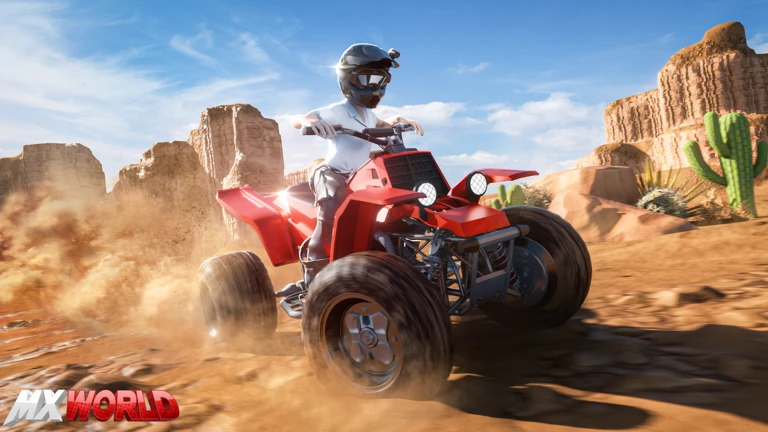
Off-road racing rewards riders who think ahead rather than just holding the throttle open. Corners are where races are won or lost, and jumps can create overtaking opportunities if you land cleanly. Knowing a track well matters as much as raw speed.
- Take corners from the outside toward the inside to carry the most speed through the turn.
- After a jump, adjust your throttle during the landing to stay balanced and keep momentum.
- Open the throttle fully on straights, then ease off before corners rather than mid-corner.
- Watch where other riders are on the track so you can avoid getting blocked.
- Run the same course multiple times to memorize the fastest line and where the tricky spots are.
When your vehicle will not move or behaves strangely
CheckIf your ride is not responding the way it should, work through a short checklist before assuming something is broken. Many problems fix themselves once you identify the actual cause. If none of the steps below help, trying a different vehicle often gets you moving again.
- Check that your key bindings or controller connections are set up correctly.
- Make sure the vehicle you chose can handle the terrain you are on lighter vehicles struggle on the roughest ground.
- Test your internet connection, since lag can make a vehicle feel unresponsive or jittery.
- If your vehicle is stuck on geometry, move to a different spot on the map and try again.
- Restart the game to clear any temporary bugs that a simple reload will fix.
Playing without spending
SummaryThe core loop of MX WORLD — riding, racing friends, and customizing vehicles — does not require any purchases. Multiplayer races with friends are open to everyone in the same server at no cost. Free players have access to a wide range of customization choices.
- Core gameplay fully available without spending.
- Multiplayer racing free for all players in the server.
- Customization options a broad range available at no cost.
Glossary
Glossary- Dirt bike
- A light two-wheeled off-road vehicle that rewards precise handling and technical skill.
- ATV
- A four-wheeled all-terrain vehicle that offers good stability and is friendly to new players.
- UTV
- The largest vehicle type in MX WORLD, built for maximum stability and rough-terrain performance.
- Cornering line
- The path you take through a corner — entering wide and cutting toward the inside carries the most speed.
- Open world
- A game map you can explore freely in any direction without loading screens or locked zones.
- Customization
- Changes you make to a vehicle's appearance or performance settings, with no limit on the number of options in MX WORLD.
Common questions
FAQWhich vehicle is the best one to use?
There is no single best vehicle — the right choice depends on the course and how you like to play. Dirt bikes suit riders who want agility, ATVs are a solid middle ground, and UTVs excel on rough terrain. Try all three across different tracks and stick with whichever feels natural to you.
How do I get better at racing quickly?
Focus on your cornering line first, since that is where the most time is gained or lost. After that, practice landing jumps cleanly so you do not lose speed. Running the same track repeatedly until you know every bend is one of the fastest ways to improve.
Game updates can change what is on this page. If you spot something, get in touch and let us know.
