
 Live now
–
Game guide
MM2 Aim Trainer 2 Guide: Getting started from the main menu
Is this game fun?1 votes
Fun 100%1Average 0%0Not fun 0%0
About
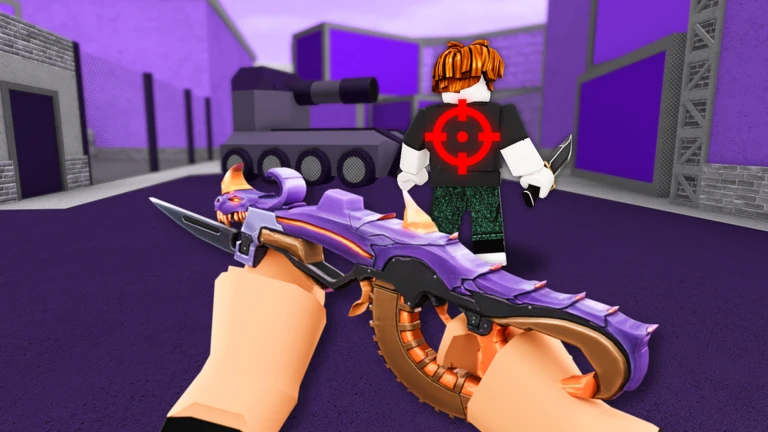
OverviewMM2 Aim Trainer 2 is a dedicated practice game built to sharpen your shooting accuracy for Murder Mystery 2, using the same weapons and maps as the original.
What is on this page
Contents
01
Getting started from the main menu
Step
02
Difficulty levels and when to move on
Table
03
Live and upcoming events
Events
04
Tips for improving your accuracy
Tips
05
When your accuracy stops improving
Check
06
Carrying your practice into real MM2 matches
Tips
07
Redeem codes
Warn
08
Working codes
Codes
09
Fair play and account safety
Warn
10
Glossary
Words
11
Common questions
FAQ
01
Getting started from the main menu
Step
In short
Choosing the right difficulty from the start lets you build real habits instead of just clicking randomly.
When you first load in, the main menu asks you to pick a difficulty before anything else. Start at the lowest option so you can get comfortable with the controls and the rhythm of hitting targets. The goal each round is simple: targets appear on screen and you shoot them as quickly and accurately as you can. After each session, check your hit rate and reaction time so you know exactly what to work on next.
- Pick a difficulty choose the lowest level on your first session.
- Start the round targets will appear and you click to shoot them.
- Review your stats look at how often you hit and how fast you reacted.
- Repeat the same difficulty stay on it until your accuracy feels consistent.
✦ Player polls!
MetaNew Player Survey

The next survey is being prepared.
02
Difficulty levels and when to move on
TableIn short
Each difficulty tier asks something different of you.
The game has multiple difficulty levels, and the gap between them is real. Lower difficulties move targets slowly, which is ideal for learning the basics. Higher difficulties demand fast tracking of quick-moving targets, much closer to what you face in an actual MM2 match. Jumping to a hard setting before you are ready tends to hurt motivation more than it helps skill.
| Easy | slow targets, designed to teach basic aiming and timing. |
| Normal | a balanced challenge for players who have the fundamentals down. |
| Hard | fast-moving targets that start to resemble real MM2 gunfights. |
| Extreme | very high target speed, aimed at experienced players. |
03 Live and upcoming events
Events
Events running now or coming soon. They have fixed dates, so check them first.
Live now
–
04
Tips for improving your accuracy
TipsIn short
Small consistent habits during practice sessions add up to noticeably better aim over time.
Pay attention to two numbers in particular: your hit rate and the time between a target appearing and you firing.
Tips worth knowing
- Find a mouse sensitivity that feels natural before you try to go fast.
- Consciously track each target with your eyes before you click.
- Watch your reaction time, not just whether you hit.
05
When your accuracy stops improving
Check
In short
A performance plateau often comes from a hardware or settings issue.
If your hit rate has been flat for several sessions in a row, check the environment before blaming your aim. Input lag, a stuttering frame rate, and a sensitivity setting that no longer suits you can all silently drag your numbers down.
- Mouse sensitivity test a slightly lower and slightly higher value to see if either feels cleaner.
- Frame rate confirm the game is running smoothly and not dropping frames mid-round.
- Screen resolution a lower resolution can sometimes make targets easier to track visually.
- Mouse hardware check that your mouse is responding instantly with no physical delay.
- Rest and focus rule out simple fatigue by taking a break and coming back fresh.
06
Carrying your practice into real MM2 matches
TipsIn short
The skills you build here transfer directly because the trainer uses the same weapons and maps as Murder Mystery 2.
The whole point of this trainer is that nothing is wasted. The weapons feel the same as in MM2, so the muscle memory you build here carries over. The best workflow is to practice here, jump into MM2 to test it under pressure, then return to the trainer to patch up whatever went wrong in the real match.
Tips worth knowing
- Use the same sensitivity setting in MM2 that you settled on in the trainer.
- The reaction-time habit you build here directly helps you win gunfights in MM2.
- After a rough MM2 session, come back to the trainer and focus on whatever tripped you up.
- Because the maps are the same, spatial awareness you develop here also applies in the original game.
07
Redeem codes
WarnIn short
Codes expire, so enter any code you find as soon as possible.
The game distributes redeem codes periodically, and entering one through the code menu in the main screen adds a reward to your inventory right away. Each code can only be used once per account, and expired codes cannot be redeemed.
Worth watching out for
Each code is single-use
once you redeem it on your account, it cannot be used again.
Codes expire, so do not save them for later.
Check in-game announcements regularly to catch new codes as they come out.
08 Working codes
Codes
 <3
HOTSEASON
BLU
$100 Cash
$100 Cash
BLUE
5 Blue Skins (Rare)
5 Blue Skins (Rare)
09
Fair play and account safety
WarnIn short
A permanent ban removes access to your account forever, with no route to appeal.
Cheaters are permanently banned with no appeal. That means any account found cheating is gone for good.
Worth watching out for
Using cheats results in a permanent ban with no appeal process.
Community strategy ideas
CommunityThese ideas and tips come from people playing the game. Share your discoveries too!
No strategy ideas yet. Share a tip you discovered.
Share a strategy idea
MM2 Aim Trainer 2
Glossary
Glossary- Aim
- The act of lining up your crosshair with a target before shooting.
- Hit rate
- The percentage of your shots that actually land on a target — the higher it is, the more accurate you are.
- Mouse sensitivity
- A setting that controls how far your crosshair moves on screen relative to how far you move your mouse.
- Reaction time
- How long it takes you to fire after a target appears; shorter is better.
- Frame rate
- How many times per second the game updates the image on your screen — a low or unstable frame rate makes targets harder to track.
- Permanent ban
- The harshest penalty in the game, which blocks your account from accessing the game forever with no way to appeal.
Common questions
FAQDo I need to have played Murder Mystery 2 before trying this trainer?
No — the trainer is a standalone game and you can jump in without any prior MM2 experience.
Is this game free to play?
Yes, the core practice features are all free.
Should I practice on a phone or a computer?
A computer with a mouse is strongly recommended. The trainer is built around mouse aiming, and touch controls on a phone work very differently from how you play MM2 on a PC.
Updated Sep 10, 2026
Game updates can change what is on this page. If you spot something, get in touch and let us know.
Game updates can change what is on this page. If you spot something, get in touch and let us know.
