🎃HALLOWEEN EVENT🎃
🎃 Halloween Event Summary: - 🧟 Zombies have returned, and will roam around the map every night! - 🍬 Candy will spa…

Lone Survival drops you on an island that was once a Shadow Government facility, where you manage hunger and thirst, build a base, gather resources, and fight other players or bosses to stay alive. This guide walks you through your first minutes on the island, how to build and craft, what monuments and keycards unlock, and how to take on the three bosses.
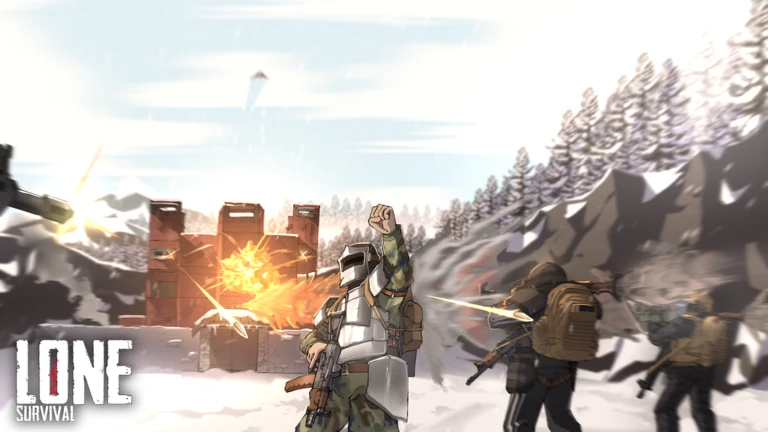
You spawn on the beach holding a Shiv, which is all you need to get started. Walk up to a tree, hold right-click, and aim for the red X marks that appear — hitting them gives you more wood and cuts the time down. Rocks work the same way, except you aim for a shiny dot instead of a red cross. Once you have some materials, press Tab to open your inventory and select the Crafting tab at the top.
Build these in sequence. You cannot skip a tier — later stations require materials and blueprints that only earlier stations let you produce.
| Station | What it lets you craft | Cost to build |
|---|---|---|
| Workstation | Tier-one items including the Iron Hatchet, Iron Pickaxe, and explosives like Dynamite | 450 wood, 50 salvaged materials, 135 iron |
| Anvil | Tier-two items including the AKS-74U, APC9-K, Huntsman Knife, Sledgehammer, Longsword, and Prototype tools | 500 iron, 500 salvaged materials, 20 steel |
| Drill Press | Top-tier items including the Hand Saw, Packed Explosive, and Rocket Launcher | 1000 iron, 1250 salvaged materials, 100 steel |
| Research Bench | Lets you research items for salvaged materials and unlock blueprints faster | 175 iron, 25 salvaged materials |
| Repair Bench | Repairs damaged weapons and lets you apply skins to items | 150 iron |
Events running now or coming soon. They have fixed dates, so check them first.
🎃 Halloween Event Summary: - 🧟 Zombies have returned, and will roam around the map every night! - 🍬 Candy will spa…
Start with wood structures because they are cheap, then upgrade as you gather iron and steel. Keep in mind that any structure you place can be picked up freely for the first ten minutes, but after that it can only be destroyed with explosives. Place a Base Claim first — it costs 750 wood and stops others from building inside your perimeter.
| Wood walls | 250 HP, costs 1000 wood, vulnerable to fire and explosives |
| High Concrete walls | 500 HP, costs 1000 stone and 50 iron, requires explosives to breach |
| Wood doors | 200 HP, costs 250–350 wood, can be burned down |
| Iron doors | 250 HP, costs 200–250 iron, fire-resistant |
| Steel doors | 750 HP, costs 20 steel and 5 gears, highest protection tier |
| Storage Cabinet | 54 slots, costs 400 wood, 150 iron, and 10 steel, the largest storage option you can build |
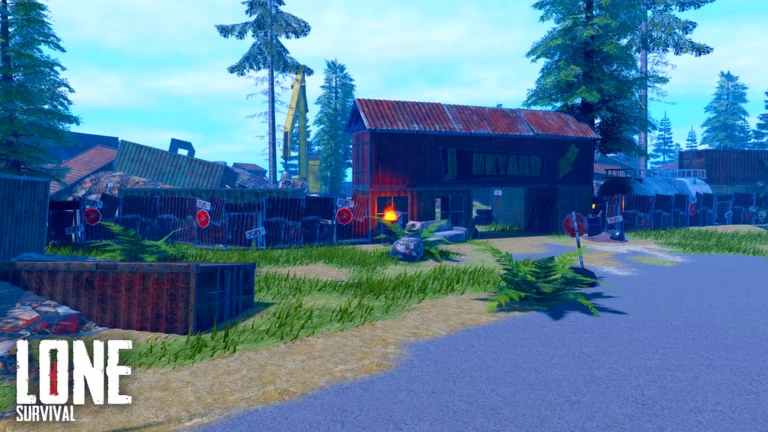
Monuments are structures scattered across the island that hold food, water, components, and high-tier gear. Many areas inside them require a keycard to enter. There are three tiers — Green, Yellow, and Red — and each one opens more restricted sections.
A wipe resets all player-built bases and inventories on a server. Standard servers wipe every Friday between 1 and 4 PM Central Standard Time, though the timing can shift if an update or server issue is being handled. Bi-weekly servers follow a different schedule. To redeem a code, open the Store tab in-game, go to the Rewards section, scroll to the bottom, paste the code into the Input Code box, and click Redeem.
 October2026
Credits 500
beta
30kMembers
500 Credits
100kMembers
October2026
Credits 500
beta
30kMembers
500 Credits
100kMembers
Report the incident through the official Lone Survival Support Discord in the game-support channel. Open a ticket under Report Players, include your username, the cheater's username, your server, and any evidence you have. If the report is confirmed, your loot can be returned and the cheater's base will be wiped.
Structures can be picked up freely within the first ten minutes after placement. After that window closes, the only way to remove them is with explosives — Dynamite, Dynamite Bundle, or Packed Explosive. This rule exists so that someone cannot authorize themselves to your Base Claim and then tear your base down from the inside.
Food and water items spawn inside crates at every monument on the island. Opening those crates can turn up items such as Soup, Jack'os, and water bottles.
Craft and place a Repair Bench, then put the weapon you want to skin into the bench. The available skins for that item will be listed underneath it — click the one you want to apply it.
Before you start
Please check the following before using MetaNew.
* You can change your email preference any time from your profile.
