
My Sari-Sari Store Guide: The basic store loop
About
OverviewMy Sari-Sari Store puts you in charge of a small Filipino neighborhood shop. You stock the shelves, serve customers, earn money, and grow your store from a tiny tindahan into a Mini-Mart. This guide walks you through the core loop, keeps your shelves full, and shows you what to aim for next.

What is on this page
Contents
Player notes and tips
Found a useful trick? Share it with everyone! Notes with screenshots are welcome!
Write a guide note
[🏪] My Sari-Sari Store
The basic store loop
Step
When you first load in, your shelves are empty and no customers will buy from you until you stock up. The badge progression the game gives you is a built-in tutorial — each badge marks the next thing you should do.
- Head out for a grocery run leave the store and collect products to bring back.
- Stock the shelves place everything you bought onto the correct shelves to unlock the Stocked & Ready! badge.
- Serve a customer complete your first sale to earn the First Sale! badge and start building revenue.
- Keep restocking before shelves go empty an empty shelf means lost sales and slower progress.
- Save up enough revenue to upgrade reaching the Improved Store stage earns you the Moving Up! badge.
MetaNew Player Survey

The next survey is being prepared.
Keeping shelves full
Tips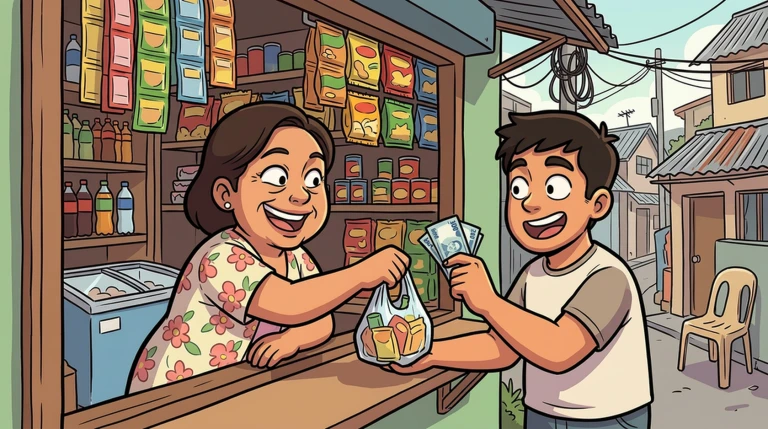
Inventory management is the core skill in this game. Customers cannot buy what is not there, and every gap on a shelf is money you are not making.
- Go on a grocery run before your shelves are completely empty, not after.
- Return from every run and place stock immediately rather than holding it.
- A fully stocked store lets you serve customers without interruption and builds revenue faster.
Redeem codes
CheckThe game currently has three working codes. Enter them in the in-game input screen.
- Type each code exactly wrong capitalization will cause it to fail.
- If a code does not work, treat it as expired rather than keep retrying.
- Check the game's official social media and Discord for new codes when they are announced.
 SUKI
SALAMAT
GRANDOPENING
Upgrading your store
Summary
The upgrade from a basic tindahan to an Improved Store is the main milestone in the early game. You reach it by accumulating enough revenue, which only happens if you keep selling without long gaps.
- Goal reach the Improved Store stage and earn the Moving Up! badge.
- Method maintain stocked shelves and complete sales without long gaps.
- Obstacle empty shelves halt customer purchases and slow revenue entirely.
- Next stage the game's description names a Mini-Mart as the eventual destination beyond the Improved Store.
Bugs and in-development issues
Warn
The developers flag the game as a work in progress. If something stops working as expected, rejoining the session resolves most issues.
Glossary
Glossary- Sari-Sari Store
- A small neighborhood convenience shop common in the Philippines, and the type of store you run in this game.
- Tindahan
- A Tagalog word meaning "shop" or "store," used in the game's badge descriptions to refer to your store.
- Grocery Run
- The action of leaving your store to collect products that you then bring back and place on your shelves.
- Improved Store
- The first major upgrade tier above the starting store, unlocked by accumulating enough sales revenue.
- Mini-Mart
- The larger store type described as the long-term growth goal beyond the Improved Store.
Common questions
FAQHow do I upgrade my store?
Keep your shelves stocked and serve as many customers as possible to build up revenue. Once you have earned enough, the upgrade to the Improved Store becomes available. The Moving Up! badge confirms you have completed it.
What do I do if the game bugs out?
Leave the session and rejoin — that clears most issues. The game is still in development, so occasional bugs are expected.
Game updates can change what is on this page. If you spot something, get in touch and let us know.
