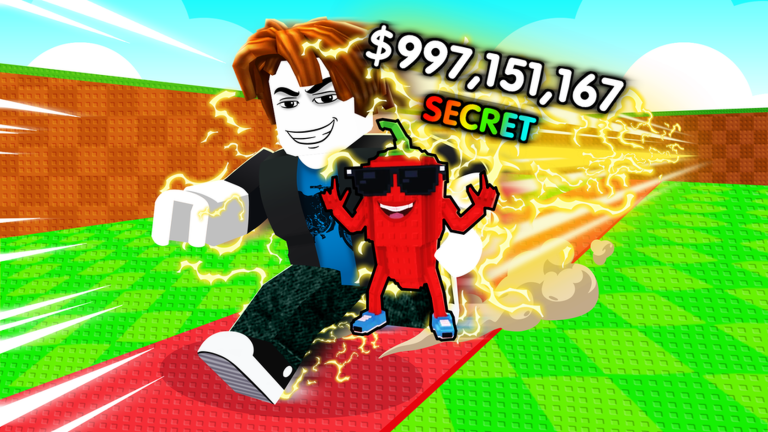
Be Flash For Brainrots is a fast-reaction PvP battle game where you play as brainrot meme characters and try to out-react your opponent. Every match comes down to nailing Quick Time Events and dodging at the right moment. This guide walks you through the controls, how QTEs work, and how to get better when you keep losing.
In shortKnowing every input before you queue means you can focus on reacting instead of remembering buttons.
The game supports both keyboard-and-mouse and controller, so pick whichever feels natural. Dash is bound to Left Shift on keyboard or RT/R2 on controller. QTE prompts are answered with a mouse click on keyboard, or X, Y, B, A on an Xbox controller, or the equivalent face buttons on a PlayStation controller.
Dash inputLeft Shift (keyboard) or RT / R2 (controller)
QTE inputmouse click (keyboard) or X, Y, B, A face buttons (controller)
Controller playersmemorize where each face button sits so your eyes never leave the screen
In shortQTEs are the core of every match, so learning to read and answer them quickly is the most important skill in the game.
A QTE (Quick Time Event) flashes a prompt on screen and gives you a very short window to respond. The faster you hit the correct input, the better your attack lands. Missing or responding slowly hands the advantage to your opponent. When several prompts appear back to back, take them one at a time instead of rushing.
Watch the screenkeep your eyes on the center so no prompt catches you off guard
React immediatelythe moment a prompt appears, press the matching input without hesitation
Stay calm in chainsif multiple QTEs follow each other, handle each one in order
In shortDash is your only defensive tool, so using it on a read rather than randomly is what separates wins from losses.
Dash moves your character quickly to avoid incoming attacks. The goal is to dash when your opponent is about to land a hit, not constantly.
Tips worth knowing
Wait for a sign that an attack is coming before you dash, rather than dashing at random
Against the same opponent in multiple matches, you will start to see when they like to attack
05
Three ways to approach a fight
Table
In shortMatching your playstyle to your opponent's habits gives you a real edge.
There is no single right way to play, but these three approaches cover most situations.
Aggressive
chain QTEs to deal constant pressure
Defensive
dash away from attacks and wait for your opponent to make a mistake before answering with a QTE
Balanced
read what your opponent is doing each exchange and pick attack or dodge based on what you see
06
What to check when you keep losing
Check
In shortMost losing streaks trace back to one of a handful of fixable problems.
Because the game is built around reaction speed and two inputs, there are only a few things that can go wrong.
QTE timingare you reacting the instant the prompt appears, or a beat late?
Dash timingare you dodging on a read, or just pressing it whenever you feel nervous?
Screen focusany distraction in your environment will cost you the split-second you need
Control setupif your inputs feel awkward, switch to the other scheme and try again
Connection qualitylag delays your inputs even when your hands are fast, so check your internet if responses feel sluggish
07
Free bonus rewards from the group
Summary
In shortLiking, favoriting, and joining the official group earns you bonus rewards at no cost.
The game offers bonus rewards to players who support it in three free ways. None of these steps require spending Robux.
Like the game hit the thumbs-up on the game page
Favorite the game click the star so it saves to your favorites
Join the group find the official group linked on the game page and join for free
Glossary
Glossary
QTE
Quick Time Event — a prompt that flashes on screen during a match, requiring you to press the correct button as fast as possible.
Dash
A quick movement action triggered by Left Shift or RT/R2 that lets you dodge an incoming attack.
Brainrot
A style of internet meme character — goofy and over-the-top — that forms the theme of this game.
Matchmaking
The system that automatically pairs you with another player and starts the match.
PvP
Player versus Player — every match in this game is a live one-on-one battle against another person.
Common questions
FAQ
Do I need to spend Robux to play properly?
No. Every match and feature in the game is available without spending anything. The group bonus rewards are also completely free to claim.
Is keyboard or controller better for QTEs?
It depends on you. Mouse clicks work well for players who are already quick with a mouse, while controller face buttons suit players whose fingers naturally sit on a gamepad.
How do I claim the group bonus rewards?
Like the game, add it to your favorites, and join the official group — all three steps are free. Check in-game announcements for the current details on what the rewards are.
Updated Oct 4, 2026
Game updates can change what is on this page. If you spot something, get in touch and let us know.