
Keyboard Tower Guide: Starting your climb

About
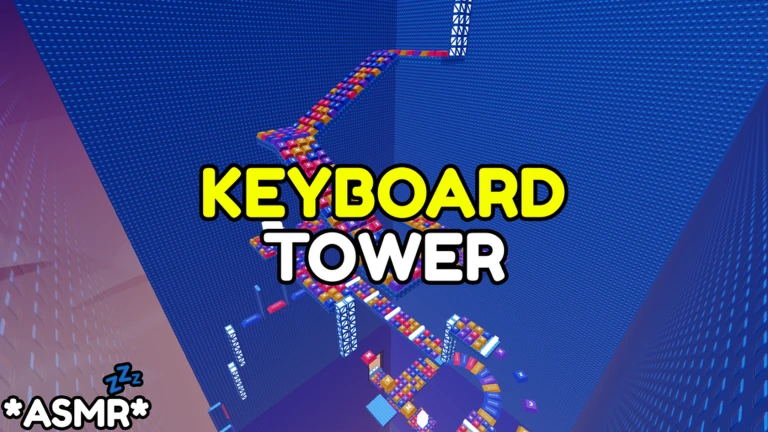
OverviewKeyboard Tower is an obby game where you climb a massive tower built entirely out of keycaps, with every step producing a satisfying click sound. This guide covers how to start climbing, how to get past tricky sections, how to make the most of the ASMR audio, and how to claim a free item before you even begin.
What is on this page
Contents
Player notes and tips
Found a useful trick? Share it with everyone! Notes with screenshots are welcome!
Write a guide note
[UPD] Keyboard Tower
Starting your climb
Step
You begin at the base of the tower and your only goal is to reach the top without falling. The keycap platforms vary in size, so rushing will get you knocked back to the start faster than anything else. Look ahead, pick your next landing spot, and then move — not the other way around.
- Scout first
before moving anywhere, look around the base to see which platforms are within easy reach.
- Pick a route
choose the platform you are aiming for before you jump, not while you are in the air.
- Land, then leap
confirm you have landed cleanly before committing to the next jump.
MetaNew Player Survey

The next survey is being prepared.
Getting past sections where you keep falling
CheckIf you are dropping from the same platform over and over, the problem is almost always one of three things: where you are aiming, how you are using the camera, or when you are jumping. Run through this list before your next attempt.
- Aim for the centre of small keycaps the edges of narrow platforms give you very little room for error.
- Rotate the camera looking straight on hides depth; angling it upward and to the side shows you where the next foothold actually sits.
- Stop before you jump jumping while still moving sideways can carry you off target, so try coming to a full stop first.
Getting the most out of the ASMR audio
TipsThe game is designed around the sound of each keycap underfoot, so how you listen matters as much as how you play.
- Use headphones or earbuds
the click sounds come through much more clearly than over open speakers.
- Slow down on purpose
moving carefully not only keeps you from falling but also gives you more clicks to enjoy.
Claiming your free item before you play
StepJoining the official Tower Works group is free and rewards you with an in-game item. Do this before you enter the game so the item is waiting for you when you load in.
- Open Roblox groups
go to the Groups section on Roblox and search for Tower Works.
- Hit join
joining costs nothing and takes a few seconds.
- Launch the game
start Keyboard Tower after you have joined, not before.
Glossary
Glossary- Obby
- Short for obstacle course — a Roblox game type where you jump across platforms and avoid hazards to reach a finish line.
- Keycap
- The individual cap that sits on top of each key on a physical keyboard; in this game, keycaps are the platforms you climb.
- ASMR
- A pleasant tingling sensation triggered by soft sounds like clicks or whispers — Keyboard Tower is built around the click sound each keycap makes when you step on it.
Common questions
FAQWhat happens when I fall off the tower?
You are sent back to the start or to a checkpoint along the way. You can try as many times as you like, so a fall is never the end.
Can I play this alone?
Yes — there is no co-op requirement and no competitive element forcing you to race anyone. A server holds up to 25 players, but you climb entirely at your own pace.
Do I have to join the group before I start playing?
Joining before you launch the game means the free item is ready when you load in.
Game updates can change what is on this page. If you spot something, get in touch and let us know.
