
Scooter Of Hell — The three controls you need to know
About
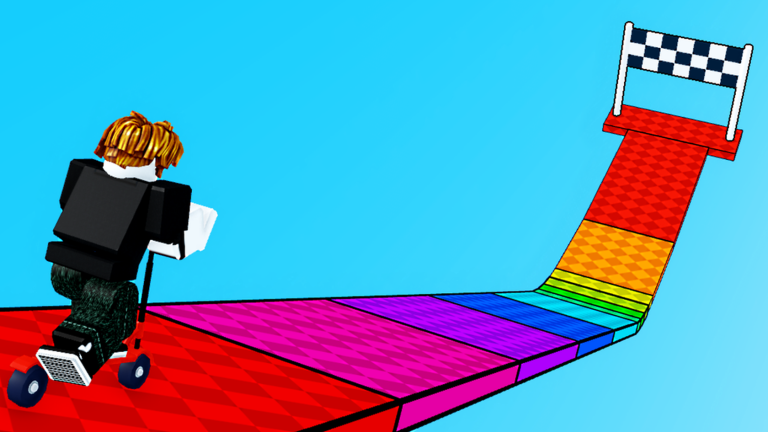
OverviewScooter of Hell is a Roblox obstacle course where you ride a scooter through 30 randomly generated stages, using jumps, boosts, and drifts to reach the finish before everyone else. This guide covers the controls, how to handle tight corners, and what to do when a stage keeps beating you.
What is on this page
Contents
The three controls you need to know
Summary
When you start, the controls pop up on screen automatically. You steer the scooter left and right with your movement keys, jump to clear gaps and ledges, and hit boost to accelerate when you need extra speed. That is all there is to it — three inputs, every stage.
- Movement steer the scooter left and right through the course
- Jump clear drops, gaps, and raised sections
- Boost burst of speed, most useful on straight stretches
Handling corners and straight sections
TipsThe stages are full of sharp corners, and rushing into them with boost active is the most common way to fall off. On a long straight, that is exactly when to use boost. As soon as you see a curve coming up, ease off and let the scooter slow down before you turn. Drifting helps you hold speed through a bend without flying off the edge. Give yourself a short run-up before any jump that needs height.
- Use drift to carry momentum through curves instead of braking completely
- Hold boost back until you can see a clear straight ahead
- Start your jump a little before the ledge, not right at the edge
What to do when a stage keeps stopping you
CheckBecause every stage is randomly generated, the layout changes each time you restart. There is no single tricky section that will always be in the same spot — a restart gives you a new version of the course to try. If you keep falling at the same kind of obstacle, run through the checks below before you restart.
- Are you slowing down before drops and ledges, or still carrying too much speed into them?
- Is boost being spent early, leaving nothing for the long flat sections?
- Are you jumping a moment too late, right at the edge instead of slightly before it?
Playing without spending anything
SummaryYou can reach and complete every one of the 30 stages without spending Robux. Because the layouts are random, finishing all 30 does not close the game off — you can keep replaying them. If you leave mid-stage and come back later, you start from the beginning again.
- Stage access free for all players
- Restarts unlimited, no cost
- Replay value random generation means each run is different
Glossary
Glossary- Boost
- A burst of extra speed that works best on long straight sections of track.
- Drift
- A technique for getting around curves while keeping more of your speed than a hard turn would allow.
- Randomly generated
- The stage layout is built fresh each time, so no two runs are exactly the same.
Common questions
FAQWhat happens after you finish all 30 stages?
The stages are randomly generated, so the layouts are different every time you play through them. You can keep going back on new arrangements.
If you quit mid-stage, do you pick up where you left off?
No — when you return, the game starts from the beginning. There is no mid-run save point.
Game updates can change what is on this page. If you spot something, get in touch and let us know.
