
Ghost Driver Guide: Controls you need to know
About
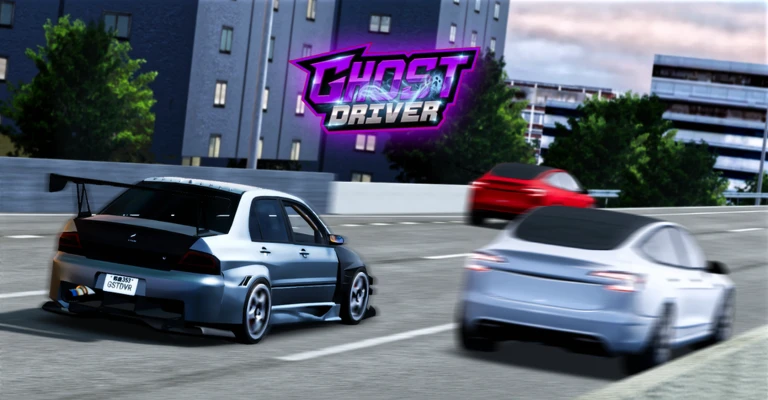
OverviewGhost Driver is a high-speed traffic game where you weave through packed highway cars, chain near-misses for cash and XP, then spend those earnings on new vehicles and upgrades. This guide covers the controls, how the near-miss combo system works, how to spend your cash wisely, and what to do when you get stuck.
What is on this page
Contents
Controls you need to know
CheckYou steer with W, A, S, D or the arrow keys. Pressing Shift applies the handbrake and lets you drift. V switches between third-person and first-person views, and L turns your headlights on.
- W / A / S / D or arrow keys basic driving in all directions
- Shift handbrake and drift, useful for quick direction changes
- V toggles between third-person and first-person camera
- L headlights on or off
How the near-miss combo system works
Step
The core loop of Ghost Driver is threading your car past traffic at high speed without hitting anything. Each successful near-miss adds to your combo, and the longer the chain, the higher the multiplier climbs. A collision ends the combo immediately.
- Build speed first accelerate in a clear stretch before entering a cluster of cars
- Pass cars traveling the same direction they move with you, making timing easier
- Straighten up after each pass small, brief steering inputs stop the car from drifting into the next vehicle
- Protect a high multiplier take a safe gap instead of a risky one when the combo is long
Spending your cash and leveling up
Tips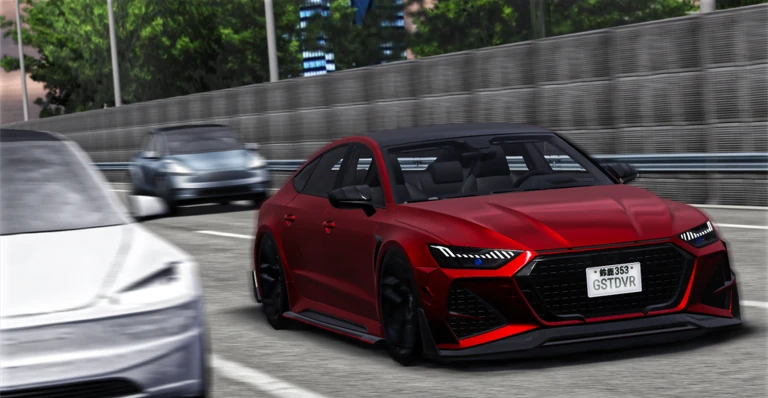
Cash comes from near-miss combos and quests, and it goes toward new cars and upgrades in the customization garage, which sits behind the dealer. Some performance upgrades are gated behind player level, so having enough cash is not always enough — check the level requirement first.
- Check the FREE CAR panel before buying anything — a free vehicle may already be available to you
- If crashes are cutting your combos short, upgrade tires and brakes
- If you feel limited by top speed, prioritize engine, supercharger, and fuel system upgrades
- Leave gear ratio settings at their default until you understand how they affect your driving style
Daily quests and the free-to-play loop
SummaryRobux appears only for cosmetic and decorative items, not for anything that affects your combo or your car's performance. The developer has said more cars and content follow from player likes and favorites.
- Free-roam open to everyone at no cost
- Near-miss combos and quests the main cash and XP source, fully free
- Car purchases and upgrades bought with in-game cash, no Robux needed
- Cosmetics and decorations some cost Robux, but none affect performance
- Likes and favorites the developer has said more cars and content follow from player support
When your combo keeps dying
WarnIf your combo is not growing or keeps snapping early, changing your speed, camera, drift input, and car all in the same run makes it impossible to know which fix worked. Pick one thing to adjust and test it. If the game feels sluggish or your inputs lag, lower Roblox's graphics quality or move to a less crowded server.
Highway races and multiplayer
StepThe same highway where you practice near-miss combos also hosts races against other players. Driving into the yellow circle on the road signs you up. Because public servers put you alongside other real players, keep personal information out of the chat, and use mute, block, or the report tool if someone is being disruptive.
- Find the yellow circle drive your car into it to join a highway race
- Keep personal details out of chat name, school, address, and contact information stay private
- Use mute, block, or report those tools are there for a reason
Redeem codes
CheckGhost Driver distributes redeem codes that you enter in the game's dedicated input field to claim a reward. Each code works once per account, and many codes have expiry dates.
- Find the code input field inside the game before you need it, so you know where it is
- Enter codes promptly expiry dates are common and a code is useless once it has expired
- Each code works once entering the same code twice will not give a second reward
 100MIL
25k cash
hustleup
$25,000 Cash
froppilive
$30,000 Cash
THANKSFOR480K
15k cash
100MIL
25k cash
hustleup
$25,000 Cash
froppilive
$30,000 Cash
THANKSFOR480K
15k cash
Glossary
Glossary- Near-miss
- Passing another car at high speed without making contact — the action that starts and extends your combo.
- Combo
- A running chain of consecutive near-misses that resets to zero the moment you crash.
- Combo multiplier
- A number that rises the longer your combo runs, multiplying the cash and XP each near-miss pays out.
- Cash
- The in-game currency you earn from combos and quests, used to buy cars and performance upgrades.
- XP
- Points that raise your player level, which unlocks higher-tier performance upgrades in the garage.
- Drift
- A technique triggered by the Shift key that slides the rear tires and lets you change direction faster than steering alone.
- Handbrake
- The Shift key input — locking the rear wheels to swing the car's nose quickly around a gap.
- Customization garage
- The in-game shop behind the dealer where you apply engine, tire, brake, and other performance upgrades.
- Gear ratio
- A fine tuning setting that affects how your car balances acceleration against top speed.
- Pre-alpha
- An early development stage where content, prices, and mechanics can change between updates.
Common questions
FAQCan I play with a controller instead of a keyboard?
The game lists keyboard controls (W, A, S, D or arrow keys, Shift, V, L) as its control scheme. For other input devices, check the control guide shown inside the game itself.
What happens when I crash?
Crashing ends your active combo, which drops your multiplier back to zero. Your already-collected cash is not wiped out by a single collision.
Can I play with friends?
Joining the same public server puts you on the same highway as your friends. The highway race mode, entered by driving into the yellow circle on the road, is the direct head-to-head way to compete against other players.
Is there a free car available at the start?
Every player starts with a free default car from the garage. Additional free car offers may appear in the FREE CAR panel inside the game, and that panel shows the current conditions.
Will new cars and content be added?
The game's own description says that likes and favorites from players drive further updates and new cars. The game is currently in pre-alpha.
Game updates can change what is on this page. If you spot something, get in touch and let us know.
